







Question: Need help whit this java code. If you can type it in, it'll really help, thank you so much! LAB3 PART2 - REQUIREMENT This lab
Need help whit this java code. If you can type it in, it'll really help, thank you so much!
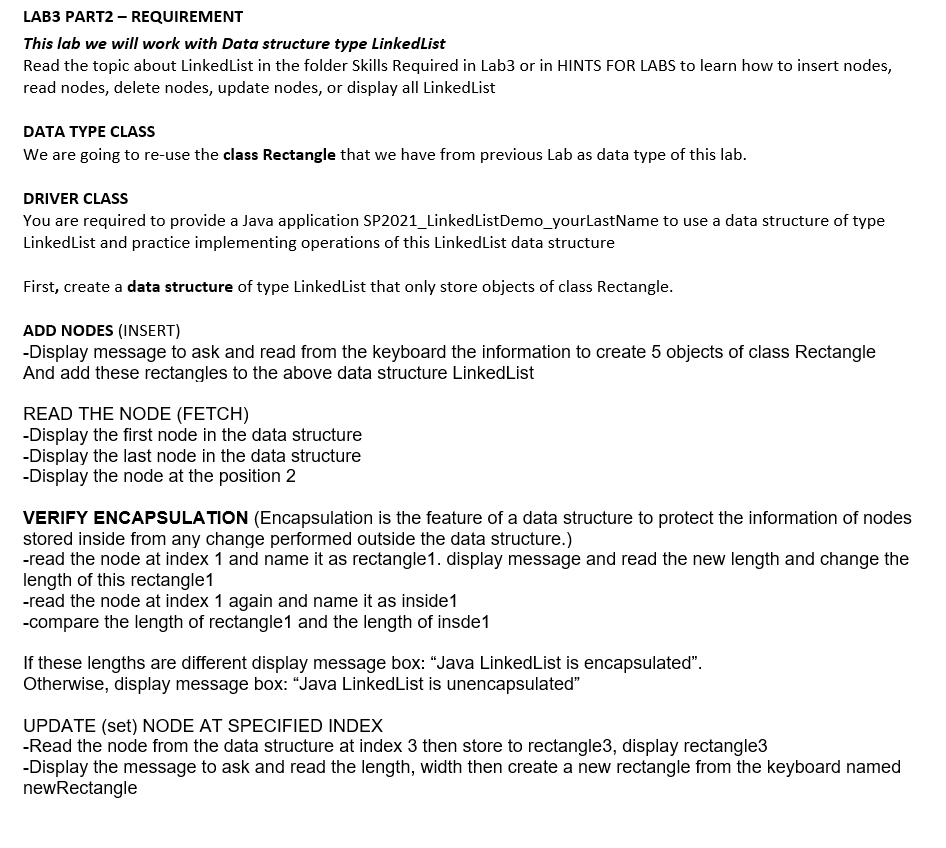
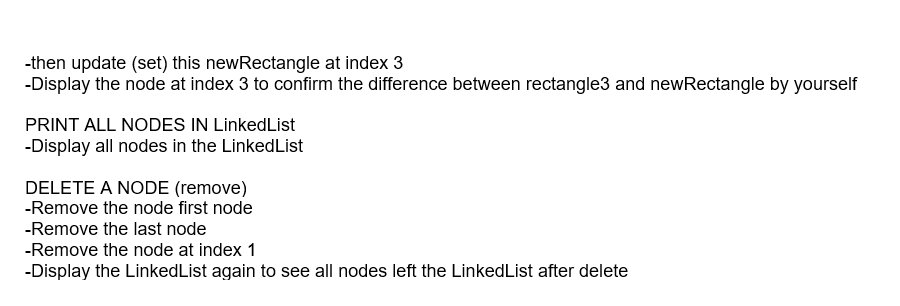
LAB3 PART2 - REQUIREMENT This lab we will work with Data structure type LinkedList Read the topic about LinkedList in the folder Skills Required in Lab3 or in HINTS FOR LABS to learn how to insert nodes, read nodes, delete nodes, update nodes, or display all LinkedList DATA TYPE CLASS We are going to re-use the class Rectangle that we have from previous Lab as data type of this lab. DRIVER CLASS You are required to provide a Java application SP2021_LinkedListDemo_yourLastName to use a data structure of type LinkedList and practice implementing operations of this LinkedList data structure First, create a data structure of type Linked List that only store objects of class Rectangle. ADD NODES (INSERT) -Display message to ask and read from the keyboard the information to create 5 objects of class Rectangle And add these rectangles to the above data structure LinkedList READ THE NODE (FETCH) -Display the first node in the data structure -Display the last node in the data structure -Display the node at the position 2 VERIFY ENCAPSULATION (Encapsulation is the feature of a data structure to protect the information of nodes stored inside from any change performed outside the data structure.) -read the node at index 1 and name it as rectangle1. display message and read the new length and change the length of this rectangle1 -read the node at index 1 again and name it as inside 1 -compare the length of rectangle1 and the length of insde1 If these lengths are different display message box: Java LinkedList is encapsulated". Otherwise, display message box: Java LinkedList is unencapsulated" UPDATE (set) NODE AT SPECIFIED INDEX -Read the node from the data structure at index 3 then store to rectangle3, display rectangle3 -Display the message to ask and read the length, width then create a new rectangle from the keyboard named newRectangle -then update (set) this newRectangle at index 3 -Display the node at index 3 to confirm the difference between rectangle3 and new Rectangle by yourself PRINT ALL NODES IN LinkedList -Display all nodes in the LinkedList DELETE A NODE (remove) -Remove the node first node -Remove the last node -Remove the node at index 1 -Display the LinkedList again to see all nodes left the LinkedList after delete
Step by Step Solution
There are 3 Steps involved in it

Get step-by-step solutions from verified subject matter experts
 Study Help