







Question: NEED HELP WITH JAVA CODING: Open your IDE (Eclipse), and select File > New > Java Project. Also download and unzip(Extract all) the Packagers zip
NEED HELP WITH JAVA CODING:
- Open your IDE (Eclipse), and select File > New > Java Project.
- Also download and unzip(Extract all) the Packagers zip file. It will contain three jar files you will need for this lab.
- Provide the name, Lab-DefaultInterface and click Finish.
- Right-click on the project and select Build Path > Configure Build Path .
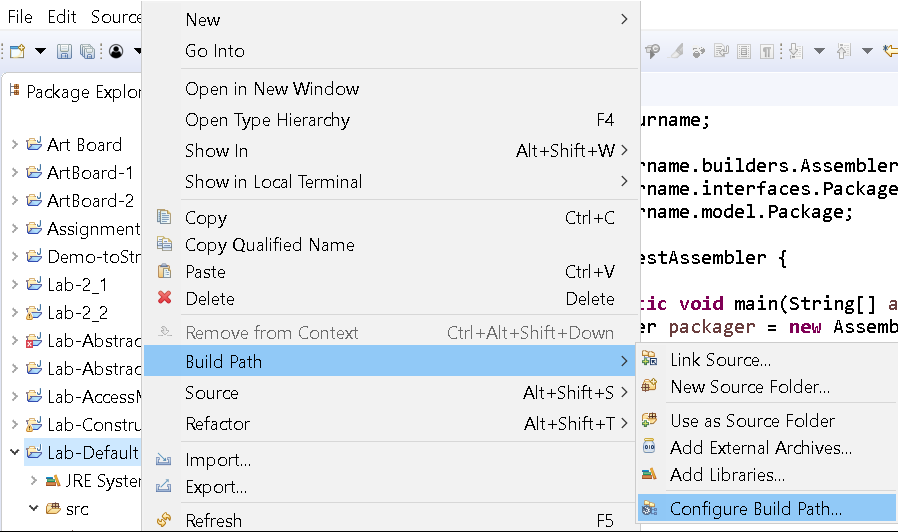
4. Next, select the Libraries tab, select the Classpath and click on Add External JARs
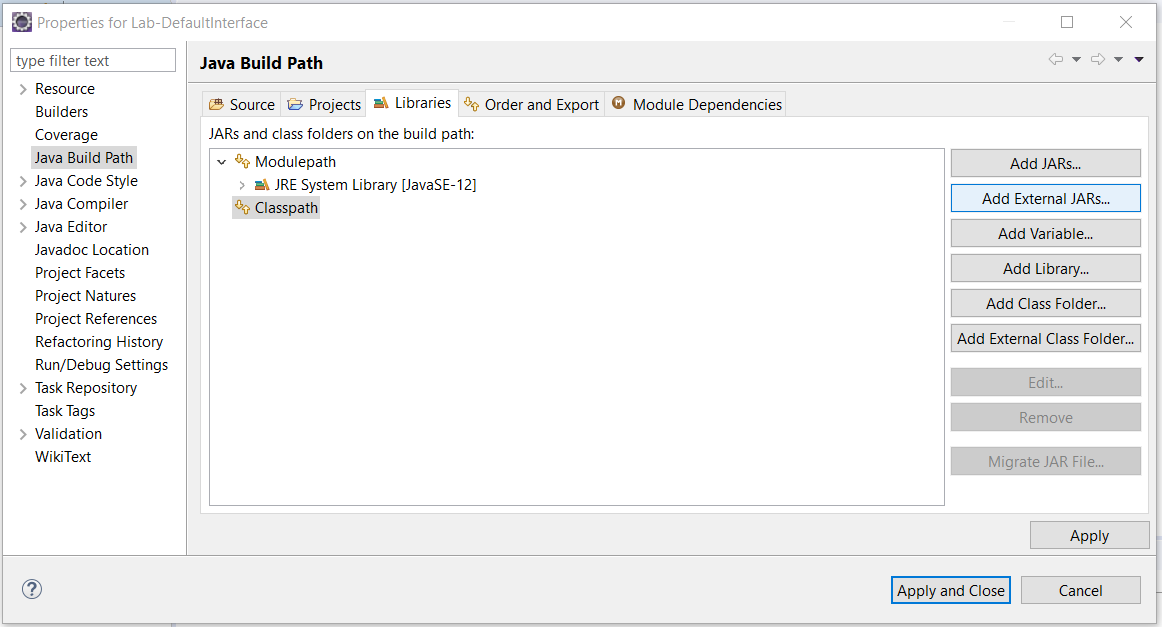
5. Navigate to the directory where you saved the Packager.jar file (this file is available from a Lab-Abstraction or you can use the first Packager.jar file in the folder you just unzipped). Click OK.
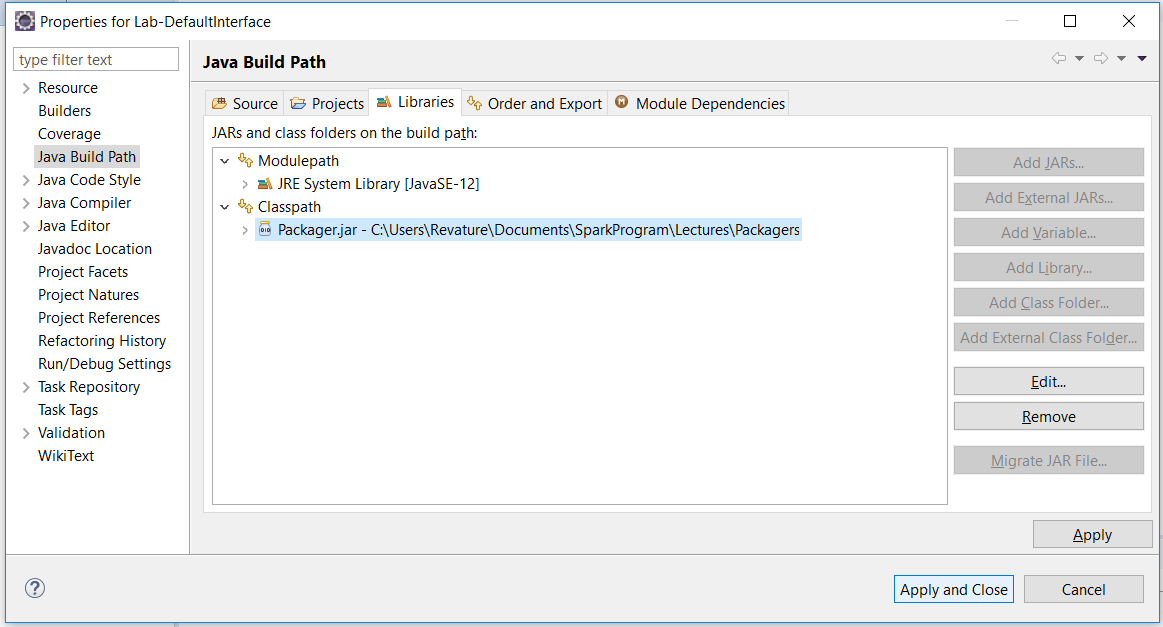
Click Apply.
You've now successfully added a Library to your Build Path!
Great. Now let's write a Test class to use that functionality.
Create a new class TestAssembler in a new package com.revature.
Edit it to be like the following:
package com.revature; import com.yourname.builders.Assembler; import com.yourname.interfaces.Packager; import com.yourname.model.Package; public class TestAssembler { public static void main(String[] args) { Packager packager = new Assembler(); Package myPackage = packager.assemblePackage(); System.out.println(myPackage); } }Note that if you added your packager.jar to the buildpath you will need yourname to be your actual name. However, if you added the packager.jar provided to the buildpath then yourname will remain yourname.
Also, note that Package must be imported- be careful not to use Package that is already part of the Java language.
Run the program. You'll see the following output:
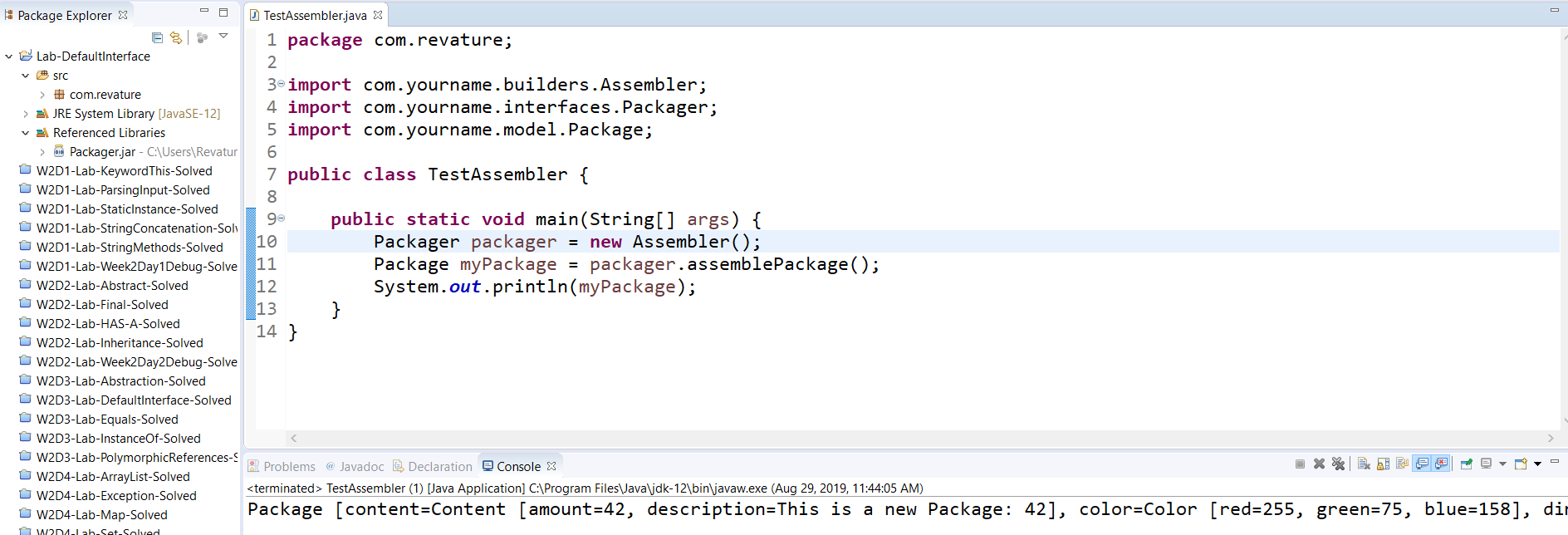
Now this functionality is great.
But say you had a requirement to create Package a different way.
One thing you can do is create a new class that implements Packager.
And so, create a new class MyAssembler in a new package com.revature.assemblers like the following:
package com.revature.assemblers; import com.yourname.interfaces.Packager; import com.yourname.model.Color; import com.yourname.model.Content; import com.yourname.model.Dimension; import com.yourname.model.Package; public class MyAssembler implements Packager { private static int packageCount = 0; public MyAssembler() { packageCount++; } @Override public Package assemblePackage() { Content content = new Content(packageCount, "New Grey Package: " + packageCount); Color color = new Color(125, 125, 125); Dimension dimension = new Dimension(5,5,5); return new Package(content, color, dimension); } }You can now update your TestPackager code to use the new implementation by just changing two lines of code (don't forget the import):
package com.revature; import com.revature.assemblers.MyAssembler; import com.yourname.interfaces.Packager; import com.yourname.model.Package; public class TestAssembler { public static void main(String[] args) { Packager packager = new MyAssembler(); Package myPackage = packager.assemblePackage(); System.out.println(myPackage); } }Run the program.
You'll see output like the following:
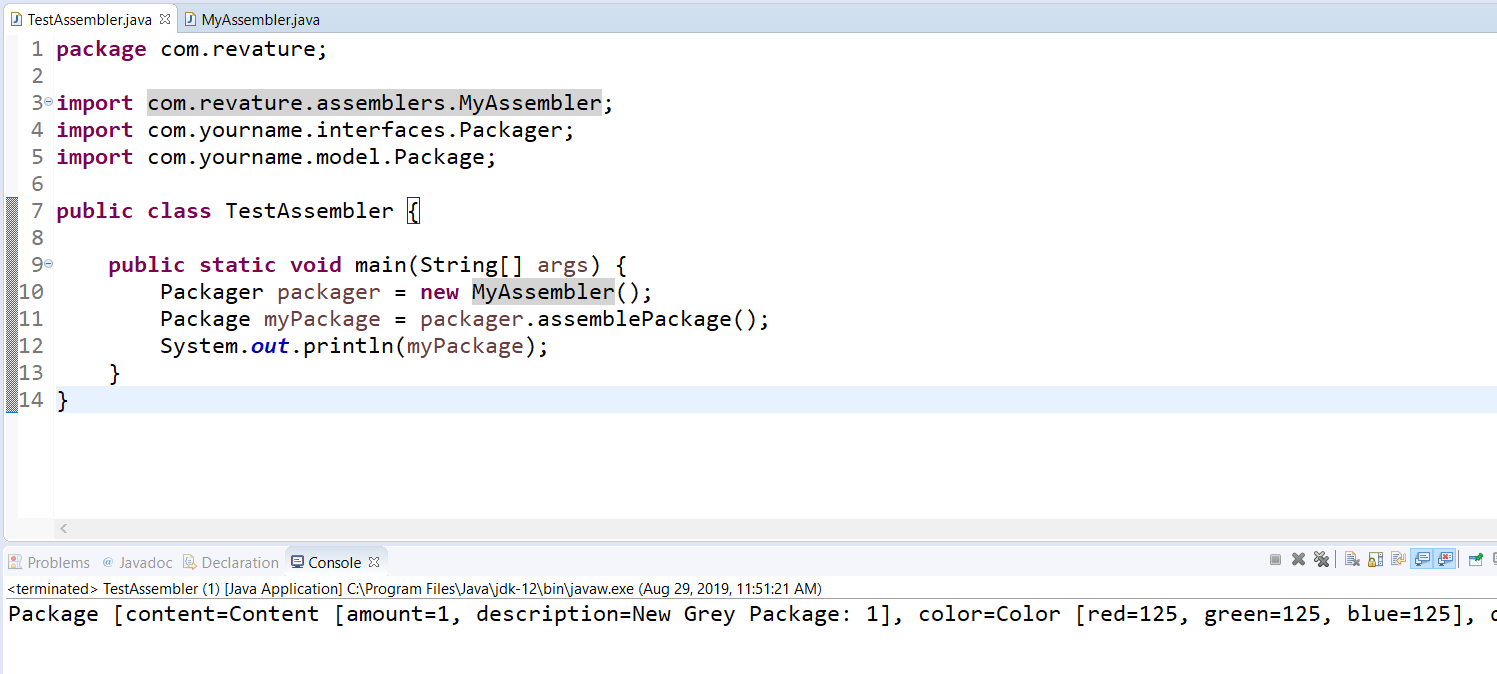
But say the developers of the Packager.jar released a new version and you imported it into your application.
If they added a method to the interface, then you're code would break.
Add the next version, Packager-2.jar, to the Build Path of your project in the same way we did with Packager.jar. Go ahead and remove the earlier version of the jar as well.
Once you apply the new JAR you'll see an error in your MyAssembler class stating its missing the unimplemented method.
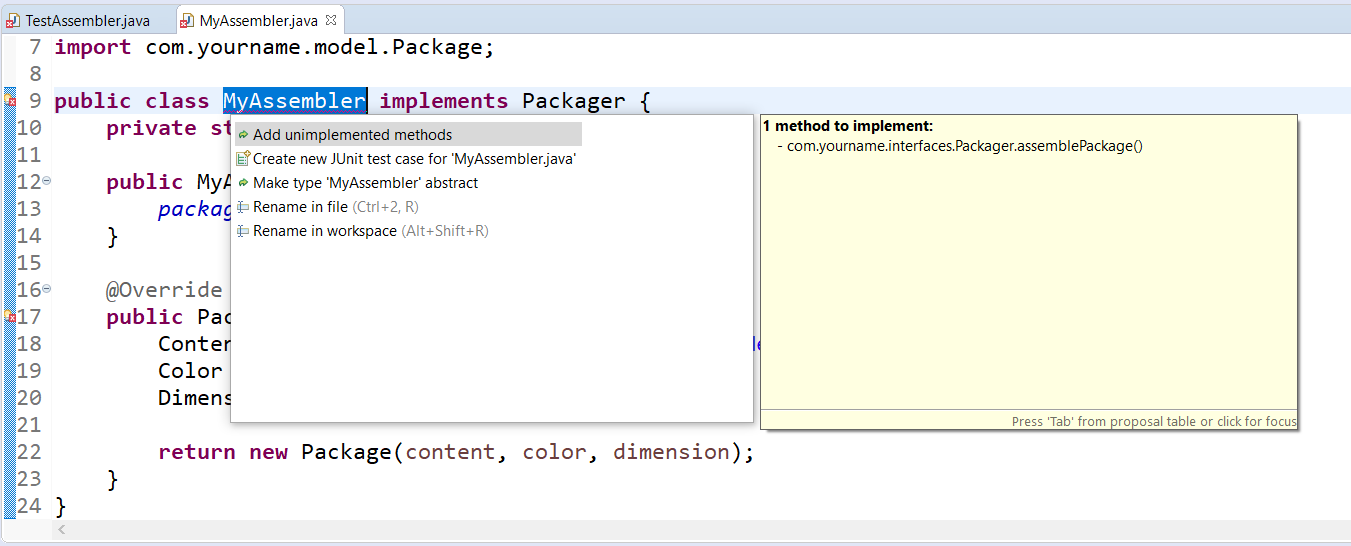
Now, for us, this isn't a big deal, since our codebase is small. But this would be a large effort to change the interface if it was used in several places across multiple files.
As we know, however, that as of Java 8, developers can specify a method as default and implementing classes do not need to provide an implementation.
Using the next version of Packager (Packager-3.jar), add it to the Build Path of your project. Go ahead and remove any earlier versions of the jar as well.
You'll find that the error disappears on MyAssembler.
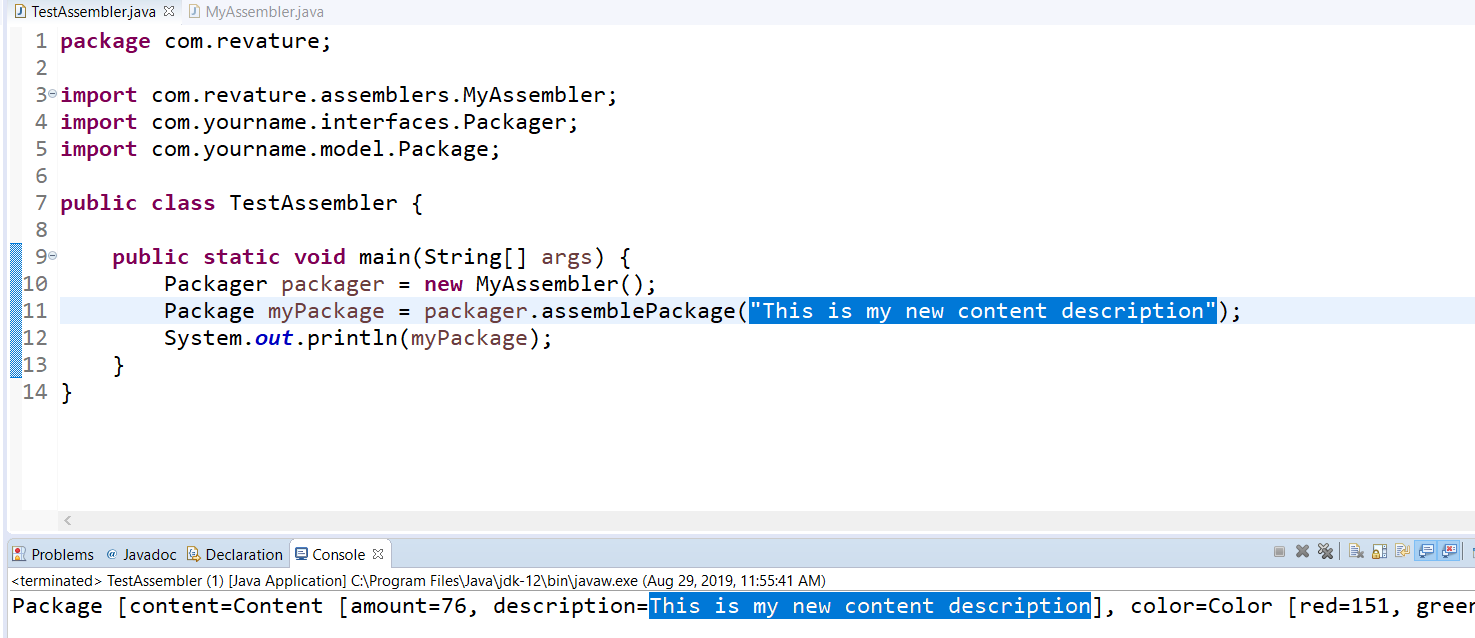
Edit your main method in TestAssembler to pass in a String to the assemblePackage method.
Again, no compiler errors, because the interface provides a default implementation.
Run the program.
You'll see the following output:
Step by Step Solution
There are 3 Steps involved in it

Get step-by-step solutions from verified subject matter experts
 Study Help