







Question: Need help with MATLAB code please Create a MATLAB*.m script file that will solve the following 2 problems. Use MATLAB array operations to solve the
Need help with MATLAB code please
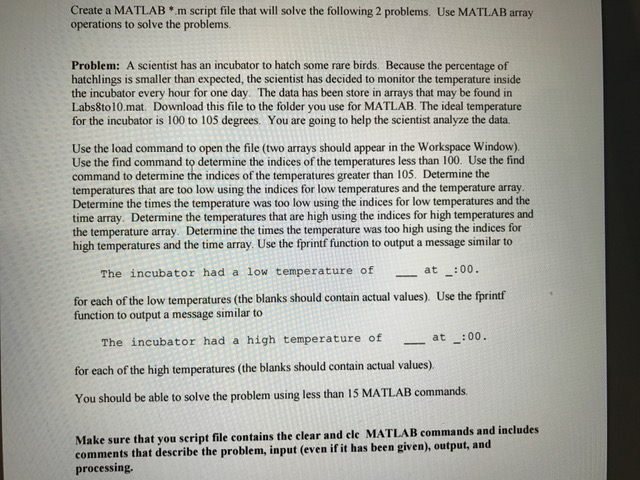
Create a MATLAB*.m script file that will solve the following 2 problems. Use MATLAB array operations to solve the problems. A scientist has an incubator to hatch some rare birds. Because the percentage of hatchlings is smaller than expected, the scientist has decided to monitor the temperature inside the incubator every hour for one day. The data has been store in arrays that may be found in Labs8to10.mat. Download this file to the folder you use for MATLAB. The ideal temperature for the incubator is 100 to 105 degrees. You are going to help the scientist analyze the data. Use the load command to open the file (two arrays should appear in the Workspace Window). Use the find command to determine the indices of the temperatures less than 100. Use the find command to determine the indices of the temperatures greater than 105. Determine the temperatures that are too low using the indices for low temperatures and the temperature array. Determine the times the temperature was too low using the indices for low temperatures and the time array. Determine the temperatures that are high using the indices for high temperatures and the temperature array. Determine the times the temperature was too high using the indices for high temperatures and the time array. Use the fprintf function to output a message similar to The incubator had a low temperature of _____at _____: 00. for each of the low temperatures (the blanks should contain actual values). Use the fprintf function to output a message similar to The incubator had a high temperature of at _____at _____:00. for each of the high temperatures (the blanks should contain actual values). You should be able to solve the problem using less than us MATLAB commands. Make sure that you script file contains the clear and clc MATLAB commands and includes comments that describe the problem, in (even if it has been given) output, and processing. Create a MATLAB*.m script file that will solve the following 2 problems. Use MATLAB array operations to solve the problems. A scientist has an incubator to hatch some rare birds. Because the percentage of hatchlings is smaller than expected, the scientist has decided to monitor the temperature inside the incubator every hour for one day. The data has been store in arrays that may be found in Labs8to10.mat. Download this file to the folder you use for MATLAB. The ideal temperature for the incubator is 100 to 105 degrees. You are going to help the scientist analyze the data. Use the load command to open the file (two arrays should appear in the Workspace Window). Use the find command to determine the indices of the temperatures less than 100. Use the find command to determine the indices of the temperatures greater than 105. Determine the temperatures that are too low using the indices for low temperatures and the temperature array. Determine the times the temperature was too low using the indices for low temperatures and the time array. Determine the temperatures that are high using the indices for high temperatures and the temperature array. Determine the times the temperature was too high using the indices for high temperatures and the time array. Use the fprintf function to output a message similar to The incubator had a low temperature of _____at _____: 00. for each of the low temperatures (the blanks should contain actual values). Use the fprintf function to output a message similar to The incubator had a high temperature of at _____at _____:00. for each of the high temperatures (the blanks should contain actual values). You should be able to solve the problem using less than us MATLAB commands. Make sure that you script file contains the clear and clc MATLAB commands and includes comments that describe the problem, in (even if it has been given) output, and processing
Step by Step Solution
There are 3 Steps involved in it

Get step-by-step solutions from verified subject matter experts
 Study Help