







Question: Need help with question 4 from Part I and help with all of Part II CHAPTER 9 Lab Assignments for Chapter 9 We have created
Need help with question 4 from Part I and help with all of Part II
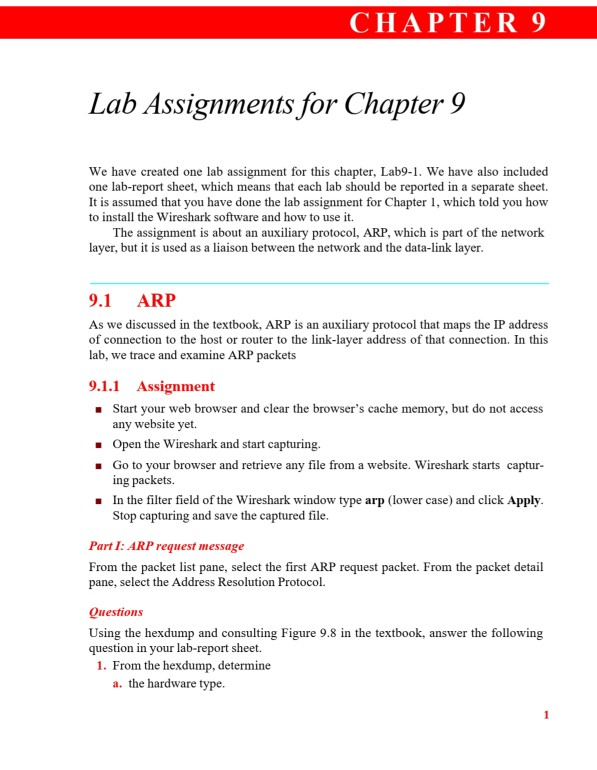
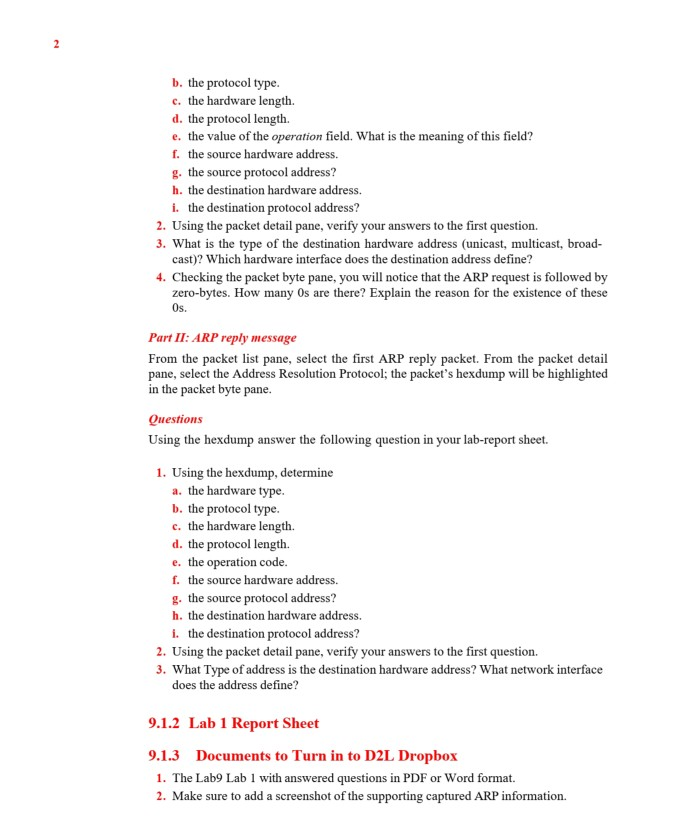
CHAPTER 9 Lab Assignments for Chapter 9 We have created one lab assignment for this chapter, Lab9-1. We have also included one lab-report sheet, which means that each lab should be reported in a separate sheet. It is assumed that you have done the lab assignment for Chapter 1, which told you how to install the Wireshark software and how to use it. The assignment is about an auxiliary protocol, ARP, which is part of the network layer, but it is used as a liaison between the network and the data-link layer. 9.1 ARP As we discussed in the textbook, ARP is an auxiliary protocol that maps the IP address of connection to the host or router to the link-layer address of that connection. In this lab, we trace and examine ARP packets 9.1.1 Assignment Start your web browser and clear the browser's cache memory, but do not access any website yet. Open the Wireshark and start capturing. Go to your browser and retrieve any file from a website. Wireshark starts captur- ing packets. In the filter field of the Wireshark window type arp (lower case) and click Apply Stop capturing and save the captured file. Part I: ARP request message From the packet list pane, select the first ARP request packet. From the packet detail pane, select the Address Resolution Protocol. Questions Using the hexdump and consulting Figure 9.8 in the textbook, answer the following question in your lab-report sheet. 1. From the hexdump, determine a. the hardware type. b. the protocol type. c. the hardware length. d. the protocol length. e. the value of the operation field. What is the meaning of this field? f. the source hardware address. g. the source protocol address? h. the destination hardware address. i. the destination protocol address? 2. Using the packet detail pane, verify your answers to the first question. 3. What is the type of the destination hardware address (unicast, multicast, broad- cast)? Which hardware interface does the destination address define? 4. Checking the packet byte pane, you will notice that the ARP request is followed by zero-bytes. How many Os are there? Explain the reason for the existence of these Os. Part II: ARP reply message From the packet list pane, select the first ARP reply packet. From the packet detail pane, select the Address Resolution Protocol; the packet's hexdump will be highlighted in the packet byte pane. Questions Using the hexdump answer the following question in your lab-report sheet. 1. Using the hexdump, determine a. the hardware type. b. the protocol type. c. the hardware length. d. the protocol length. e. the operation code. f. the source hardware address. g. the source protocol address? h. the destination hardware address. i. the destination protocol address? 2. Using the packet detail pane, verify your answers to the first question. 3. What Type of address is the destination hardware address? What network interface does the address define? 9.1.2 Lab 1 Report Sheet 9.1.3 Documents to Turn in to D2L Dropbox 1. The Lab9 Lab I with answered questions in PDF or Word format. 2. Make sure to add a screenshot of the supporting captured ARP information
Step by Step Solution
There are 3 Steps involved in it

Get step-by-step solutions from verified subject matter experts
 Study Help