







Question: need help with the code of using rest API and fetch the URL and able to print the image using ${CountryCode} in countries. JSON file
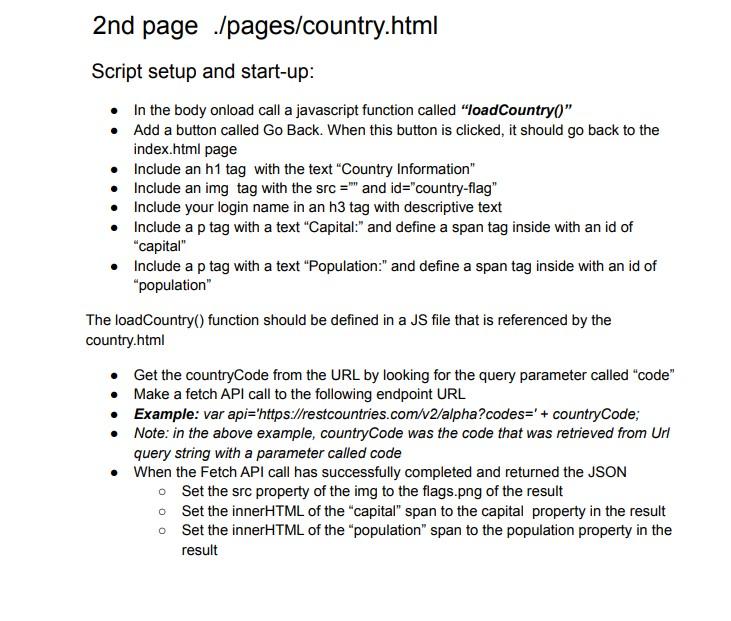
need help with the code of using rest API and fetch the URL and able to print the image using ${CountryCode} in countries. JSON file
countries.json
```
{
"Countries": [
{"name": "Canada", "code": "CAN", "capital": "Ottawa"},
{"name": "United States", "code": "USA", "capital": "Washington DC"},
{"name": "Germany", "code": "DE", "capital": "Berlin"}
]
}
```
Script setup and start-up: - In the body onload call a javascript function called "loadCountry( ) " - Add a button called Go Back. When this button is clicked, it should go back to the index.html page - Include an h1 tag with the text "Country Information" - Include an img tag with the src = "" and id="country-flag" - Include your login name in an h3 tag with descriptive text - Include a p tag with a text "Capital:" and define a span tag inside with an id of "capital" - Include a p tag with a text "Population:" and define a span tag inside with an id of "population" The loadCountry() function should be defined in a JS file that is referenced by the country.html - Get the countryCode from the URL by looking for the query parameter called "code" - Make a fetch API call to the following endpoint URL - Example: var api='https://restcountries.com/v2/alpha?codes=' + countryCode; - Note: in the above example, countryCode was the code that was retrieved from Url query string with a parameter called code - When the Fetch API call has successfully completed and returned the JSON Set the src property of the img to the flags.png of the result - Set the innerHTML of the "capital" span to the capital property in the result Set the innerHTML of the "population" span to the population property in the result
Step by Step Solution
There are 3 Steps involved in it

Get step-by-step solutions from verified subject matter experts
 Study Help