







Question: Need help with this Java lab. I have attached my code that has issues below along with pictures of the issues in my output compared
Need help with this Java lab. I have attached my code that has issues below along with pictures of the issues in my output compared to what the expected output is supposed to be (the lower output without the highlights is what I'm expected to have). Test with input "data14.txt" and make sure the output matches with the picture at the very bottom of this question that has "expected output" on the left side.
14.12 Lab 14 part 2: Insertion Sort.
INSTRUCTIONS: Construct a program to sort data from a file using the insertion sort technique. Output the data using the printf:
System.out.printf( "%.3f ", dataValue );
My Code:
import java.util.Scanner; import java.io.File; import java.io.IOException; import java.util.ArrayList;
public class Lab14Sort {
public static void main(String[] args) throws IOException {
// Variable for file name String filename = null;
// Scanner to read file name from user Scanner scnr = null;
// Scanner to read Scanner tokens = null;
// Variable for value read from the file double value = 0.0;
// 1. Instantiate an ArrayList object named myList for type Double. ArrayList
// This logic will use the command line argument or prompt for input: if (args.length != 0) // args is an array! filename = args[0]; else { scnr = new Scanner(System.in); filename = scnr.nextLine().strip(); }
// 2. Open the file to read using the File and Scanner classes: // Create File object using filename File fHandle = new File(filename);
// Instantiate tokens tokens = new Scanner(fHandle);
// This counts the numbers as they are read. int counter = 0;
// put first item in list. myList.add(tokens.nextDouble()); ++counter; // Count it.
// Read the rest of the file for tokens while (tokens.hasNext()) { // 3. Get the next number from the data file. value = tokens.nextDouble();
// 4. Place the current number into your list and count it. myList.add(value); } // repeat until all numbers are loaded into the ArrayList.
// 5. Confirm your ArrayList is populated with the data by printing System.out.print("Before sorting: "); for (Double dataValue : myList) System.out.printf("%.3f ", dataValue);
// Sort myList using insertion sort for (int i = 1; i
// Get value at i from myList double n = myList.get(i);
// Compare n with all values before it int j; for (j = i - 1; (j >= 0) && (myList.get(j) > n); j--) myList.set(j + 1, myList.get(j)); // Move element at j to right // by 1
// Add n at (i + 1) in myList myList.set(j + 1, n); }
// Print sorted list System.out.print(" After sorting: "); for (Double dataValue : myList) System.out.printf("%.3f ", dataValue);
// Close scnr if (scnr != null) { scnr.close(); }
// Close tokens if (tokens != null) { tokens.close(); } } }
Issues in my output (first output with highlights) vs. the expected output (second output without highlights)
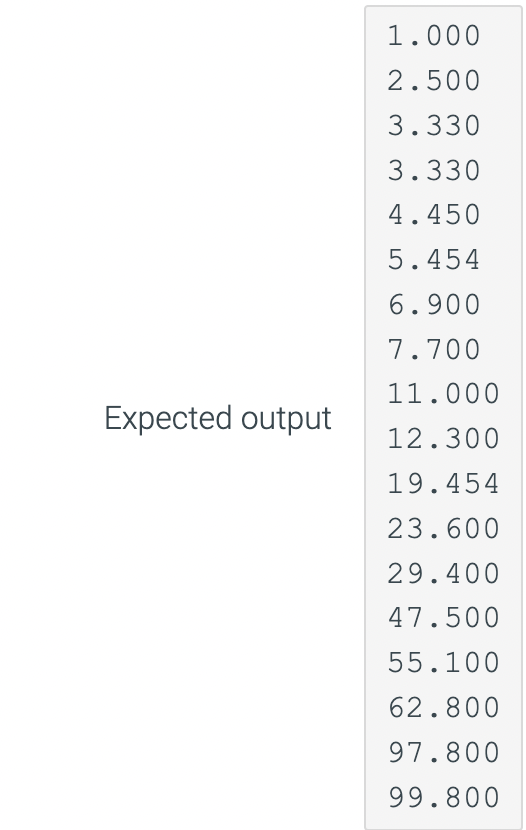
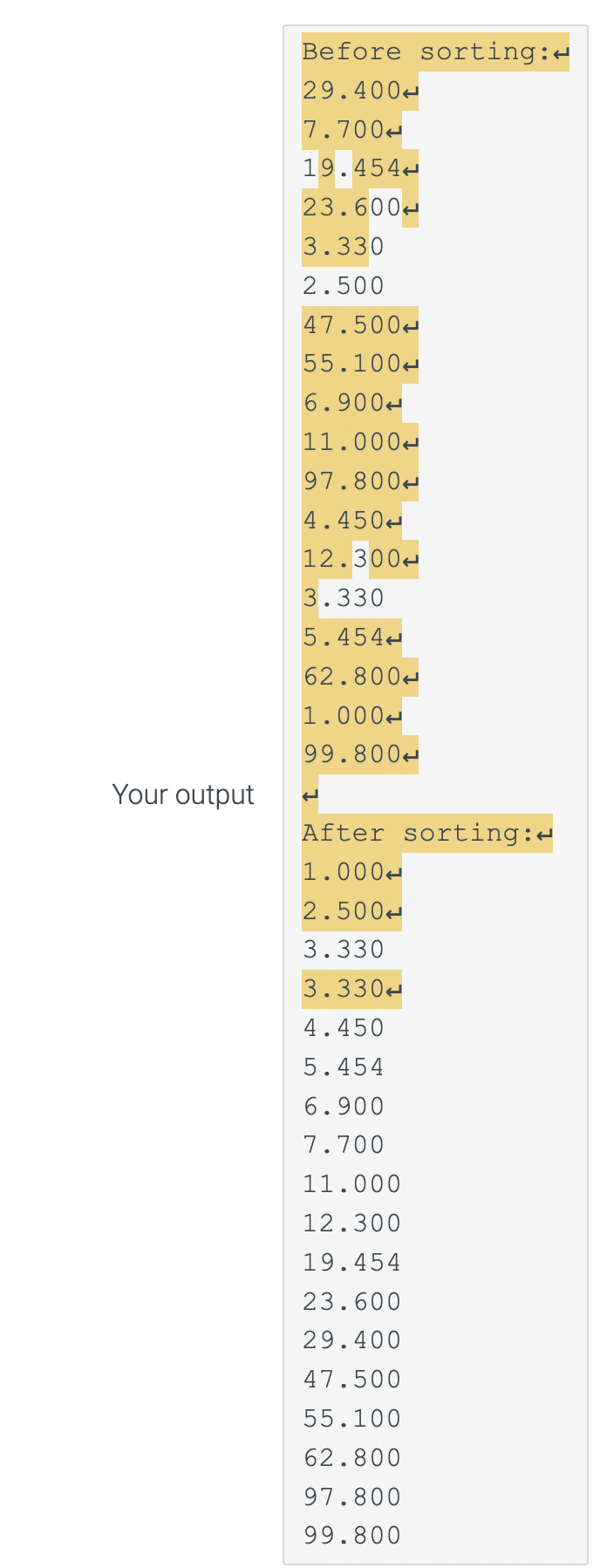
1 . 000 2 . 500 3. 330 3. 330 4 . 450 5 . 454 6 . 900 7. 700 11 . 000 Expected output 12 . 300 19. 454 23 . 600 29. 400 47 . 500 55 . 100 62 . 800 97 . 800 99 . 800Before sorting:- 29 . 400 7 . 700- 19. 454- 23 . 600- 3. 330 2 . 500 47 . 500- 55 . 100- 6 . 900- 11 . 000- 97 . 800- 4 . 450 12 . 300- 3. 330 5 . 454+ 62 . 800- 1 . 000- 99 . 800- Your output After sorting: 1 . 000- 2 . 500- 3. 330 3. 330+ 4 . 450 5 . 454 6. 900 7. 700 11 . 000 12 . 300 19. 454 23 . 600 29 . 400 47 . 500 55 . 100 62 . 800 97 . 800 99 . 800
Step by Step Solution
There are 3 Steps involved in it

Get step-by-step solutions from verified subject matter experts
 Study Help