







Question: Need help with this Panda 3 D code. There is an environment with three objects. Task is to use the mouse to click on each
Need help with this PandaD code. There is an environment with three objects. Task is to use the mouse to click on each object, which will trigger that object and thus the box will move from start to end location. Example: if I click on box then only box will start moving from the start location to the end location, and so on Also, while box is moving, I should also be able to click box andor box and those will also start moving from start to end. Also, if I draw a box on the environment using the mouse, then all the box objects that are within that area will be triggered to move from start to end. While the objects are moving, I should also be able to click on any of the moving objects which will make those objects to stop moving further; and if I click again, they will finish their path after it reaches to the end location.
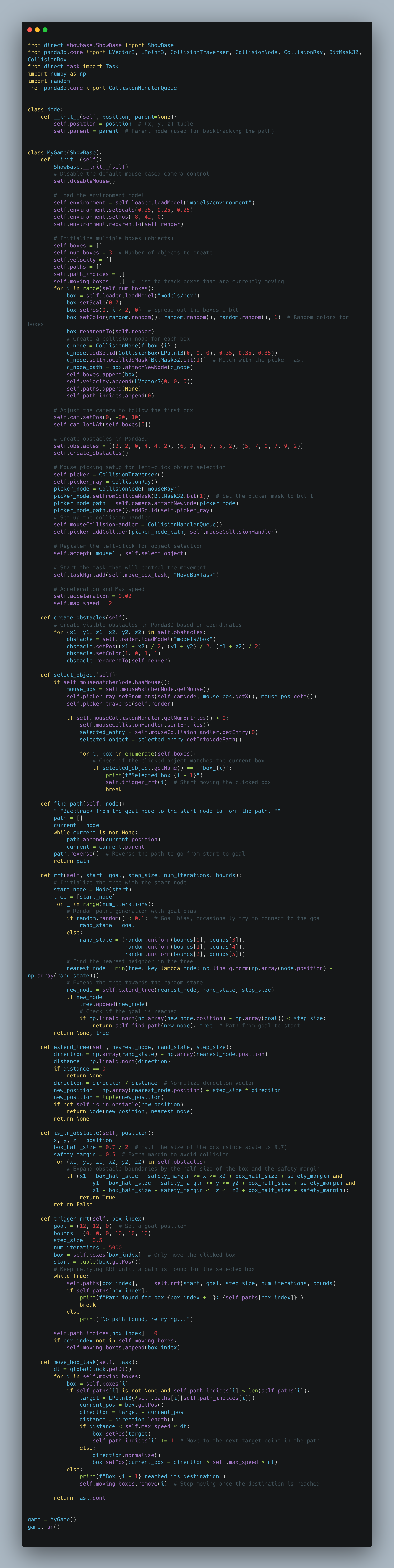
Problem with my code is: mouse click has not been accurate. If I click on box box starts moving, and so on Please fix that. It could be because the environment is in D; so if D environment is not working out, feel free to edit the code in D environment. Please run it in your device before sending it out.
PS: the updates image is a long screenshot that should be visible when you zoom a bit
Step by Step Solution
There are 3 Steps involved in it
1 Expert Approved Answer
Step: 1 Unlock

Question Has Been Solved by an Expert!
Get step-by-step solutions from verified subject matter experts
Step: 2 Unlock
Step: 3 Unlock
 Study Help