







Question: Need help writing SQL queries for #1-4, database info is listed below 1. Retrieve customer name, orderid, and order date for customers who have placed
 Need help writing SQL queries for #1-4, database info is listed below
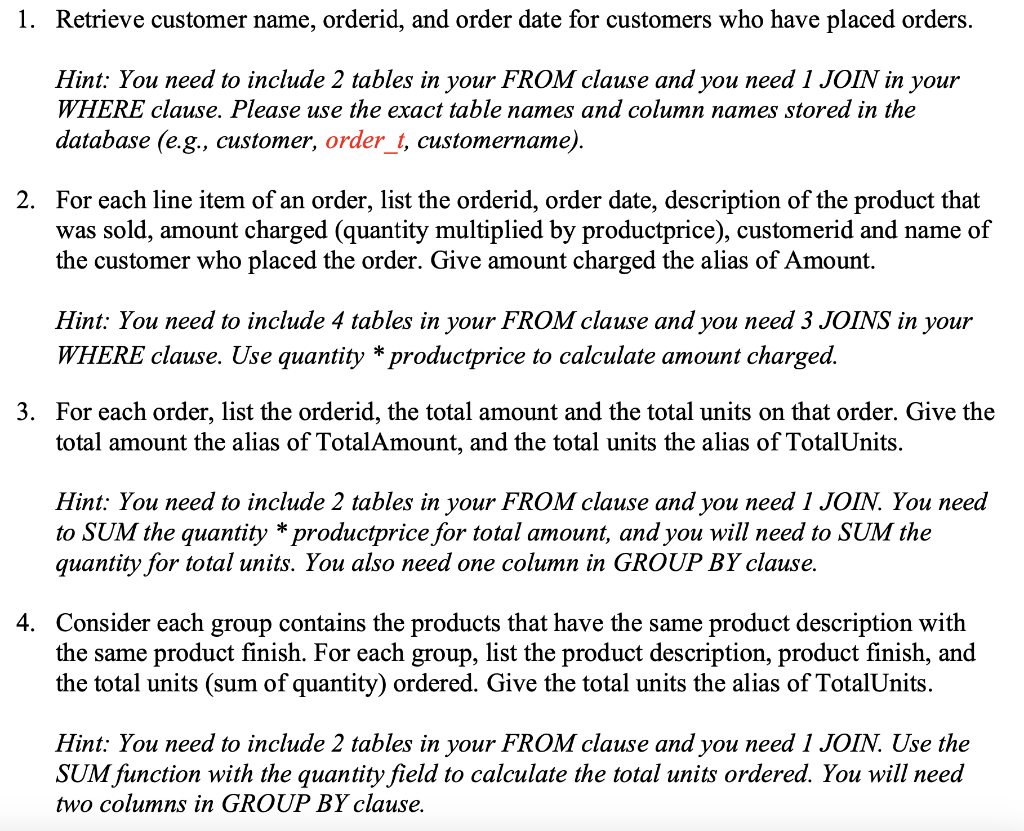
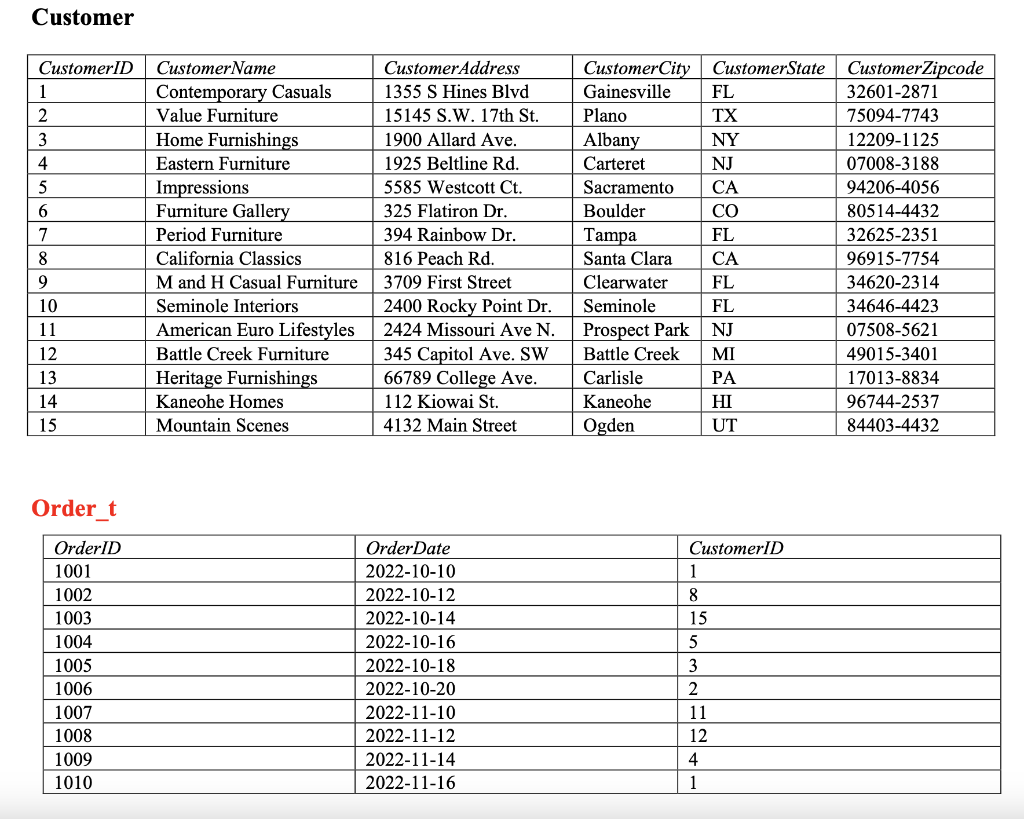
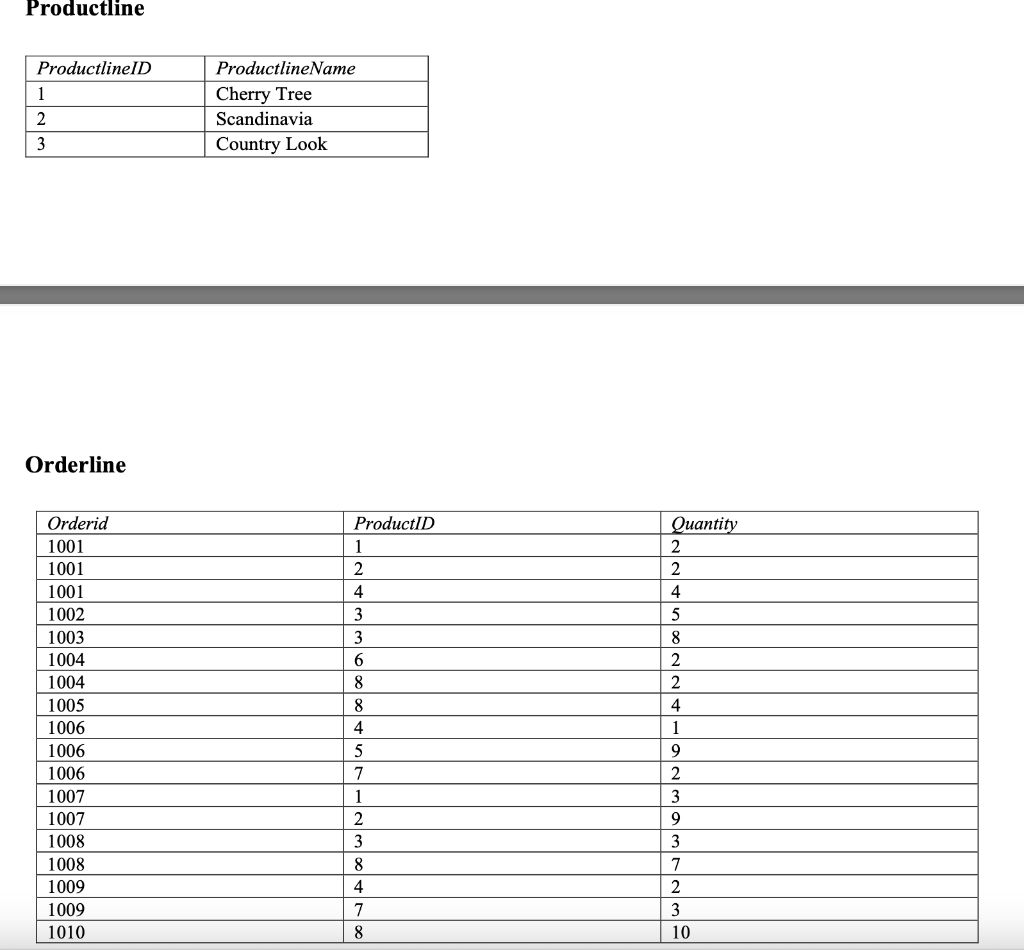
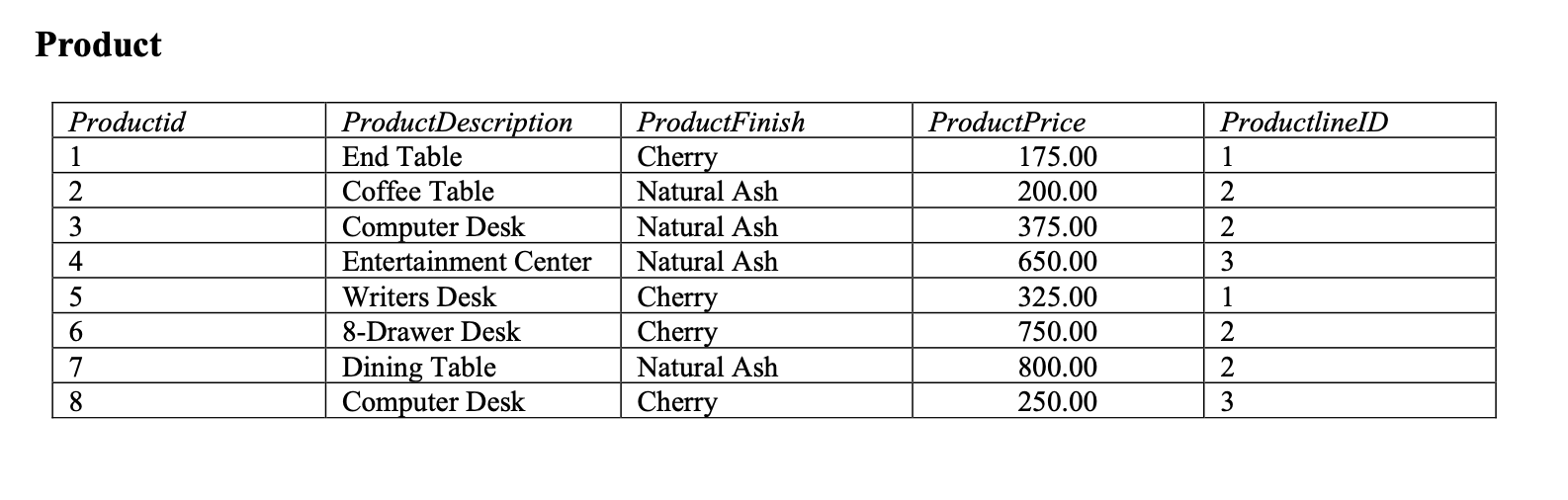
1. Retrieve customer name, orderid, and order date for customers who have placed orders. Hint: You need to include 2 tables in your FROM clause and you need 1 JOIN in your WHERE clause. Please use the exact table names and column names stored in the database (e.g., customer, order_t, customername). 2. For each line item of an order, list the orderid, order date, description of the product that was sold, amount charged (quantity multiplied by productprice), customerid and name of the customer who placed the order. Give amount charged the alias of Amount. Hint: You need to include 4 tables in your FROM clause and you need 3 JOINS in your WHERE clause. Use quantity * productprice to calculate amount charged. 3. For each order, list the orderid, the total amount and the total units on that order. Give the total amount the alias of TotalAmount, and the total units the alias of TotalUnits. Hint: You need to include 2 tables in your FROM clause and you need 1 JOIN. You need to SUM the quantity * productprice for total amount, and you will need to SUM the quantity for total units. You also need one column in GROUP BY clause. 4. Consider each group contains the products that have the same product description with the same product finish. For each group, list the product description, product finish, and the total units (sum of quantity) ordered. Give the total units the alias of TotalUnits. Hint: You need to include 2 tables in your FROM clause and you need 1 JOIN. Use the SUM function with the quantity field to calculate the total units ordered. You will need two columns in GROUP BY clause. Customer Order t Productline Orderline Product
Step by Step Solution
There are 3 Steps involved in it

Get step-by-step solutions from verified subject matter experts
 Study Help