







Question: NEED IT ASAP PLSSSSSSS 1 Introduction and purpose In this project you will write some functions to manipulate the instructions of a fictional simple processor
NEED IT ASAP PLSSSSSSS
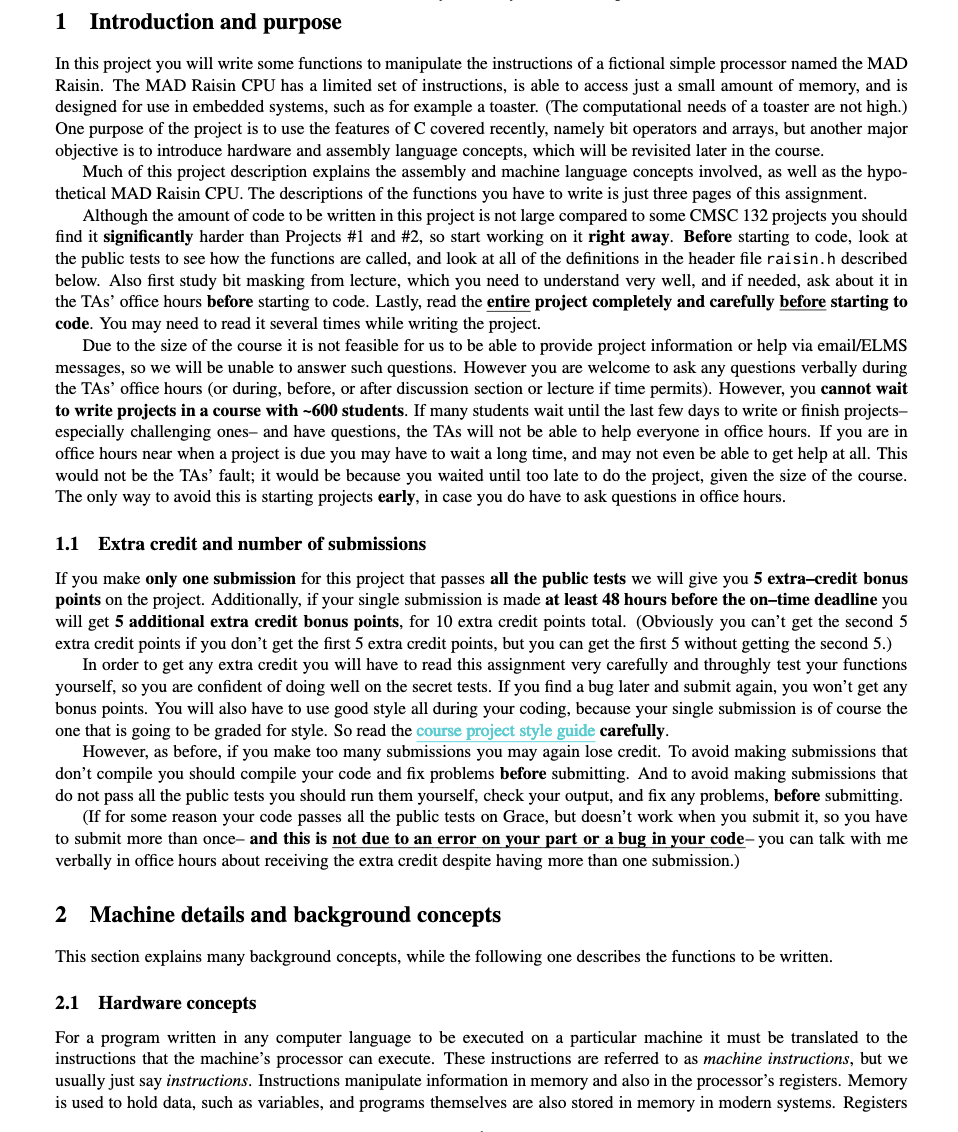
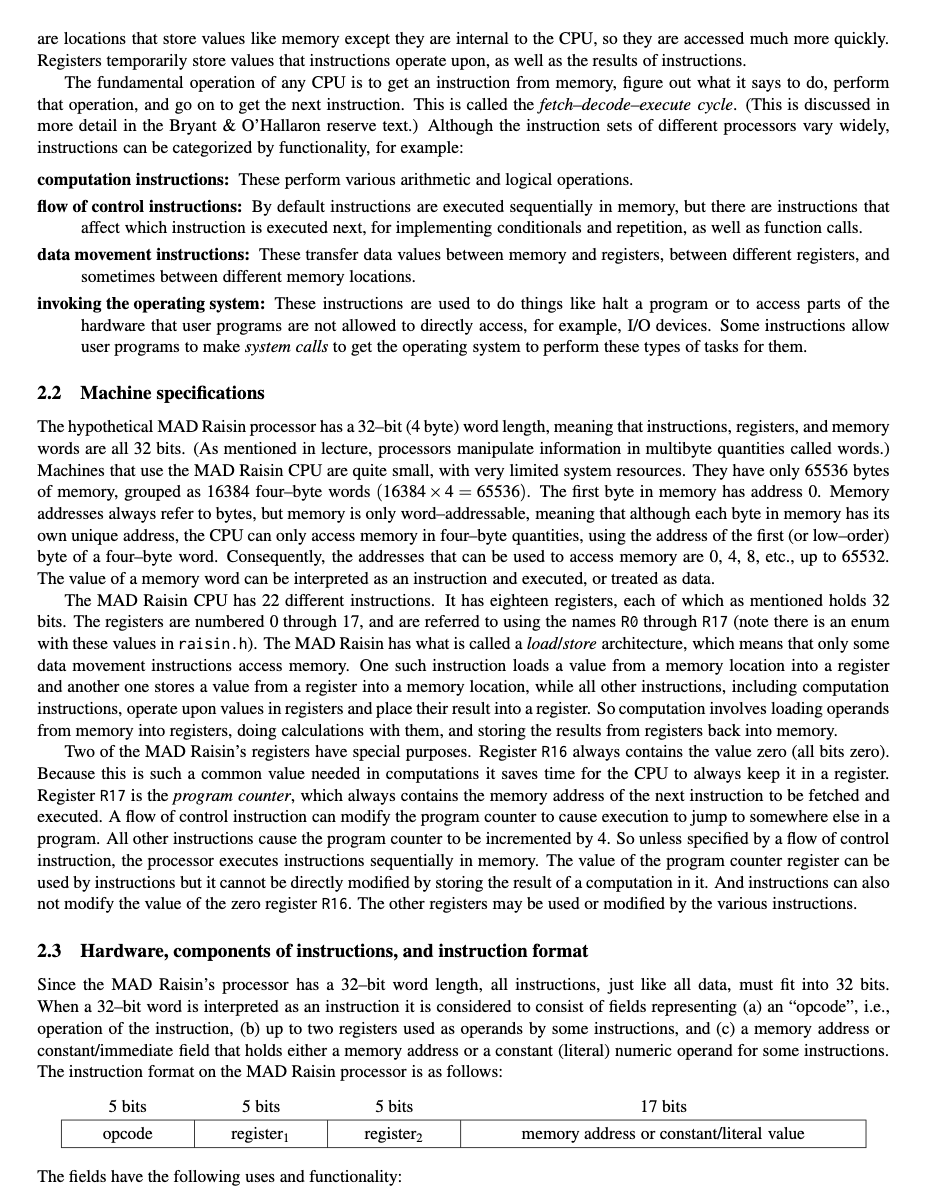
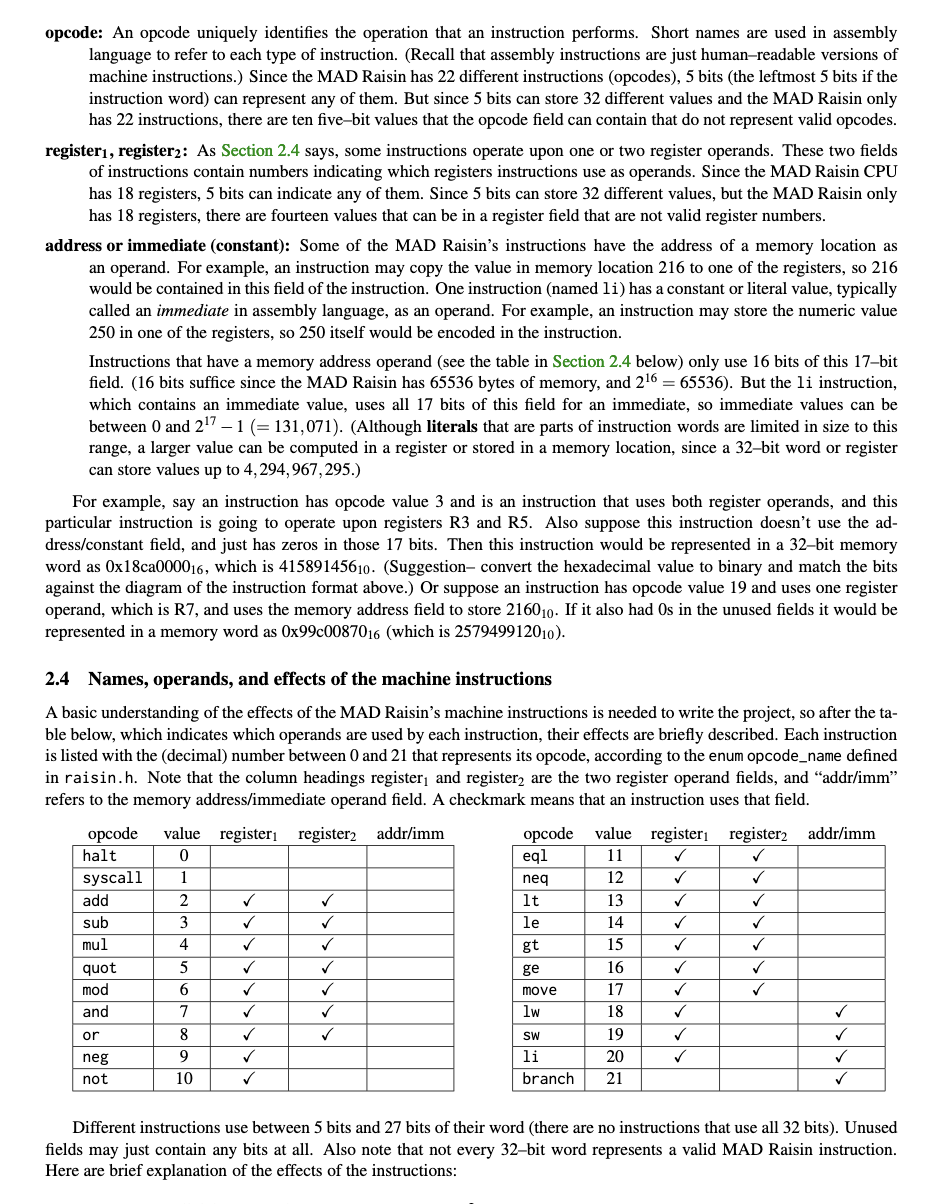
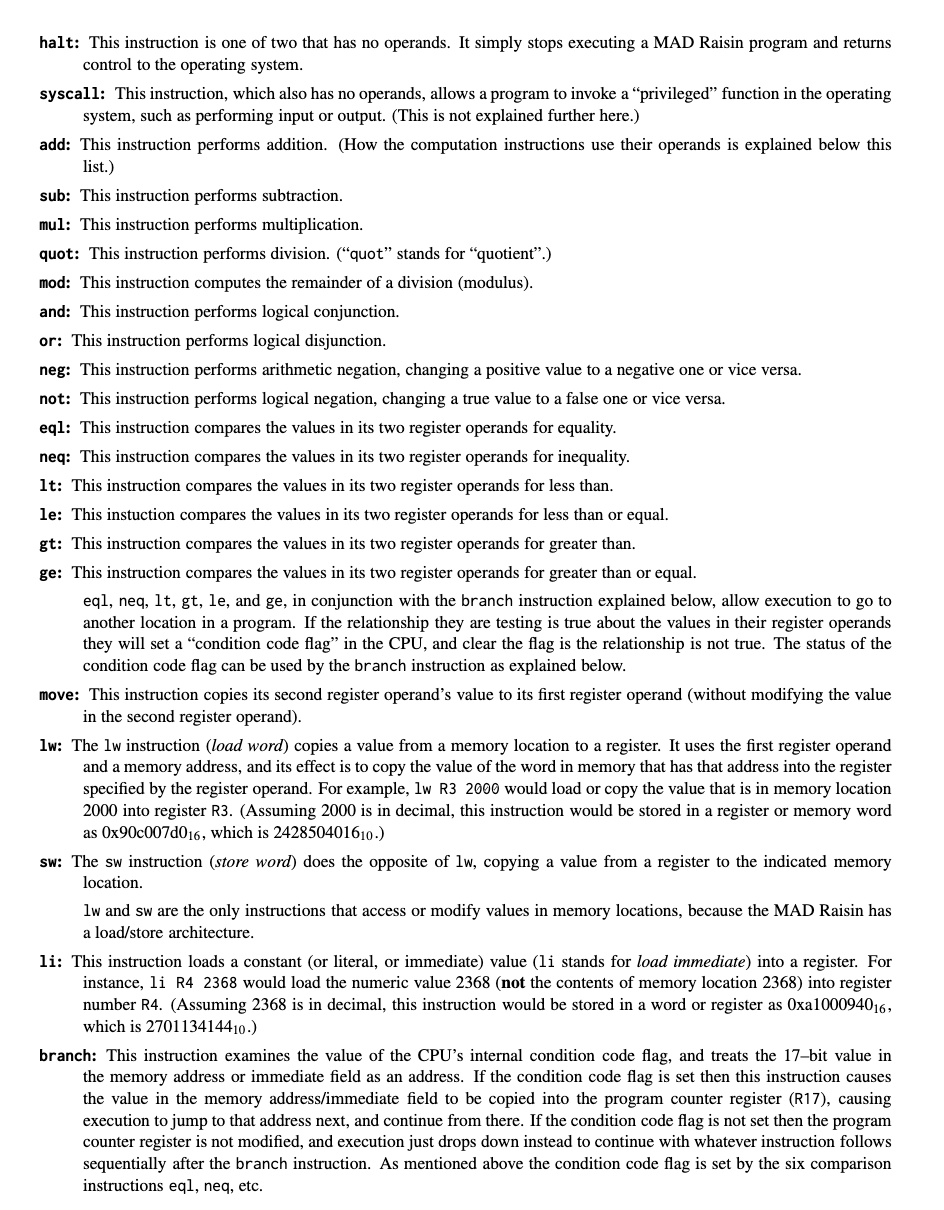
1 Introduction and purpose In this project you will write some functions to manipulate the instructions of a fictional simple processor named the MAD Raisin. The MAD Raisin CPU has a limited set of instructions, is able to access just a small amount of memory, and is designed for use in embedded systems, such as for example a toaster. (The computational needs of a toaster are not high.) One purpose of the project is to use the features of C covered recently, namely bit operators and arrays, but another major objective is to introduce hardware and assembly language concepts, which will be revisited later in the course. Much of this project description explains the assembly and machine language concepts involved, as well as the hypothetical MAD Raisin CPU. The descriptions of the functions you have to write is just three pages of this assignment. Although the amount of code to be written in this project is not large compared to some CMSC 132 projects you should find it significantly harder than Projects \#1 and \#2, so start working on it right away. Before starting to code, look at the public tests to see how the functions are called, and look at all of the definitions in the header file raisin.h described below. Also first study bit masking from lecture, which you need to understand very well, and if needed, ask about it in the TAs' office hours before starting to code. Lastly, read the entire project completely and carefully before starting to code. You may need to read it several times while writing the project. Due to the size of the course it is not feasible for us to be able to provide project information or help via email/ELMS messages, so we will be unable to answer such questions. However you are welcome to ask any questions verbally during the TAs' office hours (or during, before, or after discussion section or lecture if time permits). However, you cannot wait to write projects in a course with 600 students. If many students wait until the last few days to write or finish projectsespecially challenging ones- and have questions, the TAs will not be able to help everyone in office hours. If you are in office hours near when a project is due you may have to wait a long time, and may not even be able to get help at all. This would not be the TAs' fault; it would be because you waited until too late to do the project, given the size of the course. The only way to avoid this is starting projects early, in case you do have to ask questions in office hours. 1.1 Extra credit and number of submissions If you make only one submission for this project that passes all the public tests we will give you 5 extra-credit bonus points on the project. Additionally, if your single submission is made at least 48 hours before the on-time deadline you will get 5 additional extra credit bonus points, for 10 extra credit points total. (Obviously you can't get the second 5 extra credit points if you don't get the first 5 extra credit points, but you can get the first 5 without getting the second 5.) In order to get any extra credit you will have to read this assignment very carefully and throughly test your functions yourself, so you are confident of doing well on the secret tests. If you find a bug later and submit again, you won't get any bonus points. You will also have to use good style all during your coding, because your single submission is of course the one that is going to be graded for style. So read the course project style guide carefully. However, as before, if you make too many submissions you may again lose credit. To avoid making submissions that don't compile you should compile your code and fix problems before submitting. And to avoid making submissions that do not pass all the public tests you should run them yourself, check your output, and fix any problems, before submitting. (If for some reason your code passes all the public tests on Grace, but doesn't work when you submit it, so you have to submit more than once- and this is not due to an error on your part or a bug in your code- you can talk with me verbally in office hours about receiving the extra credit despite having more than one submission.) 2 Machine details and background concepts This section explains many background concepts, while the following one describes the functions to be written. 2.1 Hardware concepts For a program written in any computer language to be executed on a particular machine it must be translated to the instructions that the machine's processor can execute. These instructions are referred to as machine instructions, but we usually just say instructions. Instructions manipulate information in memory and also in the processor's registers. Memory is used to hold data, such as variables, and programs themselves are also stored in memory in modern systems. Registers are locations that store values like memory except they are internal to the CPU, so they are accessed much more quickly. Registers temporarily store values that instructions operate upon, as well as the results of instructions. The fundamental operation of any CPU is to get an instruction from memory, figure out what it says to do, perform that operation, and go on to get the next instruction. This is called the fetch-decode-execute cycle. (This is discussed in more detail in the Bryant \& O'Hallaron reserve text.) Although the instruction sets of different processors vary widely, instructions can be categorized by functionality, for example: computation instructions: These perform various arithmetic and logical operations. flow of control instructions: By default instructions are executed sequentially in memory, but there are instructions that affect which instruction is executed next, for implementing conditionals and repetition, as well as function calls. data movement instructions: These transfer data values between memory and registers, between different registers, and sometimes between different memory locations. invoking the operating system: These instructions are used to do things like halt a program or to access parts of the hardware that user programs are not allowed to directly access, for example, I/O devices. Some instructions allow user programs to make system calls to get the operating system to perform these types of tasks for them. 2.2 Machine specifications The hypothetical MAD Raisin processor has a 32-bit (4 byte) word length, meaning that instructions, registers, and memory words are all 32 bits. (As mentioned in lecture, processors manipulate information in multibyte quantities called words.) Machines that use the MAD Raisin CPU are quite small, with very limited system resources. They have only 65536 bytes of memory, grouped as 16384 four-byte words (163844=65536). The first byte in memory has address 0 . Memory addresses always refer to bytes, but memory is only word-addressable, meaning that although each byte in memory has its own unique address, the CPU can only access memory in four-byte quantities, using the address of the first (or low-order) byte of a four-byte word. Consequently, the addresses that can be used to access memory are 0,4,8, etc., up to 65532. The value of a memory word can be interpreted as an instruction and executed, or treated as data. The MAD Raisin CPU has 22 different instructions. It has eighteen registers, each of which as mentioned holds 32 bits. The registers are numbered 0 through 17, and are referred to using the names R0 through R17 (note there is an enum with these values in raisin.h). The MAD Raisin has what is called a load/store architecture, which means that only some data movement instructions access memory. One such instruction loads a value from a memory location into a register and another one stores a value from a register into a memory location, while all other instructions, including computation instructions, operate upon values in registers and place their result into a register. So computation involves loading operands from memory into registers, doing calculations with them, and storing the results from registers back into memory. Two of the MAD Raisin's registers have special purposes. Register R16 always contains the value zero (all bits zero). Because this is such a common value needed in computations it saves time for the CPU to always keep it in a register. Register R17 is the program counter, which always contains the memory address of the next instruction to be fetched and executed. A flow of control instruction can modify the program counter to cause execution to jump to somewhere else in a program. All other instructions cause the program counter to be incremented by 4 . So unless specified by a flow of control instruction, the processor executes instructions sequentially in memory. The value of the program counter register can be used by instructions but it cannot be directly modified by storing the result of a computation in it. And instructions can also not modify the value of the zero register R16. The other registers may be used or modified by the various instructions. 2.3 Hardware, components of instructions, and instruction format Since the MAD Raisin's processor has a 32-bit word length, all instructions, just like all data, must fit into 32 bits. When a 32-bit word is interpreted as an instruction it is considered to consist of fields representing (a) an "opcode", i.e., operation of the instruction, (b) up to two registers used as operands by some instructions, and (c) a memory address or constant/immediate field that holds either a memory address or a constant (literal) numeric operand for some instructions. The instruction format on the MAD Raisin processor is as follows: The fields have the following uses and functionality: language to refer to each type of instruction. (Recall that assembly instructions are just human-readable versions of machine instructions.) Since the MAD Raisin has 22 different instructions (opcodes), 5 bits (the leftmost 5 bits if the instruction word) can represent any of them. But since 5 bits can store 32 different values and the MAD Raisin only has 22 instructions, there are ten five-bit values that the opcode field can contain that do not represent valid opcodes. register 1, register 2 : As Section 2.4 says, some instructions operate upon one or two register operands. These two fields of instructions contain numbers indicating which registers instructions use as operands. Since the MAD Raisin CPU has 18 registers, 5 bits can indicate any of them. Since 5 bits can store 32 different values, but the MAD Raisin only has 18 registers, there are fourteen values that can be in a register field that are not valid register numbers. address or immediate (constant): Some of the MAD Raisin's instructions have the address of a memory location as an operand. For example, an instruction may copy the value in memory location 216 to one of the registers, so 216 would be contained in this field of the instruction. One instruction (named li) has a constant or literal value, typically called an immediate in assembly language, as an operand. For example, an instruction may store the numeric value 250 in one of the registers, so 250 itself would be encoded in the instruction. Instructions that have a memory address operand (see the table in Section 2.4 below) only use 16 bits of this 17 bit field. (16 bits suffice since the MAD Raisin has 65536 bytes of memory, and 216=65536 ). But the 1i instruction, which contains an immediate value, uses all 17 bits of this field for an immediate, so immediate values can be between 0 and 2171(=131,071). (Although literals that are parts of instruction words are limited in size to this range, a larger value can be computed in a register or stored in a memory location, since a 32-bit word or register can store values up to 4,294,967,295.) For example, say an instruction has opcode value 3 and is an instruction that uses both register operands, and this particular instruction is going to operate upon registers R3 and R5. Also suppose this instruction doesn't use the address/constant field, and just has zeros in those 17 bits. Then this instruction would be represented in a 32-bit memory word as 018ca000016, which is 41589145610. (Suggestion- convert the hexadecimal value to binary and match the bits against the diagram of the instruction format above.) Or suppose an instruction has opcode value 19 and uses one register operand, which is R7, and uses the memory address field to store 216010. If it also had 0 s in the unused fields it would be represented in a memory word as 0x99c0087016 (which is 257949912010 ). 2.4 Names, operands, and effects of the machine instructions A basic understanding of the effects of the MAD Raisin's machine instructions is needed to write the project, so after the table below, which indicates which operands are used by each instruction, their effects are briefly described. Each instruction is listed with the (decimal) number between 0 and 21 that represents its opcode, according to the enum opcode_name defined in raisin.h. Note that the column headings register 1 and register 22 are the two register operand fields, and "addr/imm" refers to the memory address/immediate operand field. A checkmark means that an instruction uses that field. Different instructions use between 5 bits and 27 bits of their word (there are no instructions that use all 32 bits). Unused fields may just contain any bits at all. Also note that not every 32-bit word represents a valid MAD Raisin instruction. Here are brief explanation of the effects of the instructions: halt: This instruction is one of two that has no operands. It simply stops executing a MAD Raisin program and returns control to the operating system. syscall: This instruction, which also has no operands, allows a program to invoke a "privileged" function in the operating system, such as performing input or output. (This is not explained further here.) add: This instruction performs addition. (How the computation instructions use their operands is explained below this list.) sub: This instruction performs subtraction. mul: This instruction performs multiplication. quot: This instruction performs division. ("quot" stands for "quotient".) mod: This instruction computes the remainder of a division (modulus). and: This instruction performs logical conjunction. or: This instruction performs logical disjunction. neg: This instruction performs arithmetic negation, changing a positive value to a negative one or vice versa. not: This instruction performs logical negation, changing a true value to a false one or vice versa. eql: This instruction compares the values in its two register operands for equality. neq: This instruction compares the values in its two register operands for inequality. 1t: This instruction compares the values in its two register operands for less than. le: This instuction compares the values in its two register operands for less than or equal. gt: This instruction compares the values in its two register operands for greater than. ge: This instruction compares the values in its two register operands for greater than or equal. eql, neq, lt, gt, le, and ge, in conjunction with the branch instruction explained below, allow execution to go to another location in a program. If the relationship they are testing is true about the values in their register operands they will set a "condition code flag" in the CPU, and clear the flag is the relationship is not true. The status of the condition code flag can be used by the branch instruction as explained below. move: This instruction copies its second register operand's value to its first register operand (without modifying the value in the second register operand). lw: The lw instruction (load word) copies a value from a memory location to a register. It uses the first register operand and a memory address, and its effect is to copy the value of the word in memory that has that address into the register specified by the register operand. For example, lw R3 2000 would load or copy the value that is in memory location 2000 into register R3. (Assuming 2000 is in decimal, this instruction would be stored in a register or memory word as 0x90c007d016, which is 242850401610.) sw: The sw instruction (store word) does the opposite of lw, copying a value from a register to the indicated memory location. lw and sw are the only instructions that access or modify values in memory locations, because the MAD Raisin has a load/store architecture. li: This instruction loads a constant (or literal, or immediate) value (li stands for load immediate) into a register. For instance, li R4 2368 would load the numeric value 2368 (not the contents of memory location 2368) into register number R4. (Assuming 2368 is in decimal, this instruction would be stored in a word or register as 0xa1000940 016, which is 270113414410.) branch: This instruction examines the value of the CPU's internal condition code flag, and treats the 17-bit value in the memory address or immediate field as an address. If the condition code flag is set then this instruction causes the value in the memory address/immediate field to be copied into the program counter register (R17), causing execution to jump to that address next, and continue from there. If the condition code flag is not set then the program counter register is not modified, and execution just drops down instead to continue with whatever instruction follows sequentially after the branch instruction. As mentioned above the condition code flag is set by the six comparison instructions eql, neq, etc. All the instructions are computation instructions except move, lw, sw, and 1i, which are data movement instructions; branch, which is a flow of control instruction, and halt and syscall, which invoke the operating system. The instructions add, sub, mul, quot, mod, and, and or perform the operation described above to the values in their two register operands and put the result in their first register operand. For example, the add instruction sums the contents of register 2 and register 1 and puts the result in register 1. The instruction div R4 R3 divides the value stored in register R4 by the value stored in register R3 and puts the result in register R4. And sub R10 R12 subtracts the contents of R12 from the contents of R10 and puts the result into R10. In fact, all instructions that modify a register store their result into their first register operand. Since a register can only store one value at a time, any instruction that modifies its first register operand's value has the effect of overwriting the previous value in that register. The instructions eql, neq, lt, le, gt, and ge perform the operation described above to the values in their two register operands but just set the CPU's internal condition code flag, without modifying their first register operand. Note that the same register may be used for both operands of an instruction that uses two registers, e.g., add R3 R3. The two computation instructions that have one register operand, neg and not, perform the operation described above to the value in their only register operand and put the result in the same register operand. For example, neg R7 would perform arithmetic negation of the value in register R7 and store the result back in R7. Any operand fields that aren't indicated in the table above are ignored by that instruction. For example, move has two register operands, therefore they will be contained in the two register fields register 1 and register 2; the address/immediate field is not used by a move instruction. And a halt or syscall instruction doesn't use any operand fields. Of the instructions that use the address or immediate field, only li uses that field to store an immediate (i.e., constant) operand; the others use that field to store a memory address. Note the MAD Raisin is such a simple machine it can only manipulate integer data, not characters, floats, etc. 3 Functions to be written The header file raisin.h contains definitions and the prototypes of the functions you must write. The functions use an unsigned int to represent a MAD Raisin word. On the Grace machines an int is four bytes. 3.1 unsigned short print_instruction(unsigned int instruction) This function should try to interpret its parameter as a MAD Raisin instruction, use C's bit operators to extract its fields (see the description and diagram in Section 2.4), and print the instruction's components on an output line. However, if its parameter doesn't represent a valid MAD Raisin instruction, according to the criteria discussed in Section 4 below, nothing at all should be printed and the function should just return 0. Otherwise, if the instruction is valid, the function should return 1 after printing the instruction in this format: - The instruction's opcode (the opcode field of the parameter, meaning its leftmost five bits) should be printed using its name in the table in Section 2.4 (halt, syscall, add, sub, etc.), spelled exactly as shown there. For example, if the value of the opcode field is the enum value HALT (which has the value 0), then halt should be printed. If the opcode field is ADD then add should be printed, etc. - Following the opcode, the register operands that are actually used by the instruction should be printed, in the order register 1 followed by register 2 if an instruction uses both register operands. For example, an and instruction uses both registers as operands, so both should be printed, with the first register operand followed by the second one, but a neg instruction uses the first register as its only operand, so just the first register operand should be printed. Register names should be printed in decimal with an R immediately preceding the register number. For example, register values 0,1 , and 12 would be printed as R0, R1, and R12. - If an instruction uses a memory address operand or an immediate operand that operand should be printed last, in decimal. If the instruction uses the memory address/immediate field for storing a memory address its value should be printed using exactly five places, with addresses less than 1000010 printed using as many leading zeros as necessary so they occupy exactly five places. For example, the address 216610 should be printed as 00216 . (This can be done the hard way, but note that it is trivial to accomplish in C with printf() formatting options covered in discussion.) But for the 1i instruction, which uses the memory address/immediate field for storing an immediate (constant) value, the field's value should not be printed with any leading zeros (except zero itself should be printed as 0). Only memory address operands should have leading zeros if needed. The printed fields must be separated with one or more tabs or spaces; the exact number of tabs or spaces (or both) doesn't matter and is up to you. The printed instruction should not have any tabs or spaces before the opcode or following the last field printed. A newline must be printed after the instruction. For example, the call print_instruction (06a4e0000) should print something like lt R9 R7, where the exact number of spaces or tabs separating the three things printed is up to you, as long as it is one or more. (Remember that there is no such thing as a hexadecimal, decimal, or octal number in memory. There are just numbers in binary, although programmers can use constants in different bases in programs, and programs can read or write numbers in different bases. So even though the argument passed into this function above is in hexadecimal, it is stored in memory in binary, and you can perform bit operations on it to extract its fields.) Note: in projects where output has to be produced, students sometimes lose credit for minor spelling or formatting mistakes. The submit server checks your output automatically, consequently even trivial typos would cause tests to fail. Due to the size of the course we would not be able to give back any credit lost for failed tests due to spelling or formatting errors, even if they are extremely minor, because that would necessitate manual checking of every output for 600 students' projects, which is not feasible. Therefore it's up to you to check carefully that your output is correct, register names and opcodes are spelled exactly, and that the output format described above is followed. 3.2 int load_program(unsigned int memory[], const unsigned int program[], unsigned int start_addr, unsigned short pgm_size, unsigned short data_segment_size) This function simulates the operating system loading a machine language program into the MAD Raisin's memory so it could be executed. It should copy the contents of the array program (representing the machine language program) into the array memory, beginning at the address start_addr. (Note that start_addr is a MAD Raisin byte address, not an array subscript or a number of array elements. For example, if the program should be loaded starting at the fourth word of the MAD Raisin's memory the value of start_addr will be 12, because each word is four bytes.) The number of words in program is given by pgm_size. However, not all of the words of the program might be instructions. Each program has an area of its memory for its actual code (called the text segment) and another area for its data or variables (called the data segment). (Note that although they are much more complex this is the case for real machines, for example, see slide \#15 in Lecture \#1, where the data segment consists of both regions labeled "Dynamic data (heap)" and "Global and static data".) The parameter data_segment_size represents the size of the program's data segment, which will always be at the end of its memory. For example, if pgm_size is 100, meaning the program has 100 total words of memory, and data_segment_size is 25, this means that the program's first 75 words are instructions and its last 25 words are data. If its parameters are valid the function should load the program into memory starting at address start_addr and return 1. If its parameters are invalid it should not modify anything and just return 0 . Its parameters would be invalid if: - start_addr is larger than the maximum word address on the MAD Raisin, which is given by the value of the symbolic constant NUM_WORDS defined in raisin.h. - start_addr is not a valid word address that is divisible by 4. - The size of the program in program, given by pgm_size, is larger than the number of words in the MAD Raisin's memory. - Copying pgm_size words starting at the address start_addr would go beyond the end of the MAD Raisin's memory. (Note that it's not invalid if pgm_size is zero; in that case no instructions would be copied to the memory array, and the function would just return 1.) - The values of the parameters pgm_size and data_segment_size would mean that there is not at least one instruction in the program's text segment. (A program cannot have no instructions, and it cannot consist only of data- there has to be at least one instruction.) The function should not modify the array memory outside of storing the indicated number of instructions into it beginning at the indicated address. When a program is loaded there may be values in other memory locations left from prior programs; those just remain as garbage values. Note that nothing prevents one program from being loaded into memory locations where a different program had previously been loaded. Since its parameter memory represents the memory of the MAD Raisin, the function may assume that it has NUM_WORDS elements. A C function has no way to test whether an array passed in is the right size; this is up to the caller to ensure. The function may also assume that the array program has at least pgm_size elements (which it also cannot check itself). 3.3 unsigned short disassemble(const unsigned int memory[], unsigned int start_addr, unsigned int pgm_size, unsigned int data_segment_size) A disassembler converts machine language to assembly language, which is the reverse of what an assembler does. This function will do that for a MAD Raisin program stored somewhere its first parameter memory, which is an array of words representing the MAD Raisin's memory. The function may assume that memory is a valid C array that has at least NUM_WORDS elements. The program to be disassembled begins at the MAD Raisin address start_addr in the array. (As in Section 3.2 above, start_addr is a byte address, not an array subscript.) The parameters pgm_size and data_segment_size have the same meanings as they do in the description of load_program() in Section 3.2 above. If its parameters are valid the function should print the program in the format described below and return 1 . If its parameters are invalid it should not produce any output at all and just return 0 . What would make the parameters invalid is described below. (Look at some of the public test outputs for examples.) - Each word in the array memory that represents an instruction should be printed exactly the same way that the function print_instruction() (Section 3.1) prints instructions, with each one followed by a newline. - Then the function should print any subsequent elements of the array that represent data, based on the value of data_segment_size, in hexadecimal. Values of memory words that are less than 1000000016 should be printed using enough leading zeros so they occupy exactly eight places. The values should be printed in the way that print f() prints hexadecimal values using the %x format specifier. (A leading 0x should not be printed.) Instructions must be valid but there are no validity checks for elements in the data segment, because data can have any value. Note that if its parameters are valid the function will produce exactly pgm_size lines of output, but not all of them will necessarily be printed instructions- if data_segment_size is greater than 0 the last data_segment_size lines will represent data and just be printed in hexadecimal. The function's parameters would be invalid if: - Any of the words of memory, starting at the address start_addr (recall that it is a byte address, not an array index), which represent instructions (not data) are invalid, using the criteria described in Section 4 below. - The size of the program in program to be printed, as given by pgm_size, is larger than the number of words in the MAD Raisin's memory. (It's not invalid if pgm_size is zero; in that case nothing would be printed, and the function would just return 1.) - If printing pgm_size words starting at the address start_addr would go past the end of the MAD Raisin's memory. - The values of the parameters pgm_size and data_segment_size would mean that there is not at least one instruction in the program's text segment. (It's not invalid if the data segment has no elements though.) 4 Instruction validity As mentioned, some values that can be stored in a MAD Raisin word or register don't represent valid machine instructions. The reasons that a word could be invalid as a machine instruction are: - The value in its opcode field (leftmost five bits) is wrong. The MAD Raisin has 22 instructions (hence opcodes) on (with enum values in raisin.h between HALT and BRANCH), so values outside that range don't represent opcodes. - If a register operand that is actually used by the instruction has an invalid number. There are only eighteen registers on the MAD Raisin with numbers 0-17 (and enum values R0 through R17 defined in raisin.h), so values that can fit into the five-bit register fields that are outside that range don't represent valid register numbers. - If it is an instruction that uses its address/immediate field (rightmost 17 bits) to store a memory address and the value in the field is not evenly divisible by 4. Since everything on the MAD Raisin occupies a 4-byte word, and all data and instructions are accessed only in whole-word units, the only valid memory addresses are divisible by 4. Note: if the parameters represent an instruction that uses the address or constant field for storing a memory address its value must be divisible by 4 . But if the instruction is an li instruction, which is using the field to represent an immediate (constant) value instead, it does not have to be divisible by 4 . - If the parameter represents an instruction that modifies its first register operand's value and the instruction's register 1 field contains the number of one of the special unmodifiable registers (the program counter register R17 or the zero register R16). The instructions that use and modify the first register operand are indicated in Section 2.4. R16 and R17 could be used as the second register operand of any instructions that use two registers, or as the first operand of instructions that use but don't modify their first register operand, but not as the first operand of instructions that would modify their first register operand's value. Note: the values of fields that are not used by instructions have no effect on validity, and it's immaterial what they contain. For instance, a neg instruction may have anything at all in its rightmost 22 bits (the second register operand field is valid. But instructions that do use fields, and have incorrect values in them, are invalid
Step by Step Solution
There are 3 Steps involved in it

Get step-by-step solutions from verified subject matter experts
 Study Help