







Question: need step by step on how to do the questions on excel Project Description: Lesa Martin, a member of the support/coordination staff for the conference
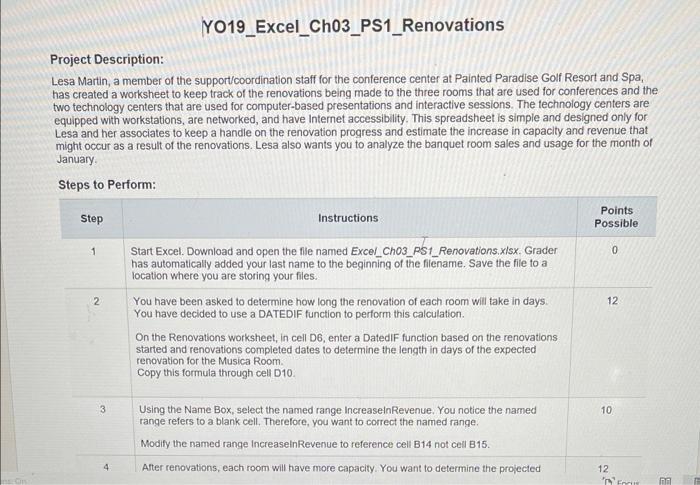
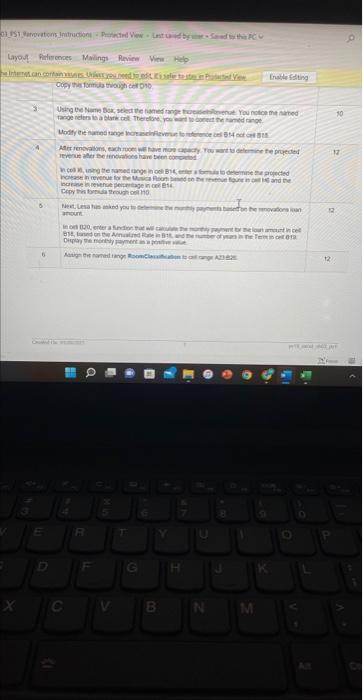
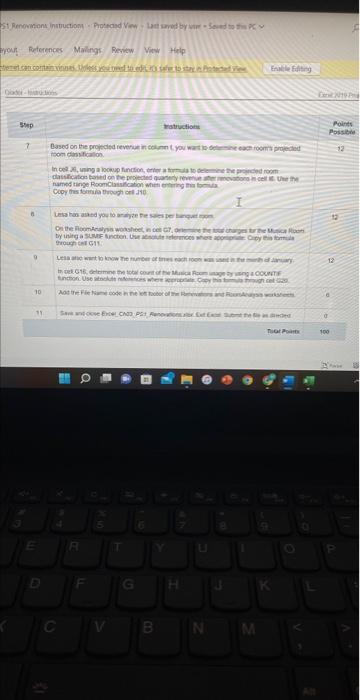
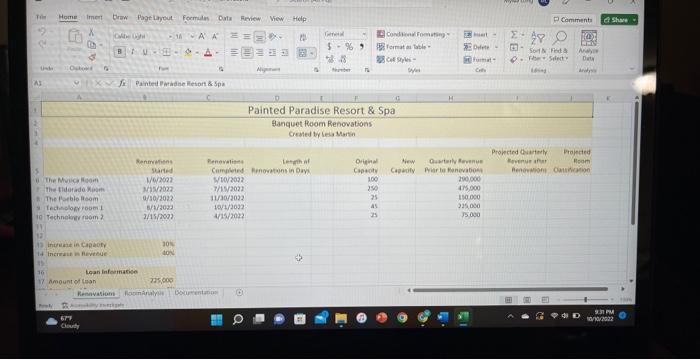
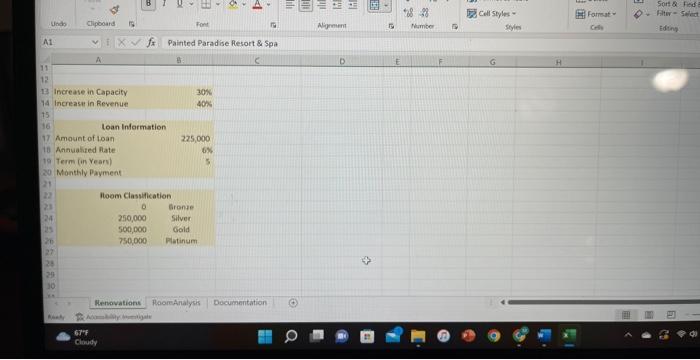
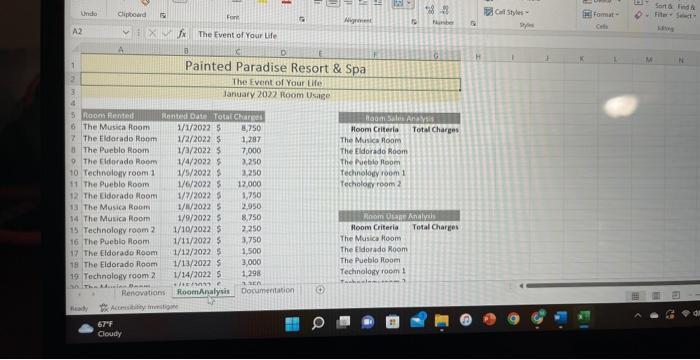
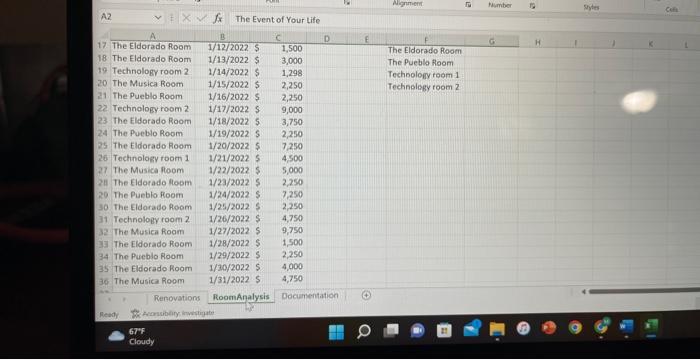
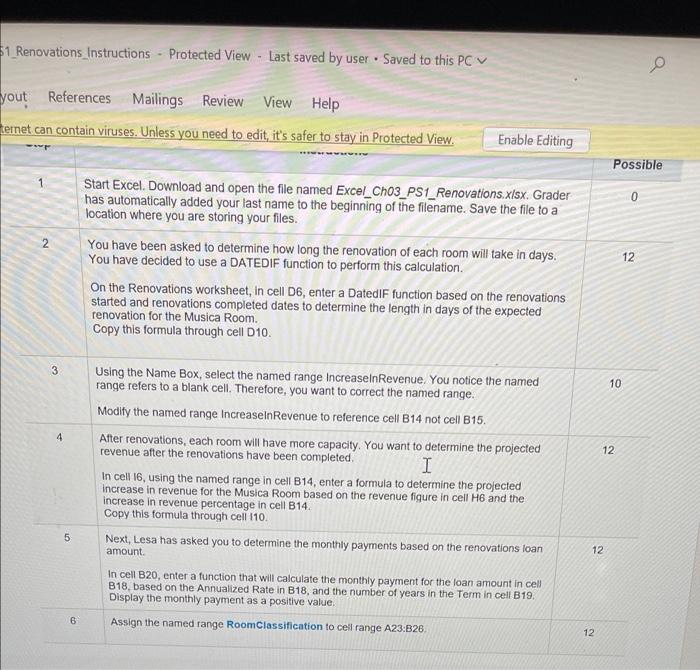
Project Description: Lesa Martin, a member of the support/coordination staff for the conference center at Painted Paradise Golf Resort and Spa, has created a worksheet to keep track of the renovations being made to the three rooms that are used for conferences and the two technology centers that are used for computer-based presentations and interactive sessions. The fechnology centers are equipped with workstations, are networked, and have Internet accessibility. This spreadsheet is simple and designed only for Lesa and her associates to keep a handle on the renovation progress and estimate the increase in capacity and revenue that might occur as a result of the renovations. Lesa also wants you to analyze the banquet room sales and usage for the month of January. 11_Renovations_Instructions - Protected View - Last saved by user - Saved to this PCV yout References Mailings Review View Help has automatically added your last name to the beginning of the filename. Save the file to a location where you are storing your files. 2 You have been asked to determine how long the renovation of each room On the Renovations worksheet, in cell D6, enter a DatedIF function based on the renovations started and renovations completed dates to determine the length in days of the expected renovation for the Musica Room. Copy this formula through cell D10. \begin{tabular}{|l|l} 3. Using the Name Box, select the named range increaselnRevenue. You notice the name \\ range refers to a blank cell. Therefore, you want to correct the named range. \\ Modify the named range IncreaselnRevenue to reference cell B14 not cell B15. \end{tabular} increase in revenue for the Musica Room based on the revenue figure in cell HG and the increase in revenue percentage in Rell B14. Copy this formula through cell 110 . Next, Lesa has asked you to determine the monthly payments based on the renovations loan amount. B18, based on the Annualized Rate in B18, and the number of years in the Term in cell B19. Display the monthly payment as a positive value. 6. Assign the named range Roomclassification to ceil range A23:B26. 12 Project Description: Lesa Martin, a member of the support/coordination staff for the conference center at Painted Paradise Golf Resort and Spa, has created a worksheet to keep track of the renovations being made to the three rooms that are used for conferences and the two technology centers that are used for computer-based presentations and interactive sessions. The fechnology centers are equipped with workstations, are networked, and have Internet accessibility. This spreadsheet is simple and designed only for Lesa and her associates to keep a handle on the renovation progress and estimate the increase in capacity and revenue that might occur as a result of the renovations. Lesa also wants you to analyze the banquet room sales and usage for the month of January. 11_Renovations_Instructions - Protected View - Last saved by user - Saved to this PCV yout References Mailings Review View Help has automatically added your last name to the beginning of the filename. Save the file to a location where you are storing your files. 2 You have been asked to determine how long the renovation of each room On the Renovations worksheet, in cell D6, enter a DatedIF function based on the renovations started and renovations completed dates to determine the length in days of the expected renovation for the Musica Room. Copy this formula through cell D10. \begin{tabular}{|l|l} 3. Using the Name Box, select the named range increaselnRevenue. You notice the name \\ range refers to a blank cell. Therefore, you want to correct the named range. \\ Modify the named range IncreaselnRevenue to reference cell B14 not cell B15. \end{tabular} increase in revenue for the Musica Room based on the revenue figure in cell HG and the increase in revenue percentage in Rell B14. Copy this formula through cell 110 . Next, Lesa has asked you to determine the monthly payments based on the renovations loan amount. B18, based on the Annualized Rate in B18, and the number of years in the Term in cell B19. Display the monthly payment as a positive value. 6. Assign the named range Roomclassification to ceil range A23:B26. 12
Step by Step Solution
There are 3 Steps involved in it

Get step-by-step solutions from verified subject matter experts
 Study Help