







Question: Need windows 10 operating system send a screenshot of task 14 completed and task 6 completed with screenshots 13 To create a text file in
Need windows 10 operating system
send a screenshot of task 14 completed and task 6 completed with screenshots
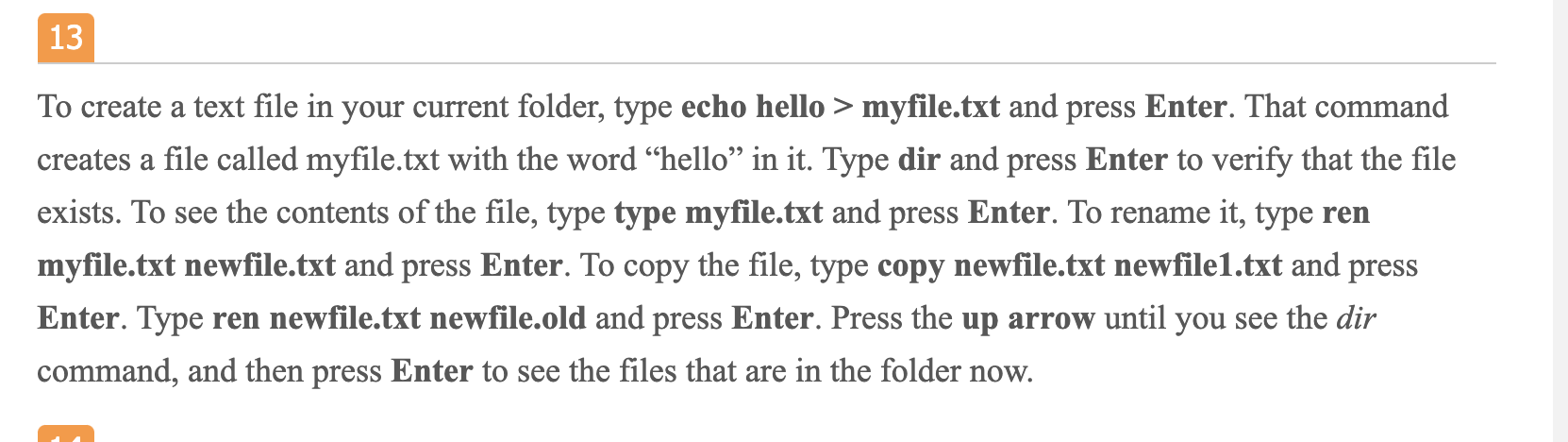
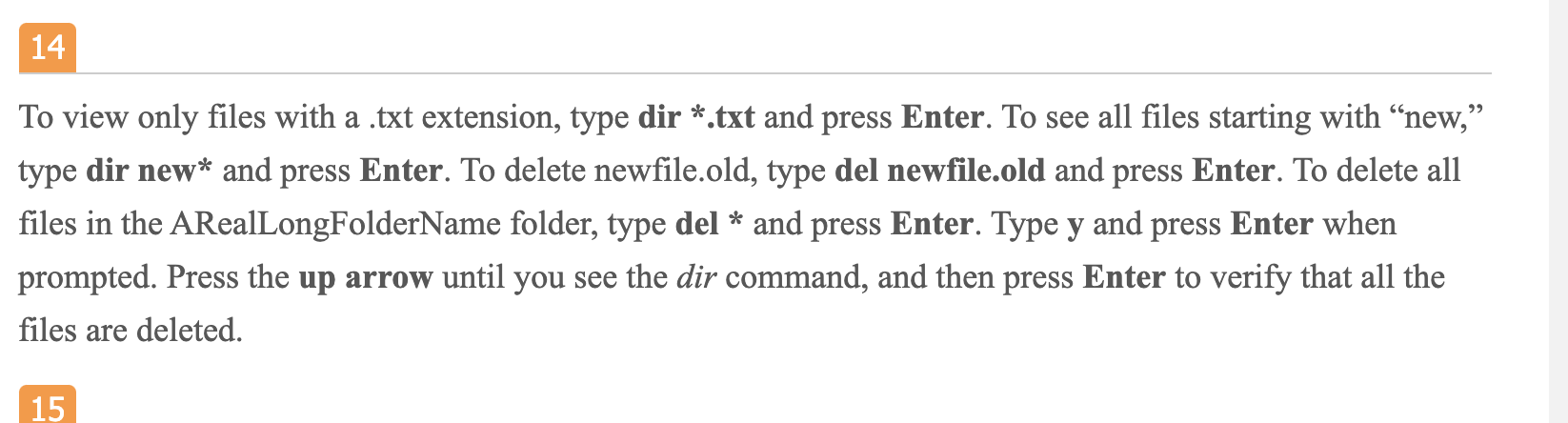

13 To create a text file in your current folder, type echo hello > myfile.txt and press Enter. That command creates a file called myfile.txt with the word hello in it. Type dir and press Enter to verify that the file exists. To see the contents of the file, type type myfile.txt and press Enter. To rename it, type ren myfile.txt newfile.txt and press Enter. To copy the file, type copy newfile.txt newfile1.txt and press Enter. Type ren newfile.txt newfile.old and press Enter. Press the up arrow until you see the dir command, and then press Enter to see the files that are in the folder now. 14 To view only files with a .txt extension, type dir *.txt and press Enter. To see all files starting with new, type dir new* and press Enter. To delete newfile.old, type del newfile.old and press Enter. To delete all files in the ARealLongFolderName folder, type del * and press Enter. Type y and press Enter when prompted. Press the up arrow until you see the dir command, and then press Enter to verify that all the files are deleted. 15 6 In the left pane, click to expand User Configuration and Administrative Templates, and then click Control Panel. The right pane displays a number of settings for Control Panel. The Control Panel can be completely disabled or customized with these settings. 7
Step by Step Solution
There are 3 Steps involved in it

Get step-by-step solutions from verified subject matter experts
 Study Help