







Question: Needing help creating 3 overloaded functions... The Purpose The purpose of this assignment is to get you to (1) create and use overloaded functions in
Needing help creating 3 overloaded functions...
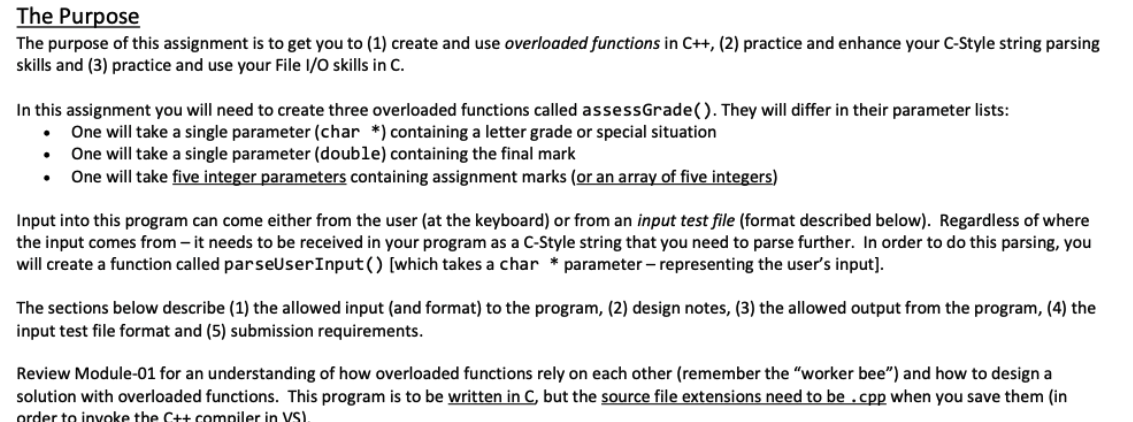
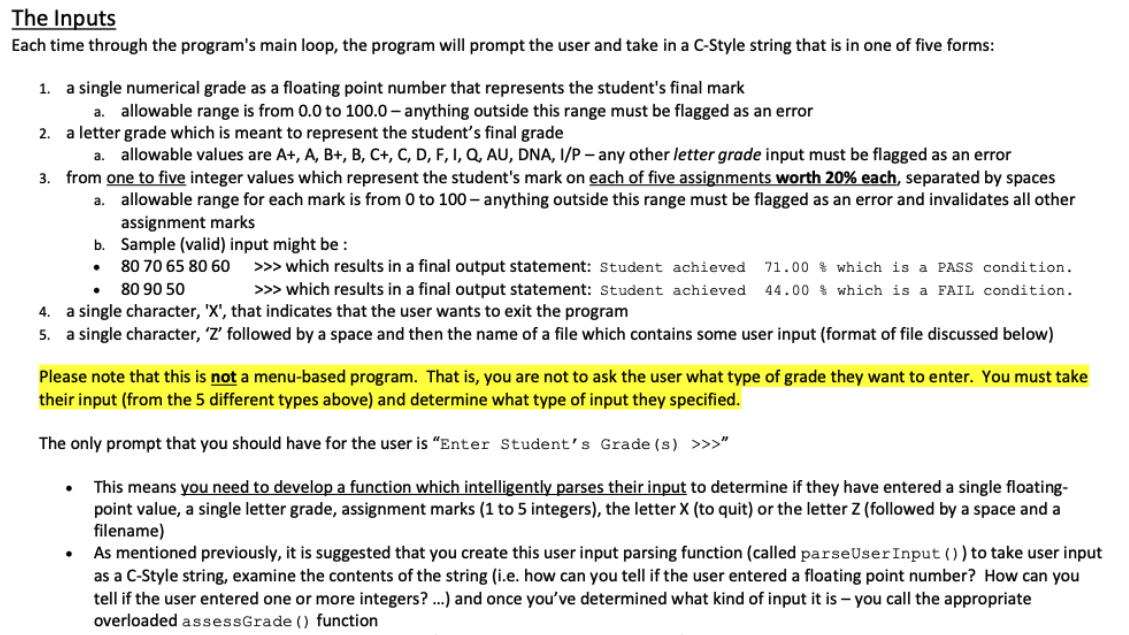
The Purpose The purpose of this assignment is to get you to (1) create and use overloaded functions in C++, (2) practice and enhance your C-Style string parsing skills and (3) practice and use your File 1/0 skills in C. In this assignment you will need to create three overloaded functions called assessGrade(). They will differ in their parameter lists: One will take a single parameter (char *) containing a letter grade or special situation One will take a single parameter (double) containing the final mark One will take five integer parameters containing assignment marks (or an array of five integers) . Input into this program can come either from the user (at the keyboard) or from an input test file (format described below). Regardless of where the input comes from it needs to be received in your program as a C-Style string that you need to parse further. In order to do this parsing, you will create a function called parseUser Input() [which takes a char * parameter - representing the user's input). The sections below describe (1) the allowed input (and format) to the program, (2) design notes, (3) the allowed output from the program, (4) the input test file format and (5) submission requirements. Review Module-01 for an understanding of how overloaded functions rely on each other (remember the "worker bee") and how to design a solution with overloaded functions. This program is to be written in C, but the source file extensions need to be .cpp when you save them in order to invoke the C++ compiler in VS). The Inputs Each time through the program's main loop, the program will prompt the user and take in a C-Style string that is in one of five forms: 1. a single numerical grade as a floating point number that represents the student's final mark a. allowable range is from 0.0 to 100.0-anything outside this range must be flagged as an error 2. a letter grade which is meant to represent the student's final grade a. allowable values are A+, A, B+, B, C+, C, D, F, I, Q, AU, DNA, 1/P- any other letter grade input must be flagged as an error 3. from one to five integer values which represent the student's mark on each of five assignments worth 20% each, separated by spaces a. allowable range for each mark is from 0 to 100 - anything outside this range must be flagged as an error and invalidates all other assignment marks b. Sample (valid) input might be : 80 70 65 80 60 >>> which results in a final output statement: Student achieved 71.00 % which is a PASS condition. 80 90 50 >>> which results in a final output statement: Student achieved 44.00 % which is a FAIL condition. 4. a single character, 'X', that indicates that the user wants to exit the program 5. a single character, 'Z' followed by a space and then the name of a file which contains some user input (format of file discussed below) Please note that this is not a menu-based program. That is, you are not to ask the user what type of grade they want to enter. You must take their input (from the 5 different types above) and determine what type of input they specified. The only prompt that you should have for the user is "Enter Student's Grade (s) >>>" This means you need to develop a function which intelligently parses their input to determine if they have entered a single floating- point value, a single letter grade, assignment marks (1 to 5 integers), the letter X (to quit) or the letter Z (followed by a space and a filename) As mentioned previously, it is suggested that you create this user input parsing function (called parseUser Input()) to take user input as a C-Style string, examine the contents of the string (i.e. how can you tell if the user entered a floating point number? How can you tell if the user entered one or more integers? ...) and once you've determined what kind of input it is - you call the appropriate overloaded assessGrade () function The Purpose The purpose of this assignment is to get you to (1) create and use overloaded functions in C++, (2) practice and enhance your C-Style string parsing skills and (3) practice and use your File 1/0 skills in C. In this assignment you will need to create three overloaded functions called assessGrade(). They will differ in their parameter lists: One will take a single parameter (char *) containing a letter grade or special situation One will take a single parameter (double) containing the final mark One will take five integer parameters containing assignment marks (or an array of five integers) . Input into this program can come either from the user (at the keyboard) or from an input test file (format described below). Regardless of where the input comes from it needs to be received in your program as a C-Style string that you need to parse further. In order to do this parsing, you will create a function called parseUser Input() [which takes a char * parameter - representing the user's input). The sections below describe (1) the allowed input (and format) to the program, (2) design notes, (3) the allowed output from the program, (4) the input test file format and (5) submission requirements. Review Module-01 for an understanding of how overloaded functions rely on each other (remember the "worker bee") and how to design a solution with overloaded functions. This program is to be written in C, but the source file extensions need to be .cpp when you save them in order to invoke the C++ compiler in VS). The Inputs Each time through the program's main loop, the program will prompt the user and take in a C-Style string that is in one of five forms: 1. a single numerical grade as a floating point number that represents the student's final mark a. allowable range is from 0.0 to 100.0-anything outside this range must be flagged as an error 2. a letter grade which is meant to represent the student's final grade a. allowable values are A+, A, B+, B, C+, C, D, F, I, Q, AU, DNA, 1/P- any other letter grade input must be flagged as an error 3. from one to five integer values which represent the student's mark on each of five assignments worth 20% each, separated by spaces a. allowable range for each mark is from 0 to 100 - anything outside this range must be flagged as an error and invalidates all other assignment marks b. Sample (valid) input might be : 80 70 65 80 60 >>> which results in a final output statement: Student achieved 71.00 % which is a PASS condition. 80 90 50 >>> which results in a final output statement: Student achieved 44.00 % which is a FAIL condition. 4. a single character, 'X', that indicates that the user wants to exit the program 5. a single character, 'Z' followed by a space and then the name of a file which contains some user input (format of file discussed below) Please note that this is not a menu-based program. That is, you are not to ask the user what type of grade they want to enter. You must take their input (from the 5 different types above) and determine what type of input they specified. The only prompt that you should have for the user is "Enter Student's Grade (s) >>>" This means you need to develop a function which intelligently parses their input to determine if they have entered a single floating- point value, a single letter grade, assignment marks (1 to 5 integers), the letter X (to quit) or the letter Z (followed by a space and a filename) As mentioned previously, it is suggested that you create this user input parsing function (called parseUser Input()) to take user input as a C-Style string, examine the contents of the string (i.e. how can you tell if the user entered a floating point number? How can you tell if the user entered one or more integers? ...) and once you've determined what kind of input it is - you call the appropriate overloaded assessGrade () function
Step by Step Solution
There are 3 Steps involved in it

Get step-by-step solutions from verified subject matter experts
 Study Help