







Question: Needs to be done with MARS simulator Download link : http://courses.missouristate.edu/KenVollmar/MARS/download.htm (If text needed instead of Screenshots of the asm files let me know) ex1.asm
Needs to be done with MARS simulator
Download link: http://courses.missouristate.edu/KenVollmar/MARS/download.htm
(If text needed instead of Screenshots of the asm files let me know)
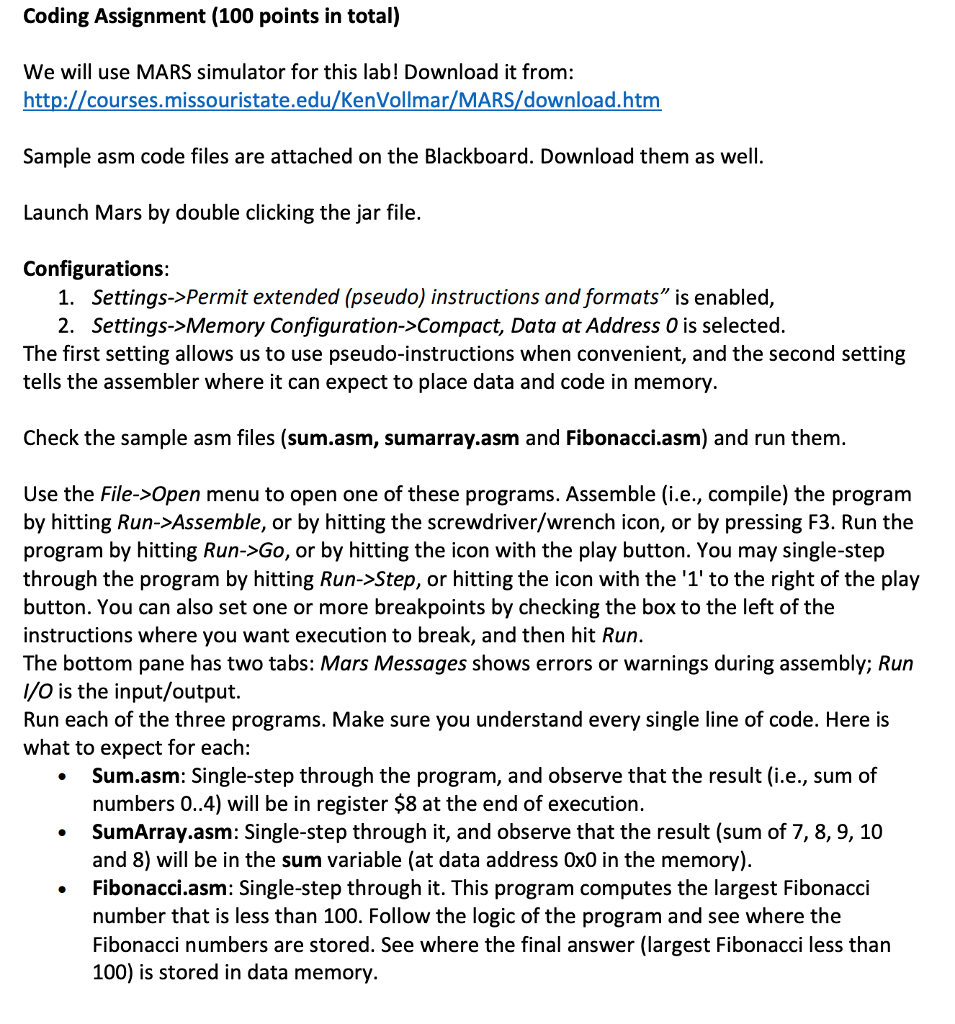
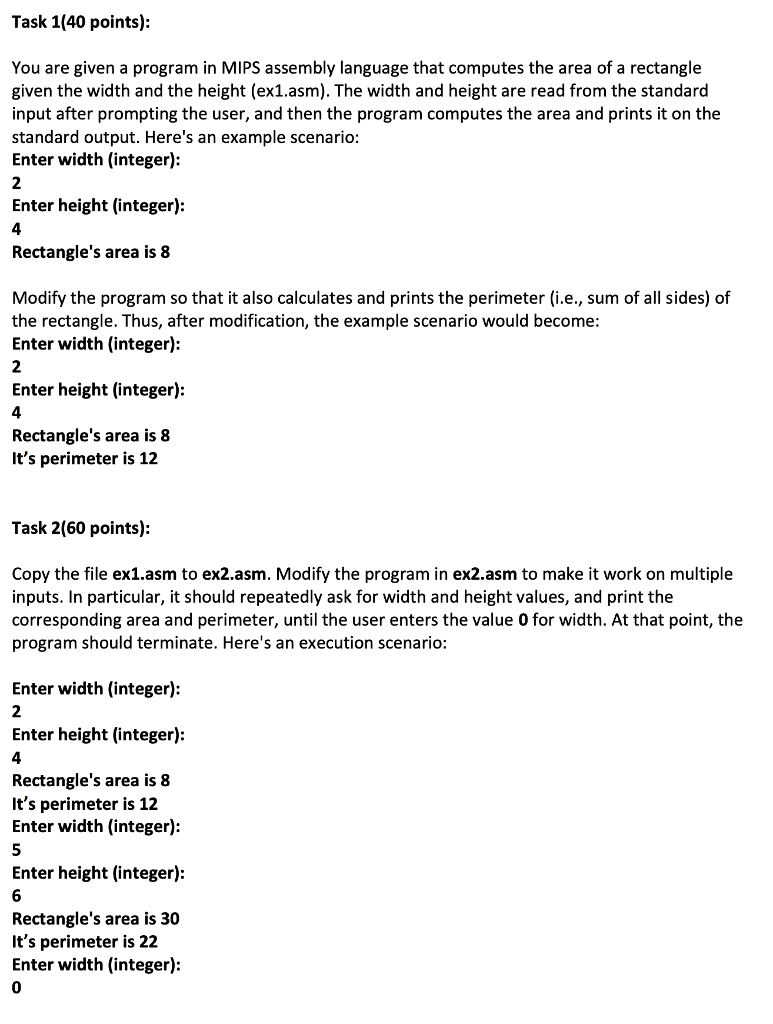
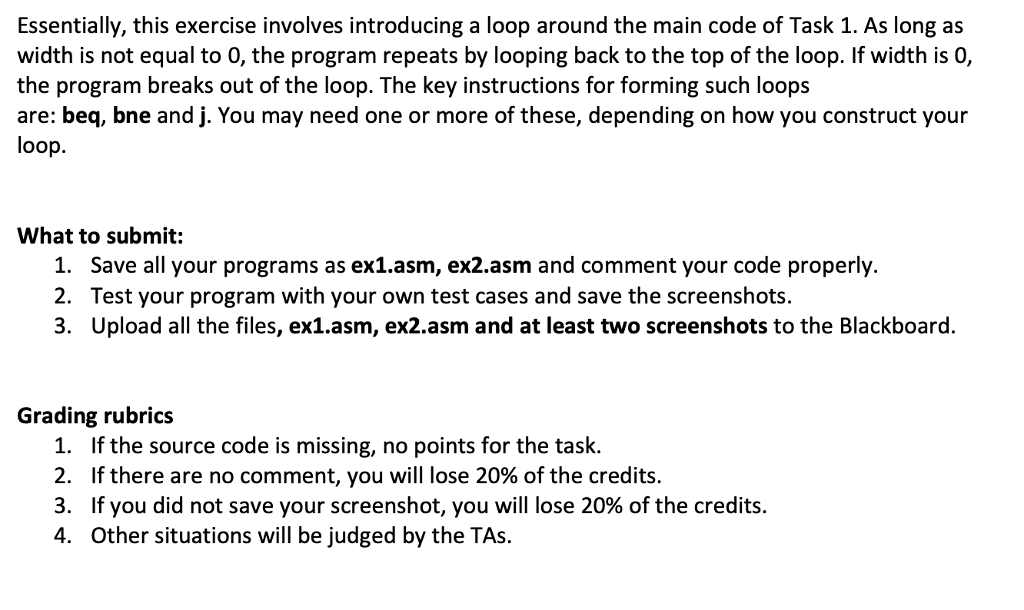
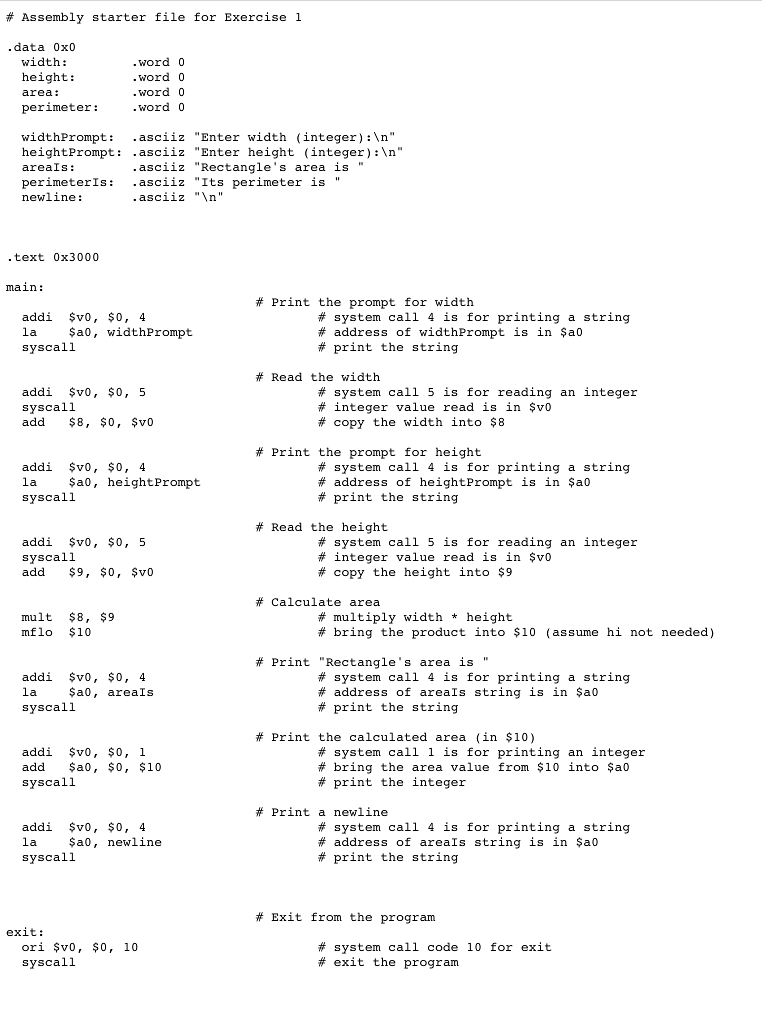
ex1.asm (File Screenshot)
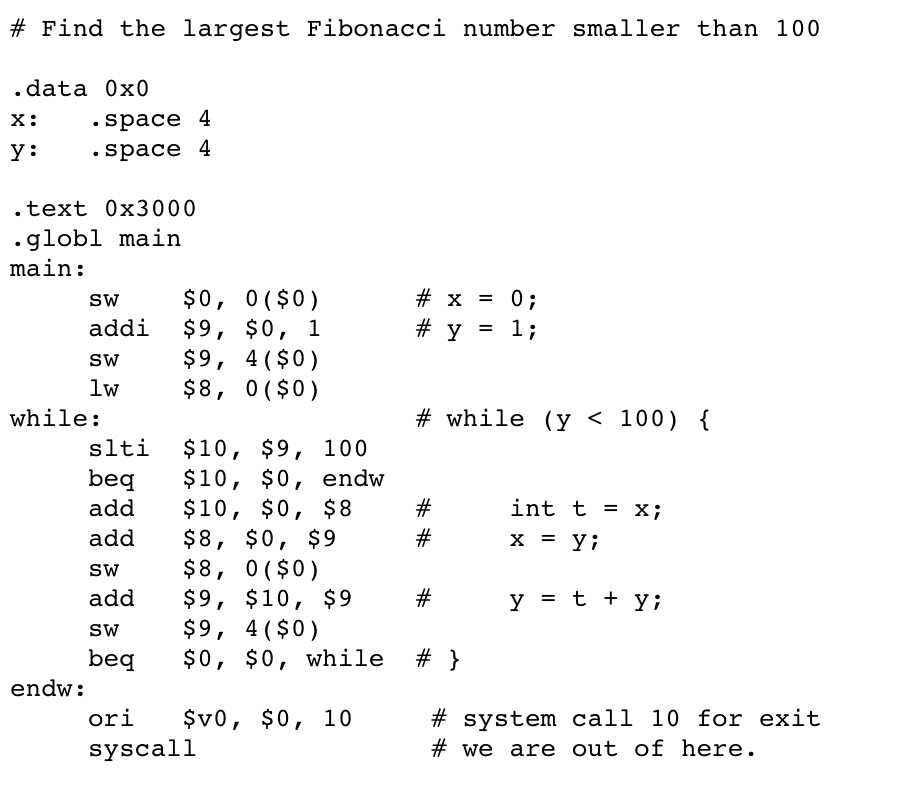
Fibonacci.asm (File Screenshot)
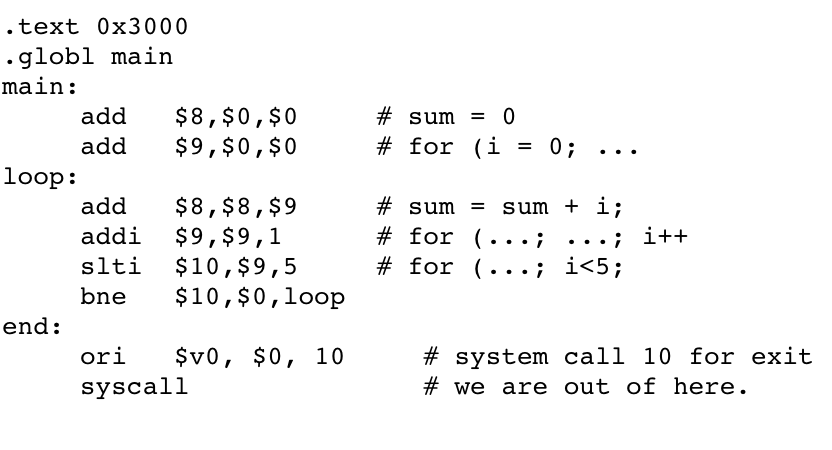
Sum.asm (File Screenshot)
SumArray.asm (File Screenshot)
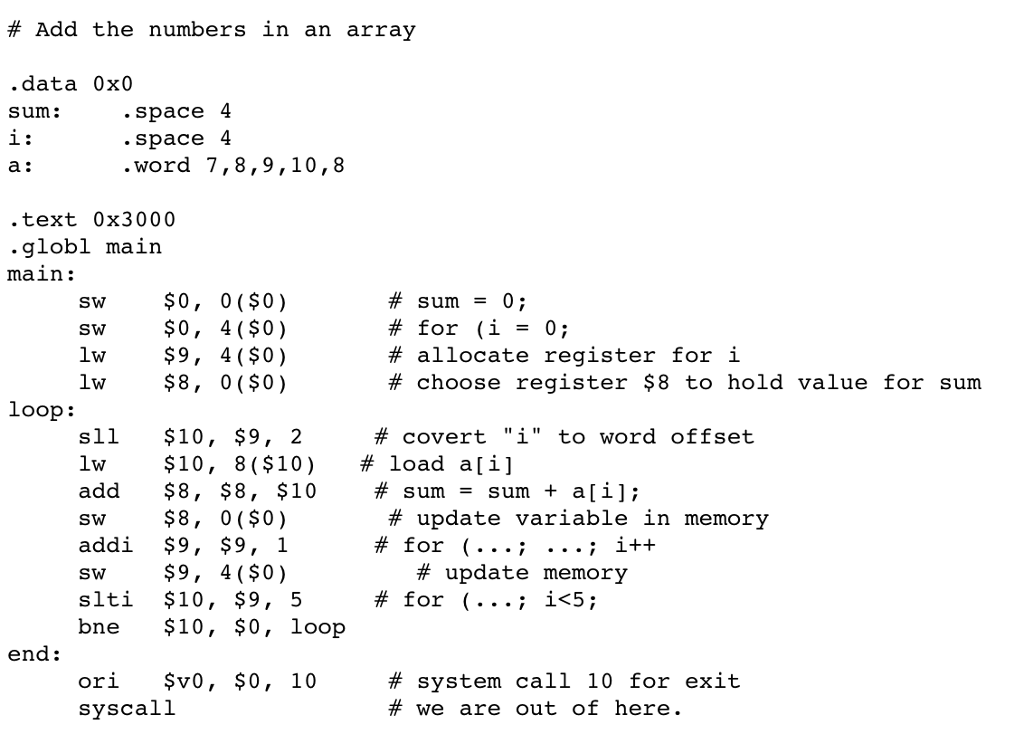
Coding Assignment (100 points in total) We will use MARS simulator for this lab! Download it from: http://courses.missouristate.edu/KenVollmar/MARS/download.htm Sample asm code files are attached on the Blackboard. Download them as well Launch Mars by double clicking the jar file. Configurations: 1. Settings->Permit extended (pseudo) instructions and formats" is enabled, 2. Settings->Memory Configuration->Compact, Data at Address O is selected The first setting allows us to use pseudo-instructions when convenient, and the second setting tells the assembler where it can expect to place data and code in memory Check the sample asm files (sum.asm, sumarray.asm and Fibonacci.asm) and run them Use the File->Open menu to open one of these programs. Assemble (i.e., compile) the program by hitting Run->Assemble, or by hitting the screwdriver/wrench icon, or by pressing F3. Run the program by hitting Run->Go, or by hitting the icon with the play button. You may single-step through the program by hitting Run->Step, or hitting the icon with the '1' to the right of the play button. You can also set one or more breakpoints by checking the box to the left of the instructions where you want execution to break, and then hit Run. The bottom pane has two tabs: Mars Messages shows errors or warnings during assembly; Run l/O is the input/output. Run each of the three programs. Make sure you understand every single line of code. Here is what to expect for each: Sum.asm: Single-step through the program, and observe that the result (i.e., sum of numbers 0..4) will be in register $8 at the end of execution. SumArray.asm: Single-step through it, and observe that the result (sum of 7, 8,9,10 and 8) will be in the sum variable (at data address Ox0 in the memory) Fibonacci.asm: Single-step through it. This program computes the largest Fibonacci number that is less than 100. Follow the logic of the program and see where the Fibonacci numbers are stored. See where the final answer (largest Fibonacci less than 100) is stored in data memory
Step by Step Solution
There are 3 Steps involved in it

Get step-by-step solutions from verified subject matter experts
 Study Help