







Question: Networking for Software Developers This is a group lab that will contribute towards your final project. One person will submit this work to the group
Networking for Software Developers
This is a group lab that will contribute towards your final project. One person will submit this work to the group dropbox.
Lab Display Chart.
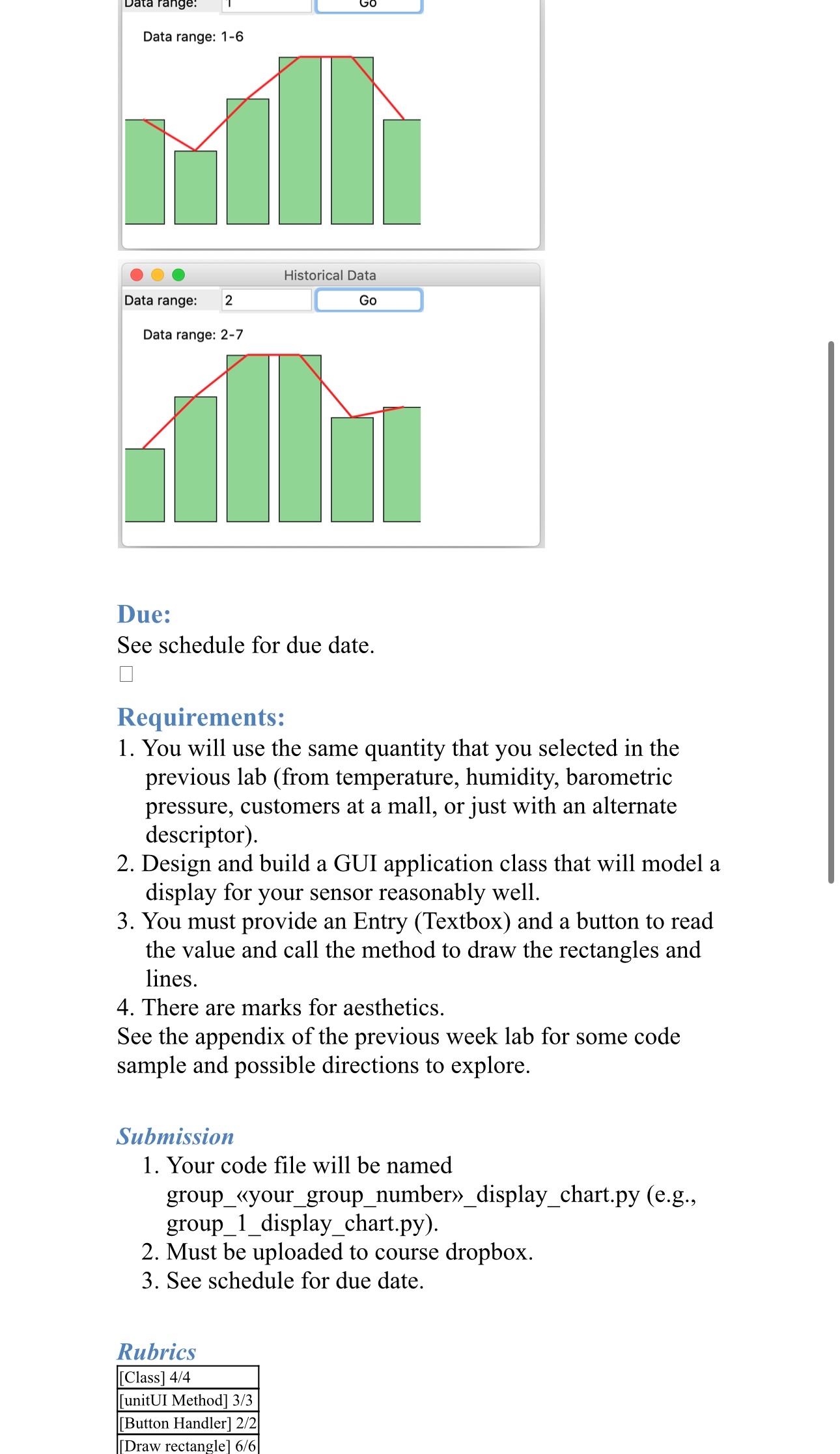
We will build a GUI to display a set of values. You will display the values using both a line chart and a bar chart on the same app. You will implement the following:
In the constructor create a list of values from your generator class in Lab Assignment This will not change for the life of the application.
In the initUI method do the following:
Add the code that will create the three widgets at the top of the window as shown in the screenshot below.
Call the method below that will draw the rectangles and lines as shown in the screenshot.
Wireup the button to read the input from the textbox and call the method in step with the appropriate arguments.
Define a method that takes the start values the list of values is available as a class attribute and will draw the six rectangles and the lines.
Hictarinal nota
Historical Data
Due:
See schedule for due date.
Requirements:
You will use the same quantity that you selected in the previous lab from temperature, humidity, barometric pressure, customers at a mall, or just with an alternate descriptor
Design and build a GUI application class that will model a display for your sensor reasonably well.
You must provide an Entry Textbox and a button to read the value and call the method to draw the rectangles and lines.
There are marks for aesthetics.
See the appendix of the previous week lab for some code sample and possible directions to explore.
Submission
Your code file will be named groupyourgroupnumberdisplaychart.py eg groupdisplaychart.py
Must be uploaded to course dropbox.
See schedule for due date.
Rubrics
Class
unitUI Method
Button Handler
Draw rectangle
Step by Step Solution
There are 3 Steps involved in it
1 Expert Approved Answer
Step: 1 Unlock

Question Has Been Solved by an Expert!
Get step-by-step solutions from verified subject matter experts
Step: 2 Unlock
Step: 3 Unlock
 Study Help