







Question: Note: Since true = 1 and false =0, the sum' is really just a count of the number of order that have a true evaluation
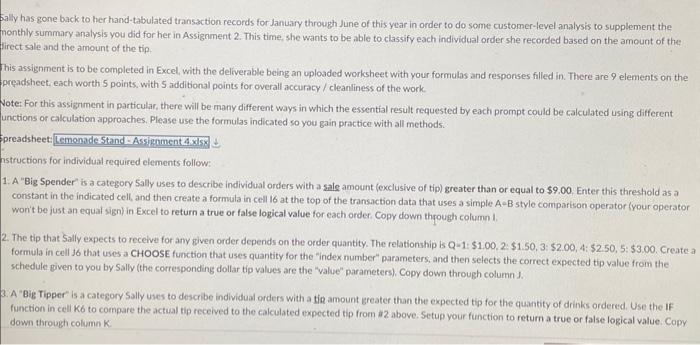
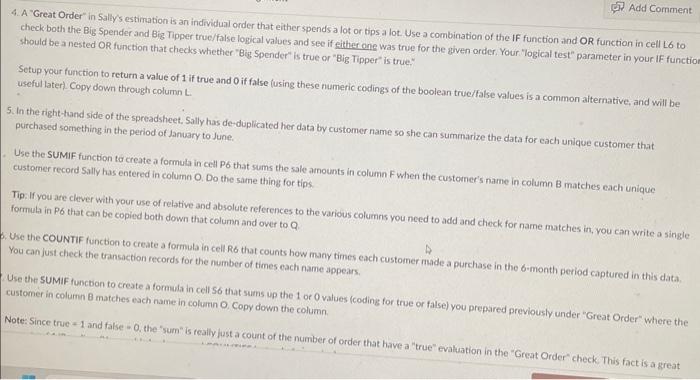
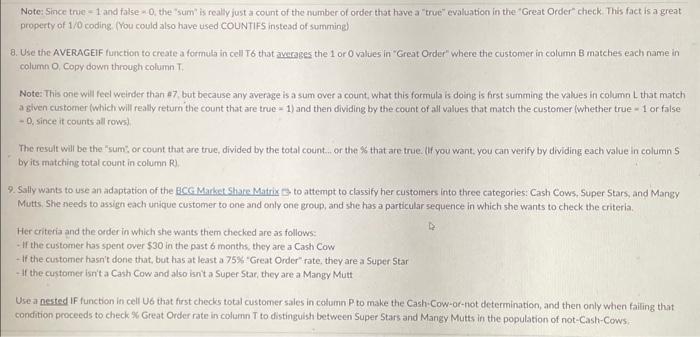
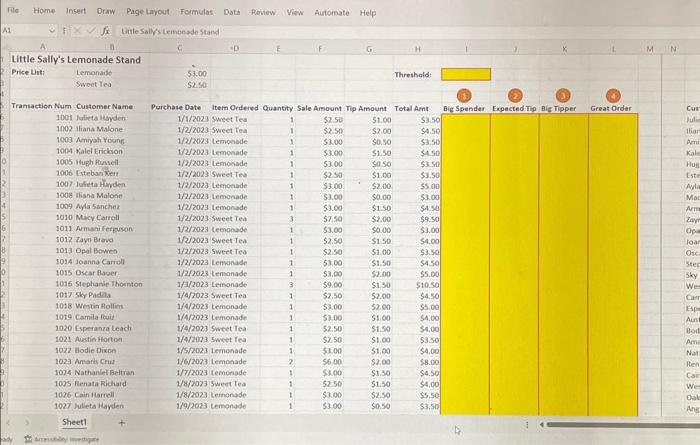
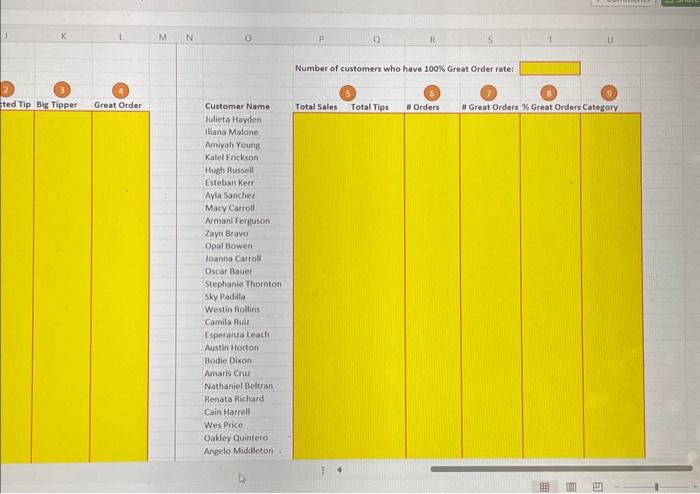
Note: Since true = 1 and false =0, the "sum' is really just a count of the number of order that have a "true" evaluation in the "Great Order" check. This fact is a great property of 1/0 coding. (You could also have used COUNTIFS instead of summing) 8. Use the AVERAGEIF function to create a formula in cell T6 that avarages the 1 or 0 values in "Great Order" where the customer in column 8 inatches each name in column O, Copy down through column T. Note: This one will feel weirder than 47 , but because any average is a sum over a count. what this formula is doing is first summing the values in column L that mateh a given customer (which will really retum the count that are true - 1 ) and then dividing by the count of all values that match the customer (whether true - 1 or false -0 , since it counts all rows) The result will be the "sum: or count that are true, divided by the total count... or the $ that are true. (li you want, you can verify by dividing each value in column $ byits matching total count in column R) 9. Sally wants to use an adaptation of the BCC.MarkeL Share Matrix 5 to attempt to classify her custorners into three categories: Cash Cows, Super Stars, and Margy Mutts, She seed's to assign each unique customer to one and only one group, and she has a particular sequence in which she wants to check the criteria. Her criteria and the order in which she wants them checked are as follows: - If the customer has spent over $30 in the past 6 months, they are a Cash Cow -If the customer hasn't done that, but has at least a 75% "Great Order" rote, they are a Super Star -If the customer isn't a Cash Cow and also isn't a Super Star, they are a Mangy Mutt Use a nested IF function in cell U6 that first checks total customer sales in column P to make the Cash-Cow-or-not determination, and then only when failing that condition proceeds to check \% Great Order rate in column Tt to distingulsh between Super Stars and Mangy Mutts in the population of not-Cash-Cows. 4. A "Great Order" in Sally's estimation is an individual order that either spends a lot or tips a lot. Use a combination of the IF function and OR function in cell L6 to should be a nested OR function that checks whether "Big Spender" is true or "Big Tipper" is true." Setup your function to return a value of 1 if true and 0 if false (using these numeric codings of the boolean true/false values is a common alternative, and will be useful later). Copy down through column L. 5. In the right-tand side of the spreadsheet. Sally has de-duplicated her data by customer name so she can summarize the data for each unique customer that purchased something in the period of January to June. customer record Sally has entered in column O. Do the same thing for tips. formula in P6 that can be copied both down that column and over to Q You can just check the transaction records for the number of times each name appears. Use the SUMIF functon to create a formula in cell 56 that sums up the 1 or 0 values (coding for true or false) you prepared previously under "Great Order" where the customer in column 8 matches each name in column 0 , Copy down the column. Note: Since true +1 and false -0 , the "sum" is really just a count of the number of order that have a "true" evaluation in the "Great Order" check. This fact is a great 5ally has gone back to her hand-tabulated transaction records for January through June of this year in order to do some customer-level analysis to supplement the nonthly summary analysis you did for her in Assignment 2. This time, she wants to be able to classify each individual order she recorded based on the amount of the flirect sale and the amount of the tip. This assignment is to be completed in Excel, with the deliverable being an uploaded worksheet with your formulas and fesponses filled in. There are 9 elements on the preadsheet, each worth 5 points, with 5 additional points for overall accurncy / cleanliness of the work. Note: For this assigriment in particular, there will be many different ways in which the essential result requested by each prompt could be calculated using different unctions or calculation approaches. Please use the formulas indicated so you gain practice with all methods. preadsheet: istructions for individual required elements follow: 1. A "Big Spender' is a category Sally uses to describe individual orders with a sale amount (exclusive of tip) greater than or equal to $9.00. Enter this threshold as a constant in the indicated cell, and then create a formula in cell 16 at the top of the transaction data that uses a simple A-B style comparison operator (your operator won't be just an equal sign) in Excel to return a true or false logical value for each order Copy down through column 1. 2. The tip that $ ally expects to receive for any given order depends on the order quantity. The relationship is Q1:$1.00,2:$1.50,3:$2.00,4:$2.50,5:$3.00, Create a formula in cell to that uses a CHOOSE function that uses quantity for the "index number" parameters, and then selects the correct expected tip value from the schedule piven to you by Sally (the corresponding dollar tip values are the "value" parameters), Copy down through column J. 3. A "Big Tipper" is a category'Sally uses to describe individual orders with a tip amount greater than the expected tip for the quantity of drinks ordered. Use the If function in cell K6 to compare the actual tip received to the calculated expected tip from a 2 above. Setup your function to return a true or false logical value. Copy down through column K. Tie Home Insert Draw Page Layout Foimulas Data Roview View Automate Help A1. fix tirlesallistembosdestand Little Sally's Lemonade Stand Price Lint: Lemonade 53.00 Threshold: Sweet Tea 520 D f F F G H Threshold: Trantaction Num Customer Name 1001 Julicta leopden 1002 Iliana Malone 1003 Amiyah Young 1004 Kalei Erickson 1005 Nuph Flumeli 1006 Lstebun ket: 1007 Juleta Hivden 1008 tlisna Malone 1009 Ayla Sancher 1010 Macy Cantil 1011 Armani ferpuson 1012 Zavi Brovo 1013 Opal Bowed 1014 Joanna Carrell 1015 Oscar flauer 1016 Stephanie thosnton 1017 sky Padas 1018 Westin Pollens 1019 Camila feuid 1020 Esperanza leach 1021 Austin Hortoel 1022 Elodie Dixon 1023 Amaris Crus 1024 Nathanler Beltran 1025 Renata Richatd 1026 Cain Harrell 1027 Julieta Kayden Purchave Date Item Ordered Quantity Sale Amount Mip Amount Total Arnt Big Spender Expected mp Big Mipper Great Order 1/1/2023 sinet tea 1/2/2023 Sweet Tea 1/2/2023 Lemonode 1/2/3023 temonade 1//2/2023 Lemonade 1/2/2023 Sweel Ted 1/2/2023 Lemonade 1/2/2023 temonade 1/2/2023 temonade 1/2/2023 sweet Tea 1/2/2023 Lemonade 1/2/2023 Sweet Tea 1/2/2023 Sweet Tea 1/2/2023 Lenonade 1/2/2023 temonade 1/3/2023 Lemonade 1/4/2023 Sweet Tea 1/4/2023 temonade 1/4/2023 temonade 1/4/2023 Sweet Iea 1/4/2023 sweet fea 1/5/2023 Lemonade 1/6/2023 temonade 1/7/2023 temonade 1/8/2023 Sweet tea 1/8/2023 Lemenade 1/9/2023 temanade. 5250 5250 5300 51000 5100 5300 5250 53.00 $300 $3.00 53.00 53.00 57.50 53.00 $2.50 $2.50 53.00 53.00 $9.00 39.00 52.50 53.00 53.00 52.50 5250 51.00 51.00 56.00 5600 51.00 57.50 $300 51.00 $200 $0.50 50.50 51.50 soso $1.50 $1.00 $2.00 50.00 53.50 $4.50 $1.50$4.50 54.50 $2.00$0.00$9.50$3.00 $3.00 $150 \begin{tabular}{l|} $3.50 \\ $3.50 \\ 55.00 \\ $3.00 \\ $4.50 \\ $9.50 \\ $3.00 \\ 54.00 \end{tabular} $1.00$1.5054.00$450 . $1.50$10.50 57.00570054.5055.00 $4.00 $4.00 \begin{tabular}{ll|} $1.00 & $4.00 \\ $1.50 & $4,00 \end{tabular} 51.00$1.00$1.00$4.00$3.50$4.00 $1.00$2.00$1.30$4.00$8.00$4.50 51.5054.00$4.50 57.5050.5055.50$3.50 Espectedipg Bic mppef Great Order 3 Arristidey ine chigare 50.50
Step by Step Solution
There are 3 Steps involved in it

Get step-by-step solutions from verified subject matter experts
 Study Help