







Question: NOTE: THIS ASSIGNMENT DOES NOT USE JUPYTER NOTEBOOK. Among other things, this project requires you to Create a file named Proj 0 5 Runner.py that
NOTE: THIS ASSIGNMENT DOES NOT USE JUPYTER NOTEBOOK.
Among other things, this project requires you to
Create a file named
ProjRunner.py that contains a class named Runner that contains a static method named run.
Accept two Pandas series objects as incoming parameters to the run method.
Create a new dataset from the two incoming datasets.
Plot the three datasets as bar graphs in a single stacked figure and display that figure on the computer screen.
Create an output file named "combinedplots.jpg that contains the figure.
PROGRAM SPECIFICATIONS
Create the file named
ProjRunner.py as described above. DO NOT include code in your file named
ProjRunner.py for the purpose of testing your code in a stan alone manner. Instead you must test your code by placing the file named
ProjRunner.py in the same folder as the file named
Projpy and executing the file nam
Projpy
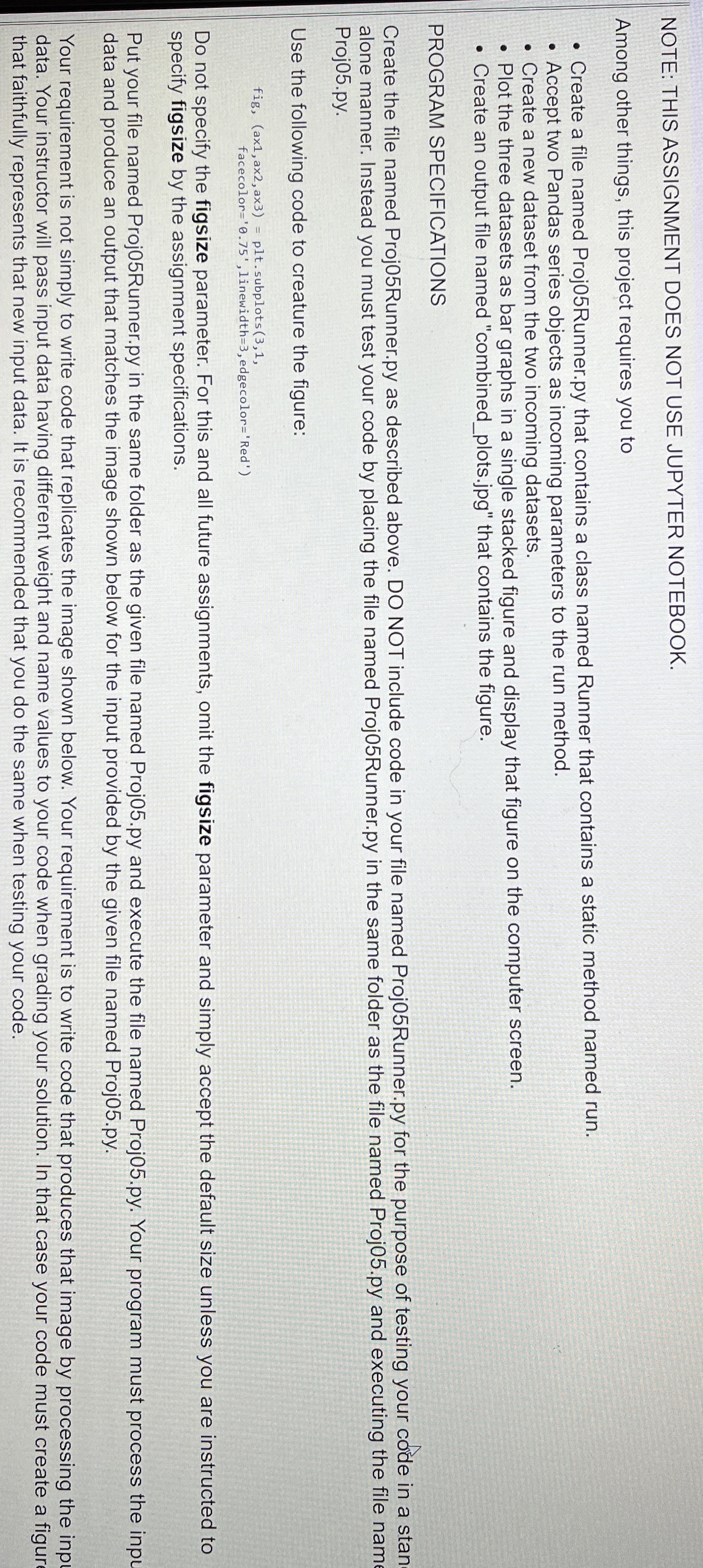
Use the following code to creature the figure:
Do not specify the figsize parameter. For this and all future assignments, omit the figsize parameter and simply accept the default size unless you are instructed to specify figsize by the assignment specifications.
Put your file named
ProjRunner.py in the same folder as the given file named
Projpy and execute the file named
Projpy Your program must process the inpL data and produce an output that matches the image shown below for the input provided by the given file named
Projpy
Your requirement is not simply to write code that replicates the image shown below. Your requirement is to write code that produces that image by processing the inp data. Your instructor will pass input data having different weight and name values to your code when grading your solution. In that case your code must create a figur that faithfully represents that new input data. It is recommended that you do the same when testing your code.
Step by Step Solution
There are 3 Steps involved in it
1 Expert Approved Answer
Step: 1 Unlock

Question Has Been Solved by an Expert!
Get step-by-step solutions from verified subject matter experts
Step: 2 Unlock
Step: 3 Unlock
 Study Help