







Question: Note: To draw the Relational Schema, you can use a computer-based graphic tool such as VISIO, Lucid Chart (lucidchart.com), Creately (creately.com), or Gliffy (gliffy.com). Draw
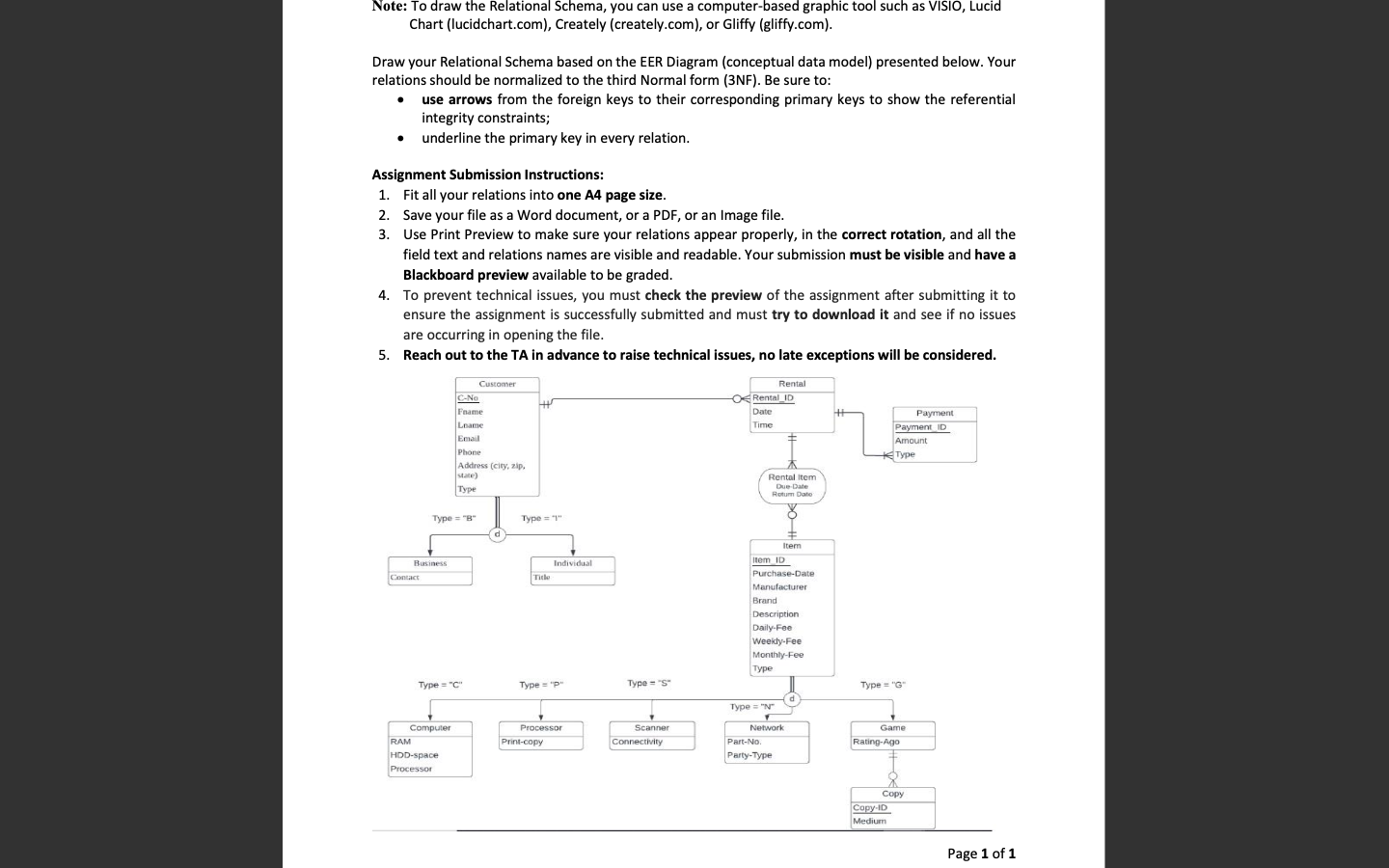
Note: To draw the Relational Schema, you can use a computer-based graphic tool such as VISIO, Lucid Chart (lucidchart.com), Creately (creately.com), or Gliffy (gliffy.com). Draw your Relational Schema based on the EER Diagram (conceptual data model) presented below. Your relations should be normalized to the third Normal form (3NF). Be sure to: - use arrows from the foreign keys to their corresponding primary keys to show the referential integrity constraints; - underline the primary key in every relation. Assignment Submission Instructions: 1. Fit all your relations into one A4 page size. 2. Save your file as a Word document, or a PDF, or an Image file. 3. Use Print Preview to make sure your relations appear properly, in the correct rotation, and all the field text and relations names are visible and readable. Your submission must be visible and have a Blackboard preview available to be graded. 4. To prevent technical issues, you must check the preview of the assignment after submitting it to ensure the assignment is successfully submitted and must try to download it and see if no issues are occurring in opening the file. 5. Reach out to the TA in advance to raise technical issues, no late exceptions will be considered
Step by Step Solution
There are 3 Steps involved in it
Based on the EER Enhanced EntityRelationship diagram provided in the image heres the relational sche... View full answer

Get step-by-step solutions from verified subject matter experts
 Study Help