







Question: Notice that the printCard() function has been modified slightly to make things look good with the labels in boldface. To prepare to use this script,
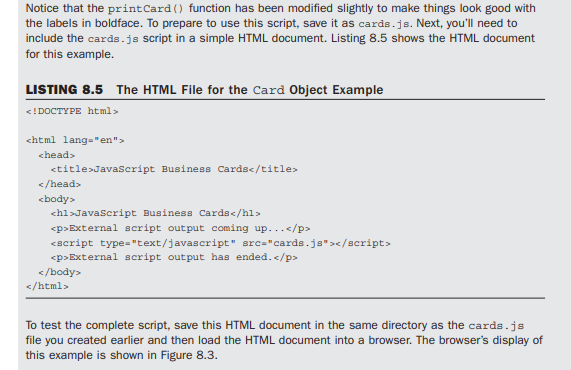
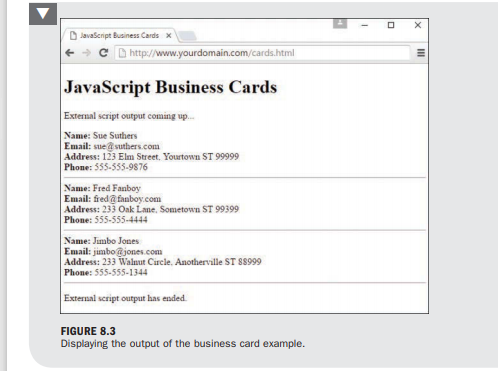
Notice that the printCard() function has been modified slightly to make things look good with the labels in boldface. To prepare to use this script, save it as cards.js. Next, you'll need to include the cards.js Script in a simple HTML document. Listing 8.5 shows the HTML document for this example. LISTING 8.5 The HTML File for the card Object Example chead>
JavaScript Business Cards
External script output coming up...
External script output has ended.
Step by Step Solution
There are 3 Steps involved in it
1 Expert Approved Answer
Step: 1 Unlock

To set up the HTML and JavaScript files as described follow these steps Step 1 Create the cardsjs Fi... View full answer
Question Has Been Solved by an Expert!
Get step-by-step solutions from verified subject matter experts
Step: 2 Unlock
Step: 3 Unlock
 Study Help