







Question: Now that you know how to model a database, write create statements and add records to a database, let's look at an example end to
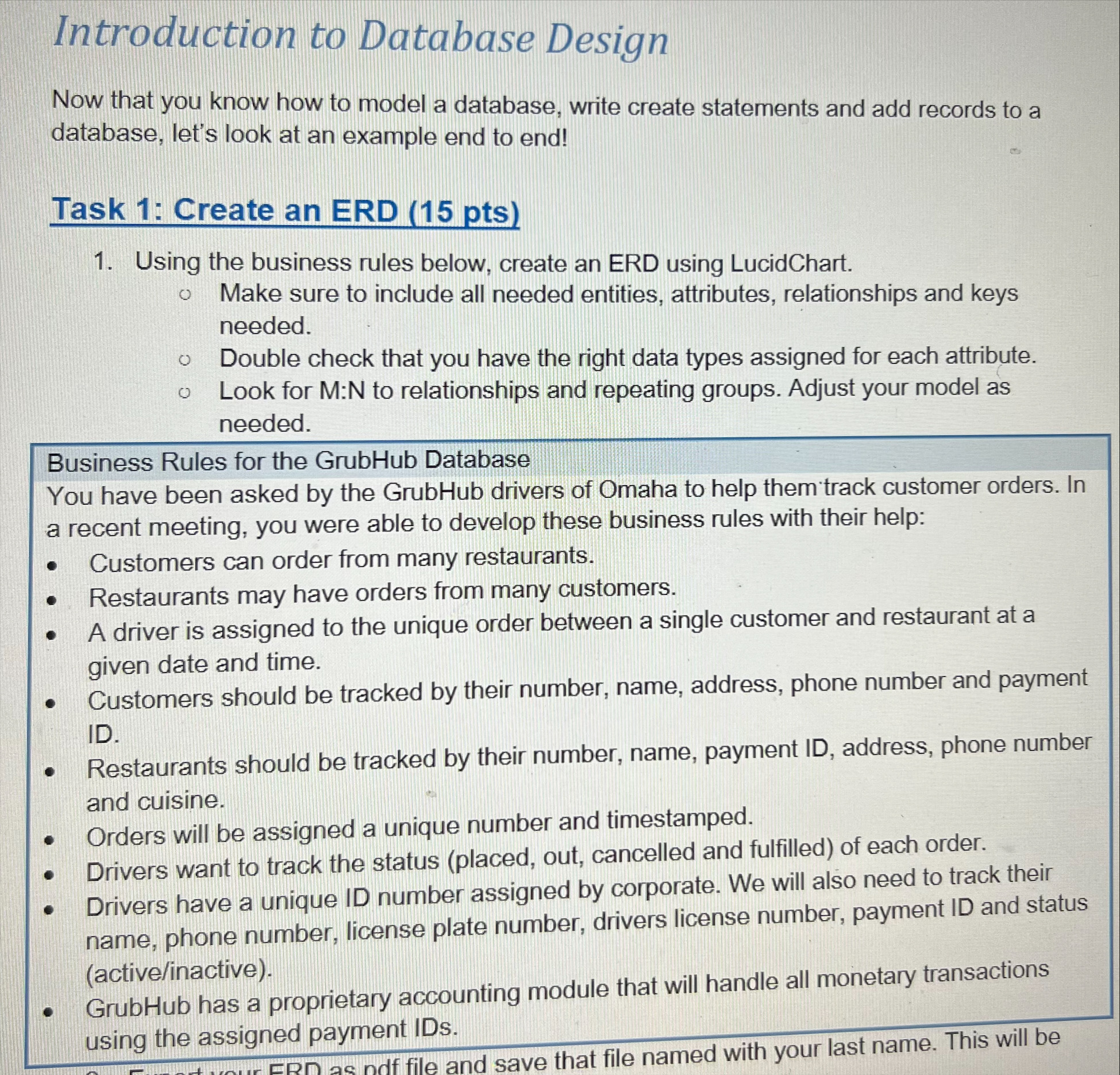
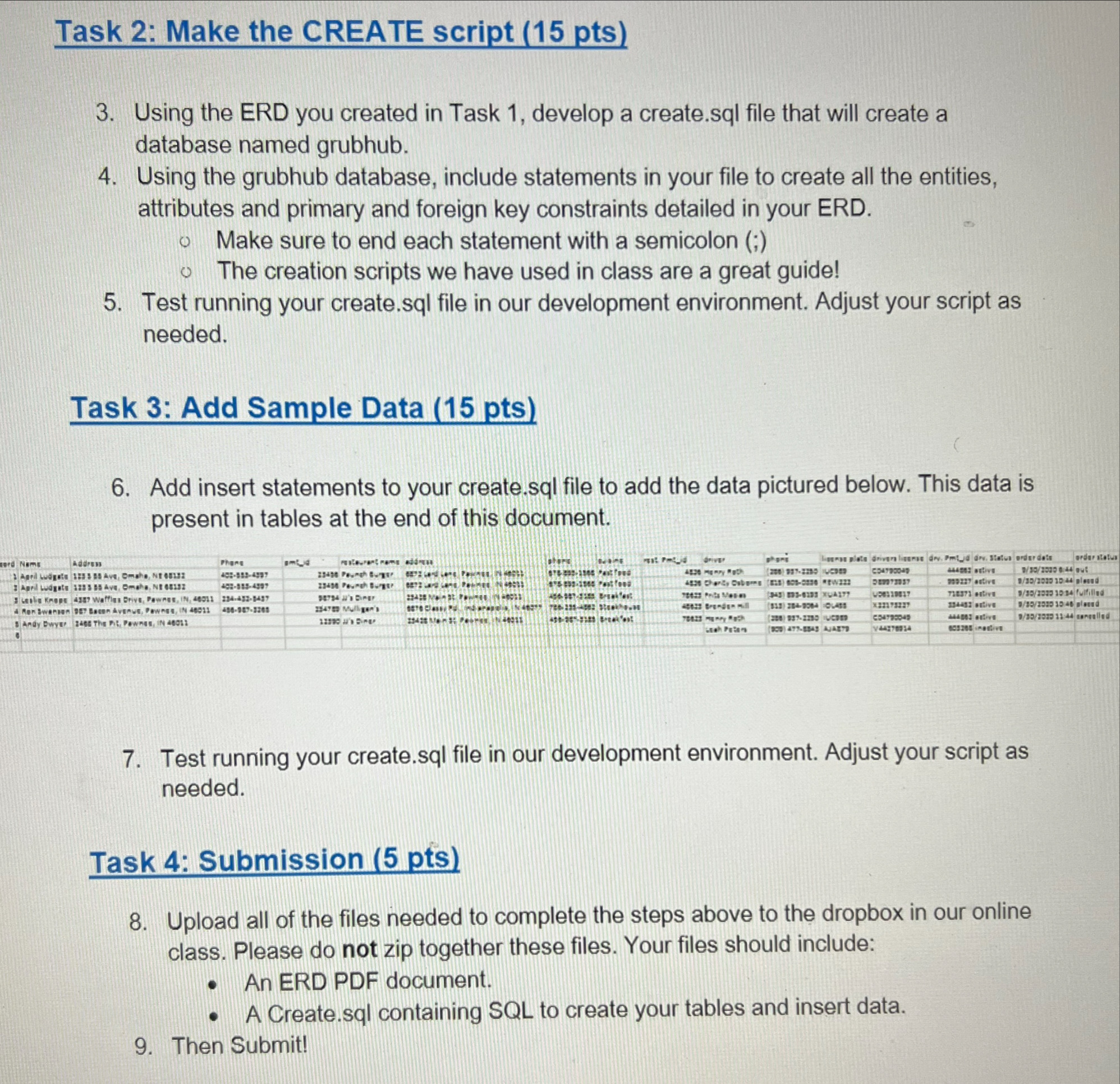
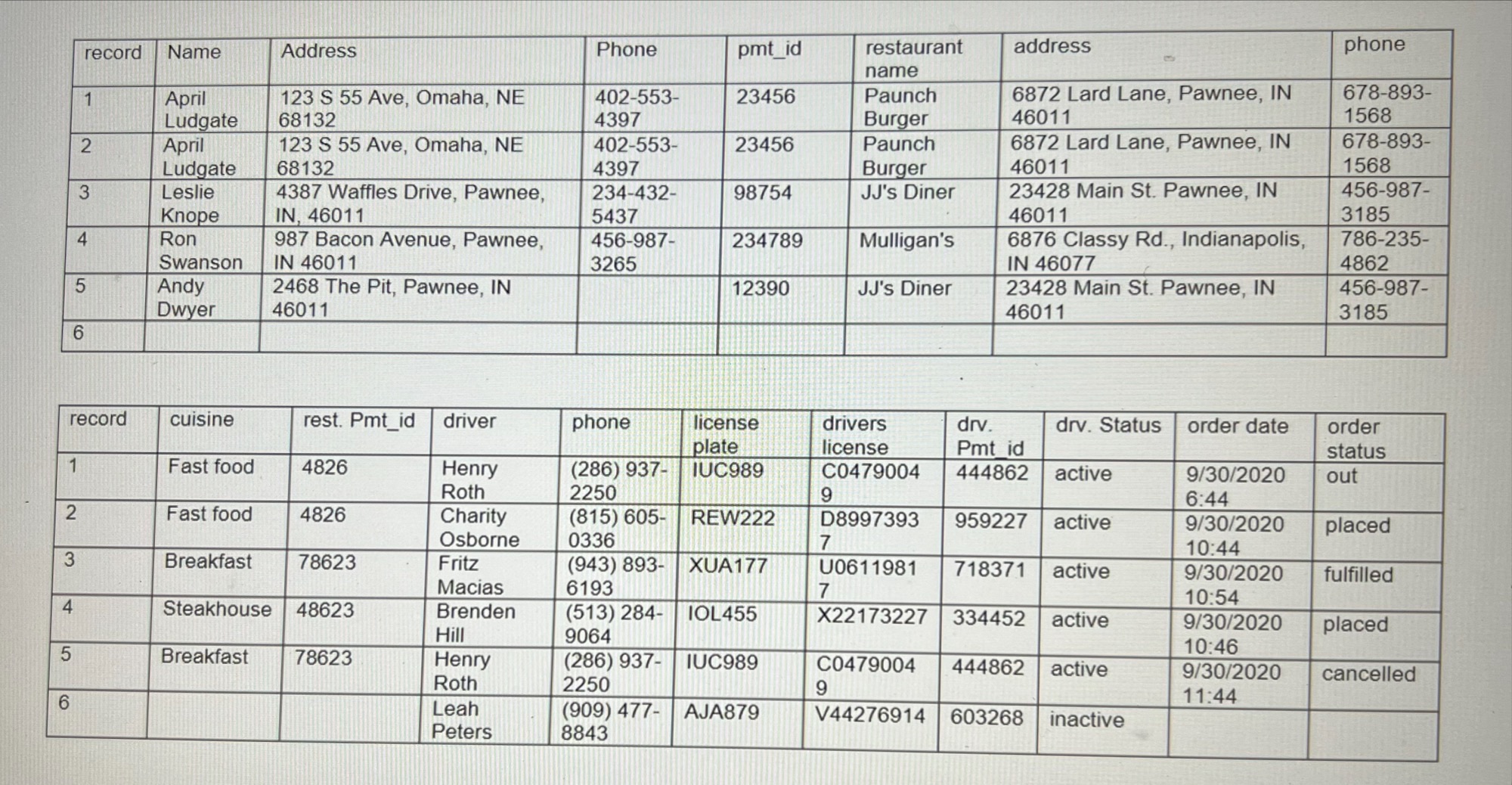
Now that you know how to model a database, write create statements and add records to a database, let's look at an example end to end! Task 1: Create an ERD (15 pts) 1. Using the business rules below, create an ERD using LucidChart. Make sure to include all needed entities, attributes, relationships and keys needed. Double check that you have the right data types assigned for each attribute. Look for M:N to relationships and repeating groups. Adjust your model as needed. Business Rules for the GrubHub Database You have been asked by the GrubHub drivers of Omaha to help them track customer orders. In a recent meeting, you were able to develop these business rules with their help: - Customers can order from many restaurants. - Restaurants may have orders from many customers. - A driver is assigned to the unique order between a single customer and restaurant at a given date and time. - Customers should be tracked by their number, name, address, phone number and payment ID. - Restaurants should be tracked by their number, name, payment ID, address, phone number and cuisine. - Orders will be assigned a unique number and timestamped. - Drivers want to track the status (placed, out, cancelled and fulfilled) of each order. - Drivers have a unique ID number assigned by corporate. We will also need to track their name, phone number, license plate number, drivers license number, payment ID and status - GrubHub has a proprietary accounting module that will handle all monetary transactions (active/inactive). using the assigned payment IDs. Task 2: Make the CREATE script ( 15 pts) 3. Using the ERD you created in Task 1, develop a create.sql file that will create a database named grubhub. 4. Using the grubhub database, include statements in your file to create all the entities, attributes and primary and foreign key constraints detailed in your ERD. Make sure to end each statement with a semicolon (;) The creation scripts we have used in class are a great guide! 5. Test running your create.sql file in our development environment. Adjust your script as needed. Task 3: Add Sample Data (15 pts) 6. Add insert statements to your create.sql file to add the data pictured below. This data is present in tables at the end of this document. 7. Test running your create.sql file in our development environment. Adjust your script as needed. Task 4: Submission (5 pts) 8. Upload all of the files needed to complete the steps above to the dropbox in our online class. Please do not zip together these files. Your files should include: - An ERD PDF document. - A Create.sql containing SQL to create your tables and insert data. 9. Then Submit! Now that you know how to model a database, write create statements and add records to a database, let's look at an example end to end! Task 1: Create an ERD (15 pts) 1. Using the business rules below, create an ERD using LucidChart. Make sure to include all needed entities, attributes, relationships and keys needed. Double check that you have the right data types assigned for each attribute. Look for M:N to relationships and repeating groups. Adjust your model as needed. Business Rules for the GrubHub Database You have been asked by the GrubHub drivers of Omaha to help them track customer orders. In a recent meeting, you were able to develop these business rules with their help: - Customers can order from many restaurants. - Restaurants may have orders from many customers. - A driver is assigned to the unique order between a single customer and restaurant at a given date and time. - Customers should be tracked by their number, name, address, phone number and payment ID. - Restaurants should be tracked by their number, name, payment ID, address, phone number and cuisine. - Orders will be assigned a unique number and timestamped. - Drivers want to track the status (placed, out, cancelled and fulfilled) of each order. - Drivers have a unique ID number assigned by corporate. We will also need to track their name, phone number, license plate number, drivers license number, payment ID and status - GrubHub has a proprietary accounting module that will handle all monetary transactions (active/inactive). using the assigned payment IDs. Task 2: Make the CREATE script ( 15 pts) 3. Using the ERD you created in Task 1, develop a create.sql file that will create a database named grubhub. 4. Using the grubhub database, include statements in your file to create all the entities, attributes and primary and foreign key constraints detailed in your ERD. Make sure to end each statement with a semicolon (;) The creation scripts we have used in class are a great guide! 5. Test running your create.sql file in our development environment. Adjust your script as needed. Task 3: Add Sample Data (15 pts) 6. Add insert statements to your create.sql file to add the data pictured below. This data is present in tables at the end of this document. 7. Test running your create.sql file in our development environment. Adjust your script as needed. Task 4: Submission (5 pts) 8. Upload all of the files needed to complete the steps above to the dropbox in our online class. Please do not zip together these files. Your files should include: - An ERD PDF document. - A Create.sql containing SQL to create your tables and insert data. 9. Then Submit
Step by Step Solution
There are 3 Steps involved in it

Get step-by-step solutions from verified subject matter experts
 Study Help