







Question: NSLOOKUP: Finding IP Addresses Remember that to send a message to other computers on the Internet, you must know their IP addresses. Computers use DNS
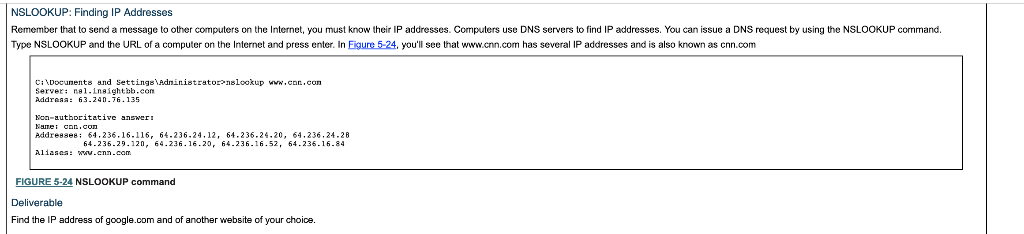
NSLOOKUP: Finding IP Addresses Remember that to send a message to other computers on the Internet, you must know their IP addresses. Computers use DNS servers to find IP addresses. You can issue a DNS request by using the NSLOOKUP command. Type NSLOOKUP and the URL of a computer on the Internet and press enter. In Eigure 5-24, you'll see that www.cnn.com has several IP addresses and is also known as cnn.com CiDocunents and Settings Adninistratornslookup www.con.con Server: nel.Lnihtbb.con Addraaa: 63.240.76.135 Non-authoritative answer Aidre8se 64.236.16.116, 64.236.24.12, 64.236-24.20, 64.236.24-28 A11aaca: w.cnn-cam 64-236-29.120, 64.236.16.20, 64.236.16.52, 64.236.16.84 FIGURE 5-24 NSLOOKUP command Deliverable Find the IP address of google.com and of another website of your choice
Step by Step Solution
There are 3 Steps involved in it

Get step-by-step solutions from verified subject matter experts
 Study Help