







Question: Objective: Learn how write, build, run, and debug an assembly program. A. Using the AddTwo program from Section 3.2 as a reference, write a program
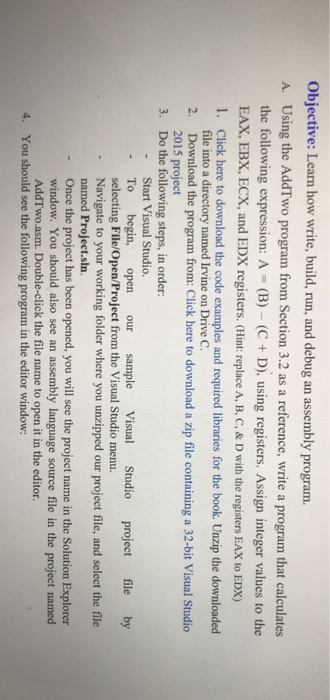
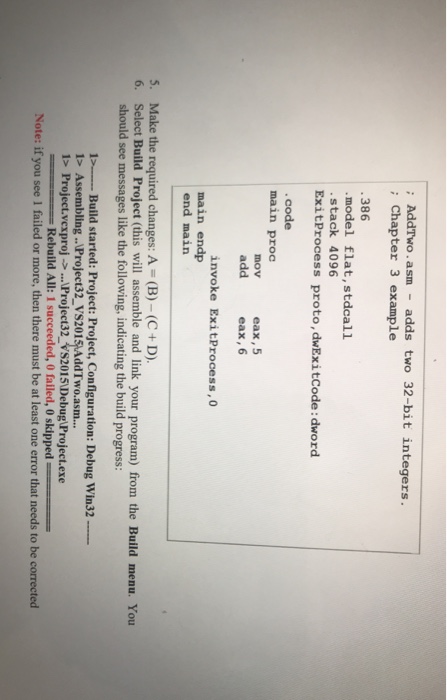
Objective: Learn how write, build, run, and debug an assembly program. A. Using the AddTwo program from Section 3.2 as a reference, write a program that calculates the following expression: A (B) (C + D), using registers. Assign integer values to the EAX, EBX, ECX, and EDX registers. (Hint: replace A, B, C, & D with the registers EAX to EDX) 1. Click here to download the code examples and required libraries for the book. Unzip the downloaded file into a directory named Irvine on Drive C. 2. Download the program from: Click here to download a zip file containing a 32-bit Visual Studio 2015 project Do the following steps, in order: 3. Start Visual Studio. - To begin, open our sample Visual Studio project file by - Navigate to your working folder where you unzipped our project file, and select the file - Once the project has been opened, you will see the project name in the Solution Explorer selecting File/Open/Project from the Visual Studio menu. named Project.sln. window. You should also see an assembly language source file in the project named AddTwo.asm. Double-click the file name to open it in the editor 4. You should see the following program in the editor window
Step by Step Solution
There are 3 Steps involved in it

Get step-by-step solutions from verified subject matter experts
 Study Help