







Question: Objective: Learn how write, build, run, and debug an assembly program. A. Using the AddTwo program from Section 3.2 as a reference, write a program
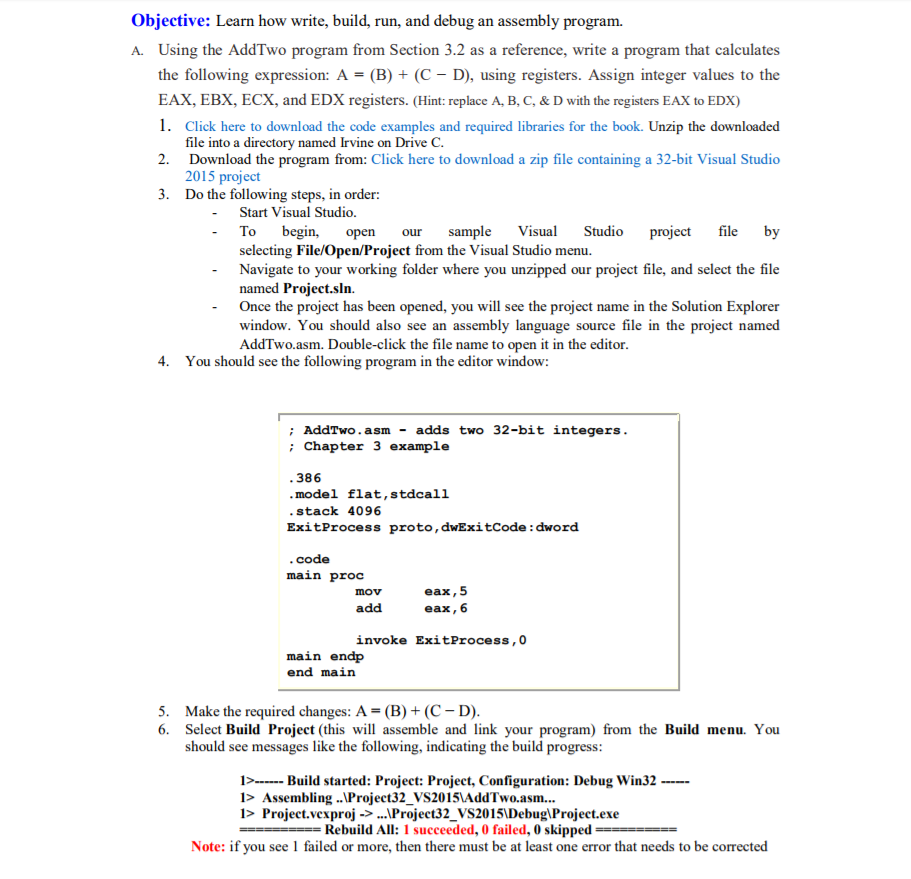
Objective: Learn how write, build, run, and debug an assembly program. A. Using the AddTwo program from Section 3.2 as a reference, write a program that calculates the following expression: A = (B) + (C - D), using registers. Assign integer values to the EAX, EBX, ECX, and EDX registers. (Replace A, B, C, & D with the registers EAX to EDX) 1. Click here to download the code examples and required libraries for the book. Unzip the downloaded file into a directory named Irvine on Drive C. 2. Download the program from: Click here to download a zip file containing a 32-bit Visual Studio 2015 project 3. Do the following steps, in order: Start Visual Studio. To begin, open our sample Visual Studio project file by selecting File/Open/Project from the Visual Studio menu. Navigate to your working folder where you unzipped our project file, and select the file named Project.sln. Once the project has been opened, you will see the project name in the Solution Explorer window. You should also see an assembly language source file in the project named AddTwo.asm. Double-click the file name to open it in the editor. 4. You should see the following program in the editor window:: AddTwo.asm - adds two 32-bit integers.: Chapter 3 example 386 model flat, stdcall stack 4096 ExitProcess proto,dwExitCode: dword code main proc mov eax, 5 add eax,6 invoke ExitProcess,0 main endp end main 5. Make the required changes: A = (B) + (C - D). 6. Select Build Project (this will assemble and link your program) from the Build menu. You should see messages like the following, indicating the build progress: 1 > ----- Build started: Project: Project, Configuration: Debug Win32--- l > Assembling \Project32_VS2015VAddTwo.asm... I > Project.vcxproj - > \Project32_VS2015\Debug\Project.exe ===== Rebuild All: 1 succeeded, 0 failed, 0 skipped ===== Note: if you see 1 failed or more, then there must be at least one error that needs to be corrected
Step by Step Solution
There are 3 Steps involved in it

Get step-by-step solutions from verified subject matter experts
 Study Help