







Question: Objective: This individual project is designed to learn windows forms applications in VB.NET. Important Note: This individual project will be due at 11:59pm on Sunday,
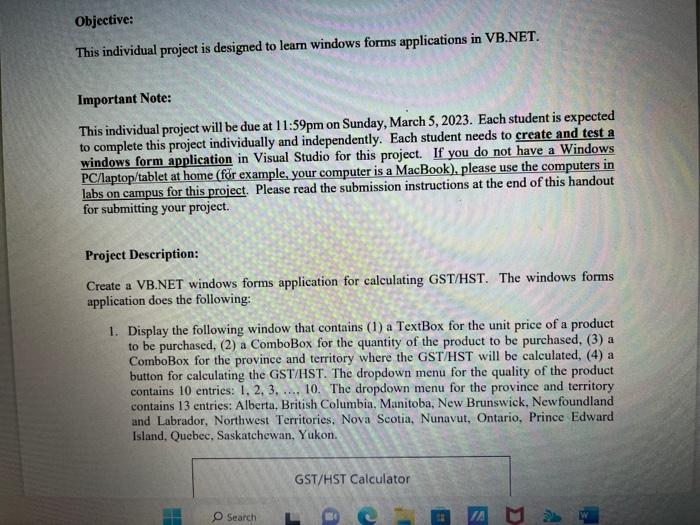
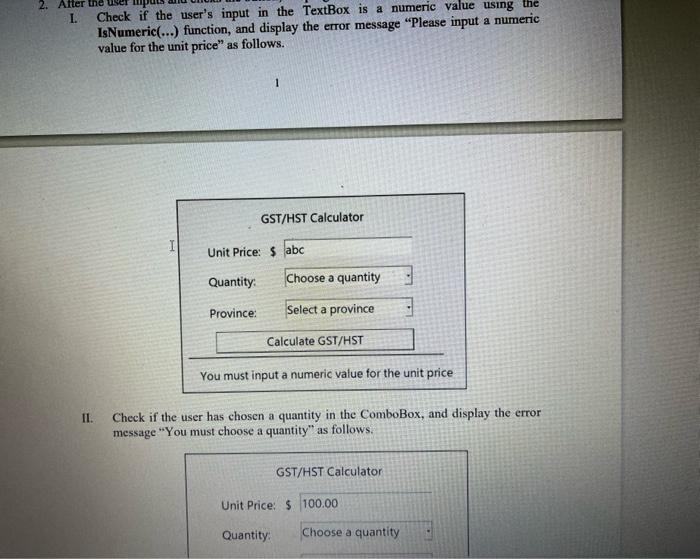
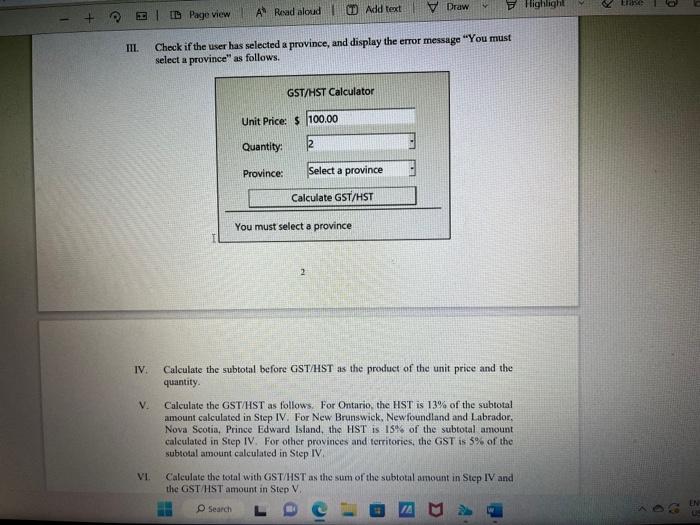
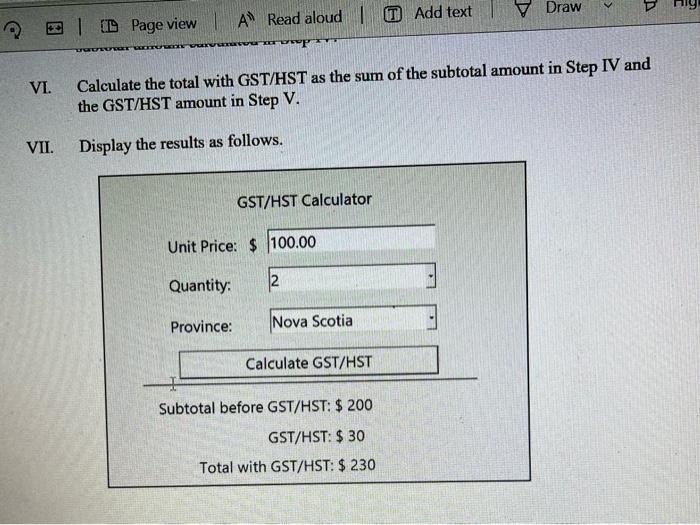
Objective: This individual project is designed to learn windows forms applications in VB.NET. Important Note: This individual project will be due at 11:59pm on Sunday, March 5, 2023. Each student is expected to complete this project individually and independently. Each student needs to create and test a windows form application in Visual Studio for this project. If you do not have a Windows PC/laptop/tablet at home (for example, your computer is a MacBook), please use the computers in labs on campus for this project. Please read the submission instructions at the end of this handout for submitting your project. Project Description: Create a VB.NET windows forms application for calculating GST/HST. The windows forms application does the following: 1. Display the following window that contains (1) a TextBox for the unit price of a product to be purchased, (2) a ComboBox for the quantity of the product to be purchased, (3) a ComboBox for the province and territory where the GST/HST will be calculated, (4) a button for calculating the GST/HST. The dropdown menu for the quality of the product contains 10 entries: 1,2,3,,10. The dropdown menu for the province and territory contains 13 entries: Alberta, British Columbia, Manitoba, New Brunswick, Newfoundland and Labrador, Northwest Territories, Nova Scotia, Nunavut, Ontario, Prince Edward Island, Quebec, Saskatchewan, Yukon. I. Check if the user's input in the TextBox is a numeric value using the IsNumeric(...) function, and display the error message "Please input a numeric value for the unit price" as follows. 1 II. Check if the user has chosen a quantity in the ComboBox, and display the error message "You must choose a quantity" as follows. III. Check if the user has selected a province, and display the error message "You must select a province" as follows. IV. Calculate the subtotal before GST/HST as the product of the unit priee and the quantity. V. Calculate the GST/HST as follows. For Ontario, the HST is 13% of the subtotal amount calculated in Step IV. For New Brunswick, Newfoundland and Labrador. Nova Scotia, Prince Edward Island, the HST is 15% of the subtotal amount calculated in Step IV. For other provinces and territories, the GST is 5% of the subtotal amount calculated in Step IV, V1. Calculate the total with GST/HST as the sum of the subtotal amount in Step IV and the GST HST amount in Step V. VI. Calculate the total with GST/HST as the sum of the subtotal amount in Step IV and the GST/HST amount in Step V. VII. Display the results as follows
Step by Step Solution
There are 3 Steps involved in it

Get step-by-step solutions from verified subject matter experts
 Study Help