







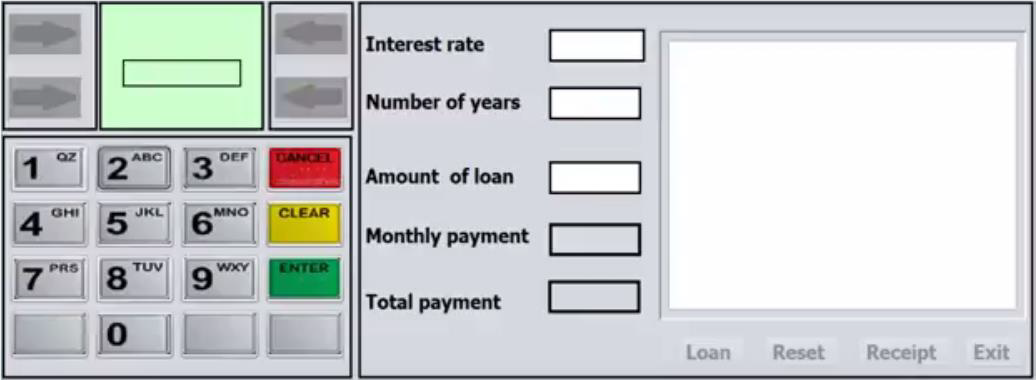
Question: Objective To develop a graphical user interface (GUI), such as an ATM (Automated Teller Machine) in order to speed up the transactions done by customers
Objective
To develop a graphical user interface (GUI), such as an ATM (Automated Teller Machine) in order to speed up the transactions done by customers to eliminate or limit manual transactions on daily basis.
Why ATM
This application allows customers to collect cash and transact money from an account, using Pin Numbers conveniently. Thus ATM allows:
1. Faster cash withdrawal
2. Transfer money to any other account
3. Instant balance inquiry and Card transaction to name a few
Part A:
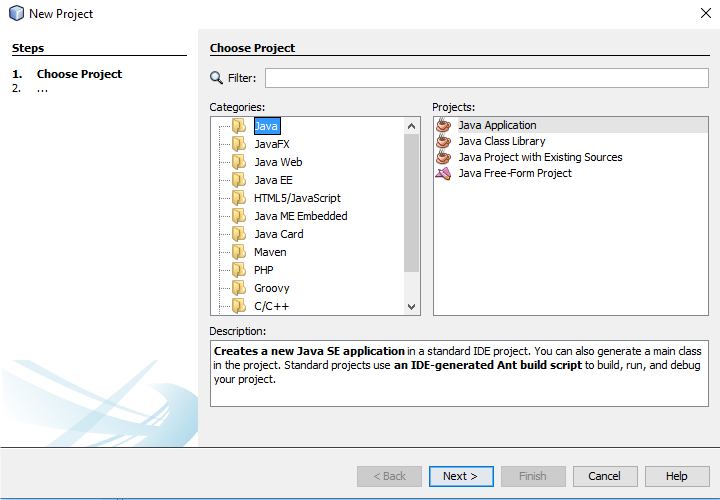
1. Open NetBeans IDE 8.2 software
2. Click on file and select New Project
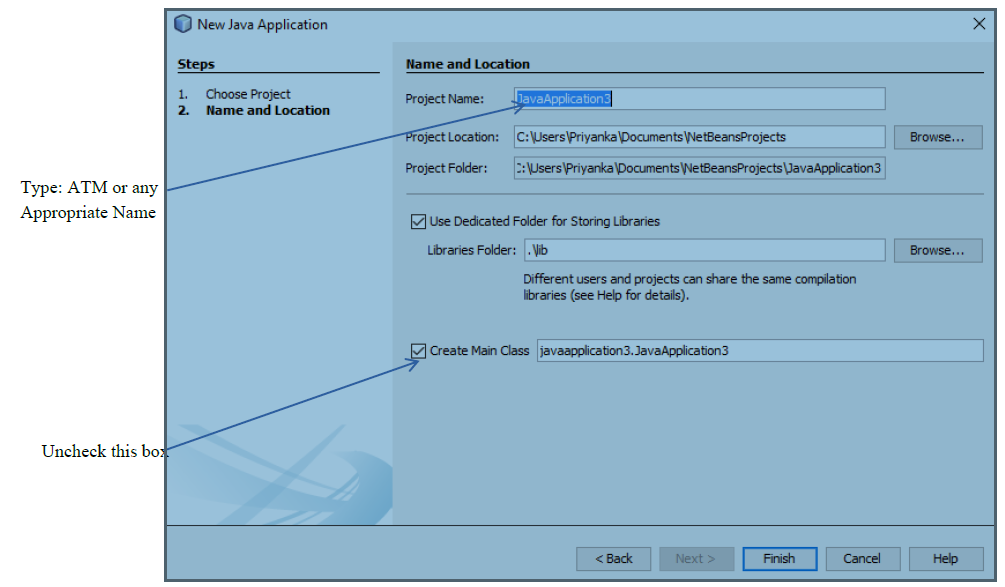
3. From the New Project Window, Select Java from Categories section and Java Application from Project section. See below for illustration as required in step 3.
4.
New Project X Steps Choose Project 1. Choose Project 2. Q Filter: Categories: Projects: Java A Java Application JavaFX Java Class Library Java Web Java Project with Existing Sources Java EE Java Free-Form Project HTML5/JavaScript Java ME Embedded Java Card Maven .... PHP Groovy C/C++ Description: Creates a new Java SE application in a standard IDE project. You can also generate a main class in the project. Standard projects use an IDE-generated Ant build script to build, run, and debug your project. Finish Cancel Help\fVerify access code [incorrect] Handle incorrect access code [correct ] Ask for amount [resolved] Prepare to print receipt [ amount available] Dispense cash available ] [amount not Finish transaction and print receipt [not resolved ]Interest rate Number of years 1 OZ 2 ABC 3 DEF DANCER Amount of loan 4 GHI 5 JKL 6 MNO CLEAR Monthly payment 7 PRS 8 TUV 9 WXY ENTER Total payment 0 Loan Reset Receipt Exit
Step by Step Solution
There are 3 Steps involved in it

Get step-by-step solutions from verified subject matter experts
 Study Help