







Question: OBJECTIVE To implement a java program to display the menu of a shop and take the order from the user. The program should calculate
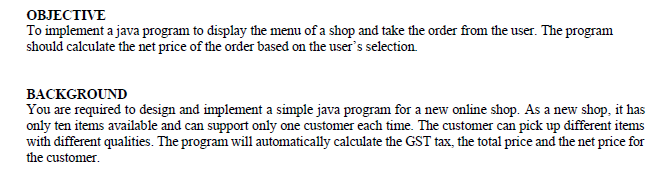
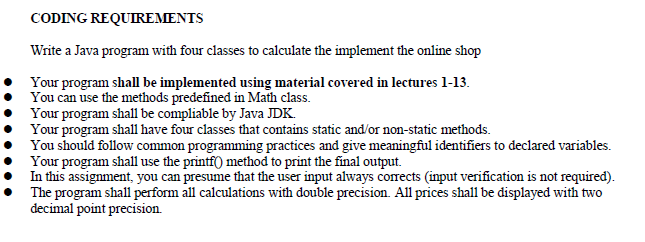
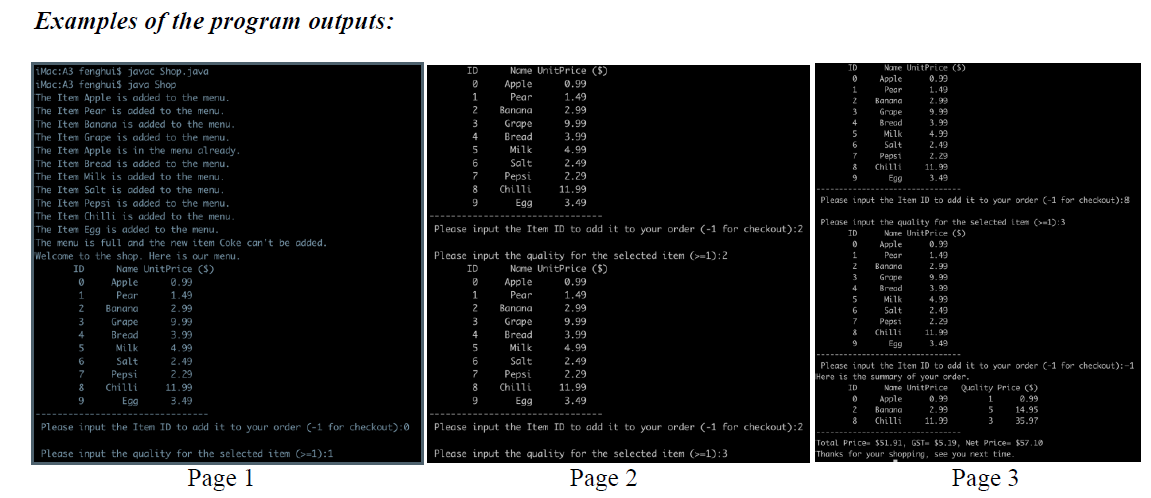
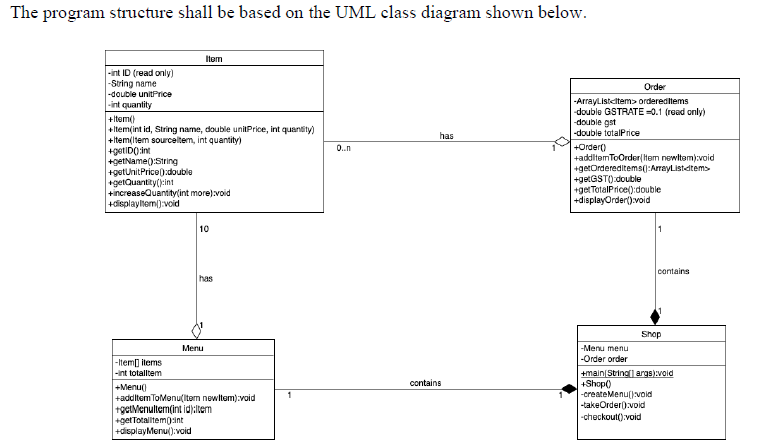
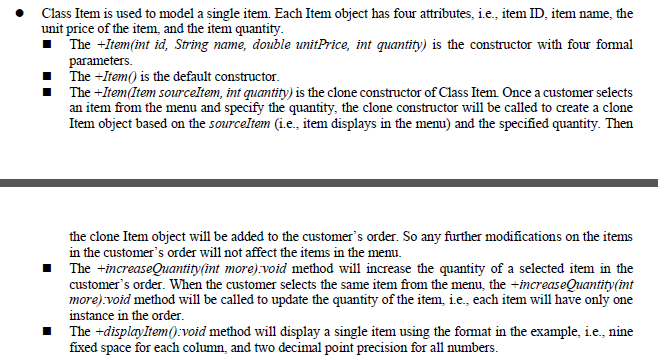
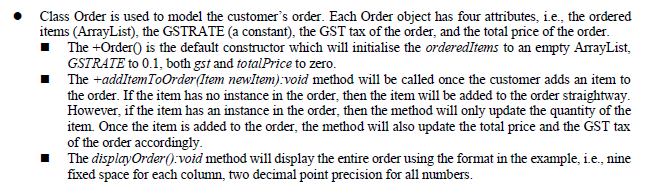
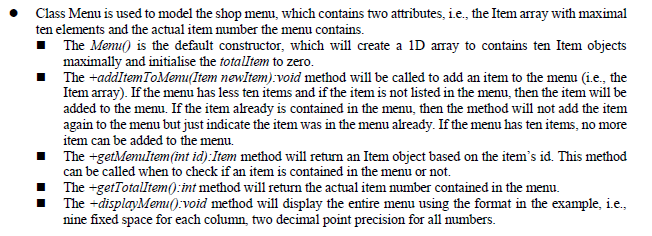
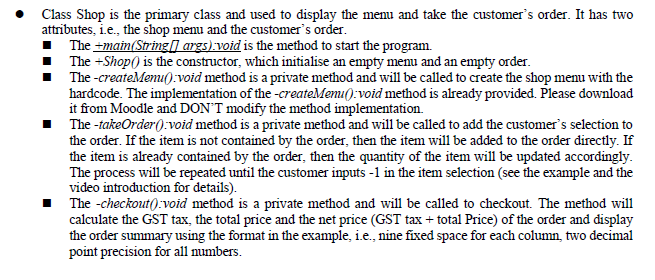
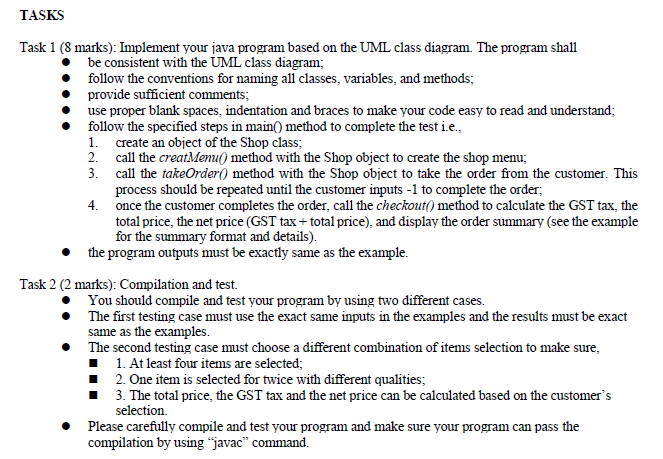
OBJECTIVE To implement a java program to display the menu of a shop and take the order from the user. The program should calculate the net price of the order based on the user's selection. BACKGROUND You are required to design and implement a simple java program for a new online shop. As a new shop, it has only ten items available and can support only one customer each time. The customer can pick up different items with different qualities. The program will automatically calculate the GST tax, the total price and the net price for the customer. CODING REQUIREMENTS Write a Java program with four classes to calculate the implement the online shop Your program shall be implemented using material covered in lectures 1-13. You can use the methods predefined in Math class. Your program shall be compliable by Java JDK. Your program shall have four classes that contains static and/or non-static methods. You should follow common programming practices and give meaningful identifiers to declared variables. Your program shall use the printf() method to print the final output. In this assignment, you can presume that the user input always corrects (input verification is not required). The program shall perform all calculations with double precision. All prices shall be displayed with two decimal point precision. Examples of the program outputs: iMac:A3 fenghui$ javac Shop.java iMac:A3 fenghuis java Shop The Item Apple is added to the menu. The Item Pear is added to the menu. The Item Banana is added to the menu. The Item Grape is added to the menu. The Item Apple is in the menu already. The Item Bread is added to the menu. The Item Milk is added to the menu. The Item Salt is added to the menu. The Item Pepsi is added to the menu. The Item Chilli is added to the menu. The Item Egg is added to the menu. The menu is full and the new item Coke can't be added. Welcome to the shop. Here is our menu. ID Name UnitPrice ($) Apple Pear 0 1 2 Banana Grape Bread Milk 3 4 5 6 Salt 7 Pepsi 8 Chilli 9 Egg 0.99 1.49 2.99 9.99 3.99 4.99 2.49 2.29 11.99 3.49 Please input the Item ID to add it to your order (-1 for checkout):0 Please input the quality for the selected item (>=1):1 Page 1 ID 1 2 3 4 5 6 7 8 9 ID 1 2 3 4 Apple Nome UnitPrice ($) 0.99 1.49 Pear Banana 2.99 Pepsi Chilli 11.99 Egg 3.49 Please input the Item ID to add it to your order (-1 for checkout):2 Please input the quality for the selected item (>=1):2 Nome UnitPrice ($) 5 6 7 8 9 Grape Bread Milk Salt Apple Pear 9.99 3.99 4.99 2.49 2.29 Banana Grape Bread Milk Salt Pepsi Chilli Egg 0.99 1.49 2.99 9.99 3.99 4.99 2.49 2.29 11.99 3.49 Please input the Item ID to add it to your order (-1 for checkout):2 Please input the quality for the selected item (>=1):3 Page 2 ID 0 1 2 3 4 5 6 7 8 9 ID 0 1 2 3 Please input the Item ID to add it to your order (-1 for checkout):8 Please input the quality for the selected item (>=1):3 Name UnitPrice ($) Apple Pear Banana Grape Bread Milk Salt 4 5 Nane UnitPrice (5) 0.99 1.49 & 9 Apple Pear Banana Grape Bread Milk Salt Pepsi Chilli Egg 6 7 Pepsi Chilli Egg 0 2 9.99 3.99 4.99 2.49 2.29 11.99 3.49 0.99 1.49 2.99 9.99 3.99 4.99 2.49 2.29 11.99 3.49 Please input the Item ID to add it to your order C-1 for checkout):-1 Here is the summary of your order. ID Name UnitPrice Quality Price ($) 1 Apple 0.99 0.99 Banana 14.95 Chilli 5 2.99 11.99 3 35.97 Total Price $51.91, GST- $5.19, Net Price $57.10 Thanks for your shopping, see you next time. Page 3 The program structure shall be based on the UML class diagram shown below. -int ID (read only) -String name -double unitPrice -int quantity +Item() +Item(int id, String name, double unitPrice, int quantity) +Item(item sourceltem, int quantity) +getID() int +getName():String +getUnitPrice():double Item +getQuantity():int +increaseQuantity(int more):void +displayItem():void -Item] items -int totalltem 10 has Menu +Menu() +addItem ToMenu(item newltem):void +getMenultem(int id):ltern +get Totalltem(int +displayMenu():void 1 0.. has contains 1 Order -ArrayList ordereditems -double GSTRATE=0.1 (read only) -double gst -double totalPrice +Order() +additerToOrder(Item newltem):void +getOrdereditems():ArrayList +getGST():double +get TotalPrice():double +displayOrder():void -Menu menu -Order order 1 contains Shop -createMenu():void -takeOrder():void -checkout():void +main(String[] args):void +Shop() Class Item is used to model a single item. Each Item object has four attributes, i.e., item ID, item name, the unit price of the item, and the item quantity. The +Item(int id, String name, double unitPrice, int quantity) is the constructor with four formal parameters. The +Item() is the default constructor. The +Item(Item sourceltem, int quantity) is the clone constructor of Class Item. Once a customer selects an item from the menu and specify the quantity, the clone constructor will be called to create a clone Item object based on the sourceItem (i.e., item displays in the menu) and the specified quantity. Then the clone Item object will be added to the customer's order. So any further modifications on the items in the customer's order will not affect the items in the menu. The +increaseQuantity(int more).void method will increase the quantity of a selected item in the customer's order. When the customer selects the same item from the menu, the increaseQuantity (int more):void method will be called to update the quantity of the item, i.e., each item will have only one instance in the order. The +displayItem():void method will display a single item using the format in the example, i.e., nine fixed space for each column, and two decimal point precision for all numbers. Class Order is used to model the customer's order. Each Order object has four attributes, i.e., the ordered items (ArrayList), the GSTRATE (a constant), the GST tax of the order, and the total price of the order. The +Order() is the default constructor which will initialise the orderedItems to an empty ArrayList, GSTRATE to 0.1, both gst and totalPrice to zero. The +addItem To Order (Item newItem):void method will be called once the customer adds an item to the order. If the item has no instance in the order, then the item will be added to the order straightway. However, if the item has an instance in the order, then the method will only update the quantity of the item. Once the item is added to the order, the method will also update the total price and the GST tax of the order accordingly. The displayOrder():void method will display the entire order using the format in the example, i.e., nine fixed space for each column, two decimal point precision for all numbers. Class Menu is used to model the shop menu, which contains two attributes, i.e., the Item array with maximal ten elements and the actual item number the menu contains. The Memi() is the default constructor, which will create a 1D array to contains ten Item objects maximally and initialise the totalltem to zero. The +addItem ToMenu(Item newItem):void method will be called to add an item to the menu (i.e., the Item array). If the menu has less ten items and if the item is not listed in the menu, then the item will be added to the menu. If the item already is contained in the menu, then the method will not add the item again to the menu but just indicate the item was in the menu already. If the menu has ten items, no more item can be added to the menu. The +getMenuItem(int id):Item method will return an Item object based on the item's id. This method can be called when to check if an item is contained in the menu or not. The +getTotalItem(): int method will return the actual item number contained in the menu. The +displayMenu():void method will display the entire menu using the format in the example, i.e., nine fixed space for each column, two decimal point precision for all numbers. Class Shop is the primary class and used to display the menu and take the customer's order. It has two attributes, i.e., the shop menu and the customer's order. The +main(String[] args):void is the method to start the program. The +Shop() is the constructor, which initialise an empty menu and an empty order. The-createMenu():void method is a private method and will be called to create the shop menu with the hardcode. The implementation of the -createMenu():void method is already provided. Please download it from Moodle and DON'T modify the method implementation. The-takeOrder():void method is a private method and will be called to add the customer's selection to the order. If the item is not contained by the order, then the item will be added to the order directly. If the item is already contained by the order, then the quantity of the item will be updated accordingly. The process will be repeated until the customer inputs -1 in the item selection (see the example and the video introduction for details). The -checkout():void method is a private method and will be called to checkout. The method will calculate the GST tax, the total price and the net price (GST tax + total Price) of the order and display the order summary using the format in the example, i.e., nine fixed space for each column, two decimal point precision for all numbers. TASKS Task 1 (8 marks): Implement your java program based on the UML class diagram. The program shall be consistent with the UML class diagram; follow the conventions for naming all classes, variables, and methods; provide sufficient comments; use proper blank spaces, indentation and braces to make your code easy to read and understand; follow the specified steps in main() method to complete the test i.e., create an object of the Shop class; 1. 2. 3. 4. call the creatMenu() method with the Shop object to create the shop menu; call the takeOrder() method with the Shop object to take the order from the customer. This process should be repeated until the customer inputs -1 to complete the order; once the customer completes the order, call the checkout() method to calculate the GST tax, the total price, the net price (GST tax+ total price), and display the order summary (see the example for the summary format and details). the program outputs must be exactly same as the example. Task 2 (2 marks): Compilation and test. You should compile and test your program by using two different cases. The first testing case must use the exact same inputs in the examples and the results must be exact same as the examples. The second testing case must choose a different combination of items selection to make sure, 1. At least four items are selected; 2. One item is selected for twice with different qualities; 3. The total price, the GST tax and the net price can be calculated based on the customer's selection. Please carefully compile and test your program and make sure your program can pass the compilation by using "javac" command.
Step by Step Solution
There are 3 Steps involved in it

Get step-by-step solutions from verified subject matter experts
 Study Help