Question: OBJECTIVES There are several objectives to this assignment: To begin to understand how a CPU works, one instruction at a time To review the basics
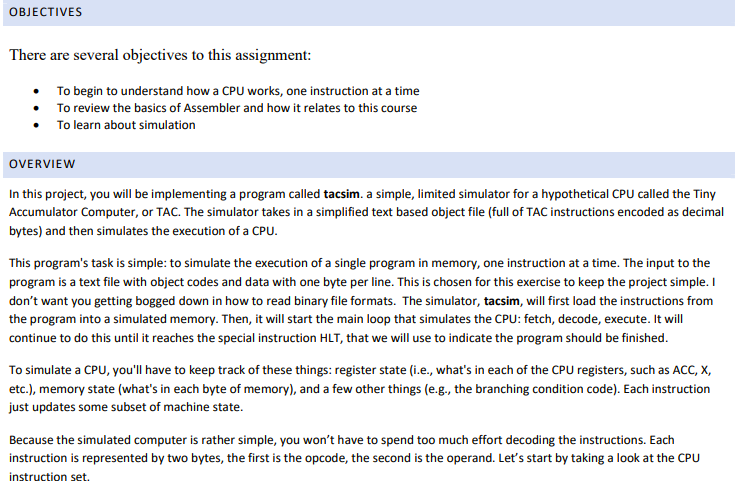
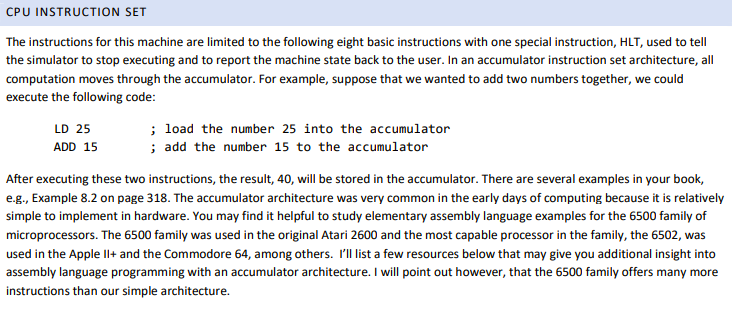
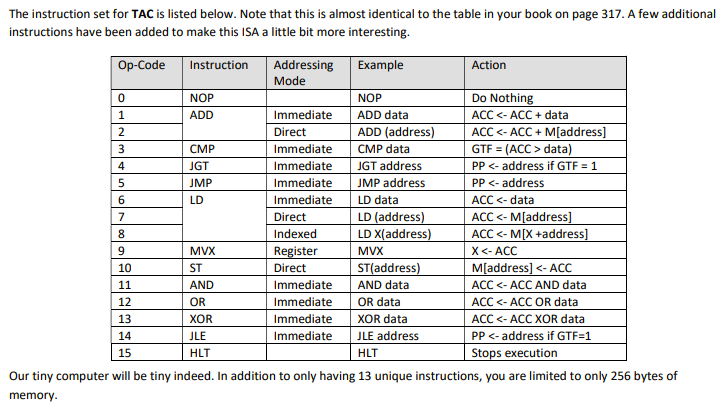
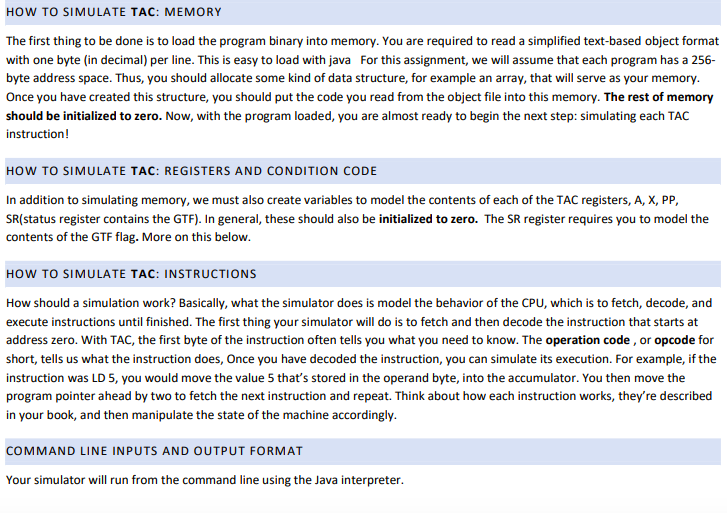
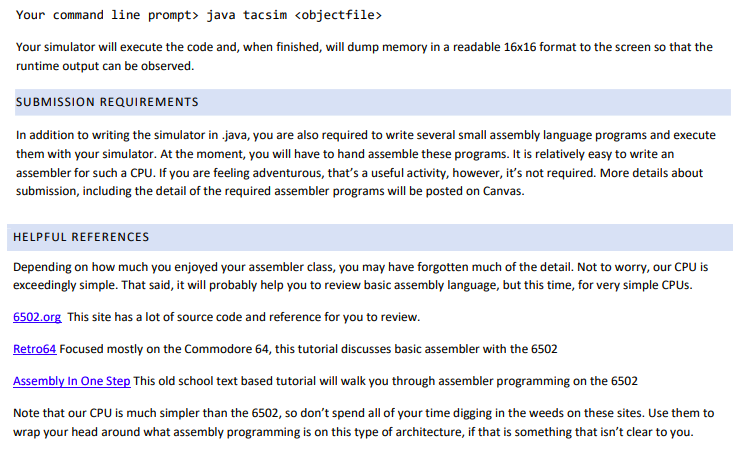
OBJECTIVES There are several objectives to this assignment: To begin to understand how a CPU works, one instruction at a time To review the basics of Assembler and how it relates to this course To learn about simulation OVERVIEW In this project, you will be implementing a program called tacsim. a simple, limited simulator for a hypothetical CPU called the Tiny Accumulator Computer, or TAC. The simulator takes in a simplified text based object file (full of TAC instructions encoded as decimal bytes) and then simulates the execution of a CPU. This program's task is simple: to simulate the execution of a single program in memory, one instruction at a time. The input to the program is a text file with object codes and data with one byte per line. This is chosen for this exercise to keep the project simple. I don't want you getting bogged down in how to read binary file formats. The simulator, tacsim, will first load the instructions from the program into a simulated memory. Then, it will start the main loop that simulates the CPU: fetch, decode, execute. It will continue to do this until it reaches the special instruction HLT, that we will use to indicate the program should be finished. To simulate a CPU, you'll have to keep track of these things: register state (i.e., what's in each of the CPU registers, such as ACC, X, etc.), memory state (what's in each byte of memory), and a few other things (e.g., the branching condition code). Each instruction just updates some subset of machine state. Because the simulated computer is rather simple, you won't have to spend too much effort decoding the instructions. Each instruction is represented by two bytes, the first is the opcode, the second is the operand. Let's start by taking a look at the CPU instruction set. CPU INSTRUCTION SET The instructions for this machine are limited to the following eight basic instructions with one special instruction, HLT, used to tell the simulator to stop executing and to report the machine state back to the user. In an accumulator instruction set architecture, all computation moves through the accumulator. For example, suppose that we wanted to add two numbers together, we could execute the following code: LD 25 ADD 15 ; load the number 25 into the accumulator ; add the number 15 to the accumulator After executing these two instructions, the result, 40, will be stored in the accumulator. There are several examples in your book, e.g., Example 8.2 on page 318. The accumulator architecture was very common in the early days of computing because it is relatively simple to implement in hardware. You may find it helpful to study elementary assembly language examples for the 6500 family of microprocessors. The 6500 family was used in the original Atari 2600 and the most capable processor in the family, the 6502, was used in the Apple Il+ and the Commodore 64, among others. I'll list a few resources below that may give you additional insight into assembly language programming with an accumulator architecture. I will point out however, that the 6500 family offers many more instructions than our simple architecture. The instruction set for TAC is listed below. Note that this is almost identical to the table in your book on page 317. A few additional instructions have been added to make this ISA a little bit more interesting. Op-Code Instruction Addressing Mode Example Action NOP ADD CMP JGT JMP Immediate Direct Immediate Immediate Immediate Immediate Direct Indexed Register Direct Immediate Immediate Immediate Immediate NOP ADD data ADD (address) CMP data JGT address JMP address LD data LD (address) LD X(address) MVX ST(address) AND data OR data XOR data JLE address HLT Do Nothing ACC data) PP java tacsim Your simulator will execute the code and, when finished, will dump memory in a readable 16x16 format to the screen so that the runtime output can be observed. SUBMISSION REQUIREMENTS In addition to writing the simulator in java, you are also required to write several small assembly language programs and execute them with your simulator. At the moment, you will have to hand assemble these programs. It is relatively easy to write an assembler for such a CPU. If you are feeling adventurous, that's a useful activity, however, it's not required. More details about submission, including the detail of the required assembler programs will be posted on Canvas. HELPFUL REFERENCES Depending on how much you enjoyed your assembler class, you may have forgotten much of the detail. Not to worry, our CPU is exceedingly simple. That said, it will probably help you to review basic assembly language, but this time, for very simple CPUs. 6502.org This site has a lot of source code and reference for you to review. Retro64 Focused mostly on the Commodore 64, this tutorial discusses basic assembler with the 6502 Assembly In One Step This old school text based tutorial will walk you through assembler programming on the 6502 Note that our CPU is much simpler than the 6502, so don't spend all of your time digging in the weeds on these sites. Use them to wrap your head around what assembly programming is on this type of architecture, if that is something that isn't clear to you. OBJECTIVES There are several objectives to this assignment: To begin to understand how a CPU works, one instruction at a time To review the basics of Assembler and how it relates to this course To learn about simulation OVERVIEW In this project, you will be implementing a program called tacsim. a simple, limited simulator for a hypothetical CPU called the Tiny Accumulator Computer, or TAC. The simulator takes in a simplified text based object file (full of TAC instructions encoded as decimal bytes) and then simulates the execution of a CPU. This program's task is simple: to simulate the execution of a single program in memory, one instruction at a time. The input to the program is a text file with object codes and data with one byte per line. This is chosen for this exercise to keep the project simple. I don't want you getting bogged down in how to read binary file formats. The simulator, tacsim, will first load the instructions from the program into a simulated memory. Then, it will start the main loop that simulates the CPU: fetch, decode, execute. It will continue to do this until it reaches the special instruction HLT, that we will use to indicate the program should be finished. To simulate a CPU, you'll have to keep track of these things: register state (i.e., what's in each of the CPU registers, such as ACC, X, etc.), memory state (what's in each byte of memory), and a few other things (e.g., the branching condition code). Each instruction just updates some subset of machine state. Because the simulated computer is rather simple, you won't have to spend too much effort decoding the instructions. Each instruction is represented by two bytes, the first is the opcode, the second is the operand. Let's start by taking a look at the CPU instruction set. CPU INSTRUCTION SET The instructions for this machine are limited to the following eight basic instructions with one special instruction, HLT, used to tell the simulator to stop executing and to report the machine state back to the user. In an accumulator instruction set architecture, all computation moves through the accumulator. For example, suppose that we wanted to add two numbers together, we could execute the following code: LD 25 ADD 15 ; load the number 25 into the accumulator ; add the number 15 to the accumulator After executing these two instructions, the result, 40, will be stored in the accumulator. There are several examples in your book, e.g., Example 8.2 on page 318. The accumulator architecture was very common in the early days of computing because it is relatively simple to implement in hardware. You may find it helpful to study elementary assembly language examples for the 6500 family of microprocessors. The 6500 family was used in the original Atari 2600 and the most capable processor in the family, the 6502, was used in the Apple Il+ and the Commodore 64, among others. I'll list a few resources below that may give you additional insight into assembly language programming with an accumulator architecture. I will point out however, that the 6500 family offers many more instructions than our simple architecture. The instruction set for TAC is listed below. Note that this is almost identical to the table in your book on page 317. A few additional instructions have been added to make this ISA a little bit more interesting. Op-Code Instruction Addressing Mode Example Action NOP ADD CMP JGT JMP Immediate Direct Immediate Immediate Immediate Immediate Direct Indexed Register Direct Immediate Immediate Immediate Immediate NOP ADD data ADD (address) CMP data JGT address JMP address LD data LD (address) LD X(address) MVX ST(address) AND data OR data XOR data JLE address HLT Do Nothing ACC data) PP java tacsim Your simulator will execute the code and, when finished, will dump memory in a readable 16x16 format to the screen so that the runtime output can be observed. SUBMISSION REQUIREMENTS In addition to writing the simulator in java, you are also required to write several small assembly language programs and execute them with your simulator. At the moment, you will have to hand assemble these programs. It is relatively easy to write an assembler for such a CPU. If you are feeling adventurous, that's a useful activity, however, it's not required. More details about submission, including the detail of the required assembler programs will be posted on Canvas. HELPFUL REFERENCES Depending on how much you enjoyed your assembler class, you may have forgotten much of the detail. Not to worry, our CPU is exceedingly simple. That said, it will probably help you to review basic assembly language, but this time, for very simple CPUs. 6502.org This site has a lot of source code and reference for you to review. Retro64 Focused mostly on the Commodore 64, this tutorial discusses basic assembler with the 6502 Assembly In One Step This old school text based tutorial will walk you through assembler programming on the 6502 Note that our CPU is much simpler than the 6502, so don't spend all of your time digging in the weeds on these sites. Use them to wrap your head around what assembly programming is on this type of architecture, if that is something that isn't clear to you









 Study Help