







Question: Old MathJax webview Use only Python Programming for this question. 4. Create a function called printer() that takes a message and a maximum value to
Old MathJax webview
Use only Python Programming for this question.
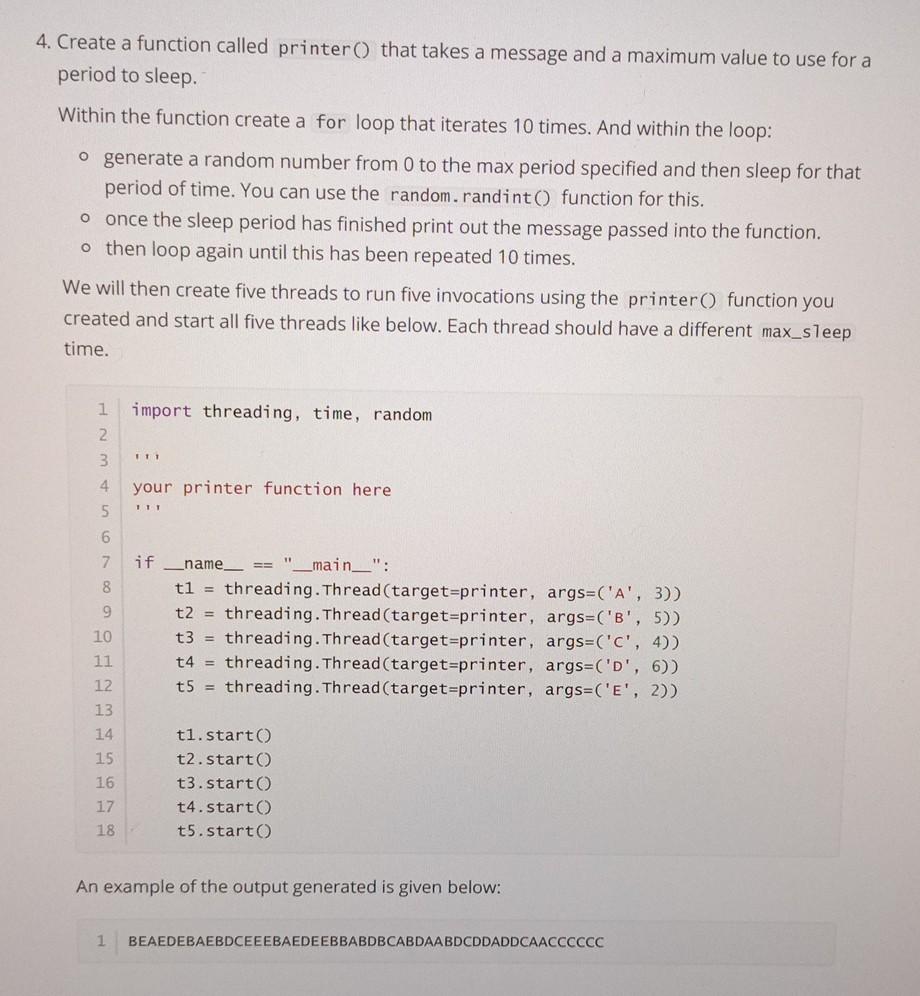
4. Create a function called printer() that takes a message and a maximum value to use for a period to sleep. Within the function create a for loop that iterates 10 times. And within the loop: o generate a random number from 0 to the max period specified and then sleep for that period of time. You can use the random.randint() function for this. o once the sleep period has finished print out the message passed into the function. o then loop again until this has been repeated 10 times. We will then create five threads to run five invocations using the printer() function you created and start all five threads like below. Each thread should have a different max_sleep time. import threading, time, random 1 2 3 11 your printer function here 4 5. IT 6 7 if 8 _name_ == "__main__": t1 = threading.Thread(target=printer, args=('A', 3)) t2 = threading.Thread(target=printer, args=('B', 5)) t3 = threading.Thread(target=printer, args=('C', 4)) t4 = threading.Thread(target=printer, args=('D', 6)) t5 = threading.Thread(target=printer, args=('E', 2)) 9 10 11 12 13 14 15 16 17 18 t1.start) t2.start t3.start t4.start t5.start An example of the output generated is given below: 1 BEAEDEBAEBDCEEEBAEDEEBBABDBCABDAABDCDDADDCAACCCCCC
Step by Step Solution
There are 3 Steps involved in it

Get step-by-step solutions from verified subject matter experts
 Study Help