







Question: OM300: HW7 Using the HW7 Starting File Excel file, answer the following problems (You must use the HW7 Starting File for credit) Problem 1. (100
OM300: HW7 Using the HW7 Starting File Excel file, answer the following problems (You must use the HW7 Starting File for credit)
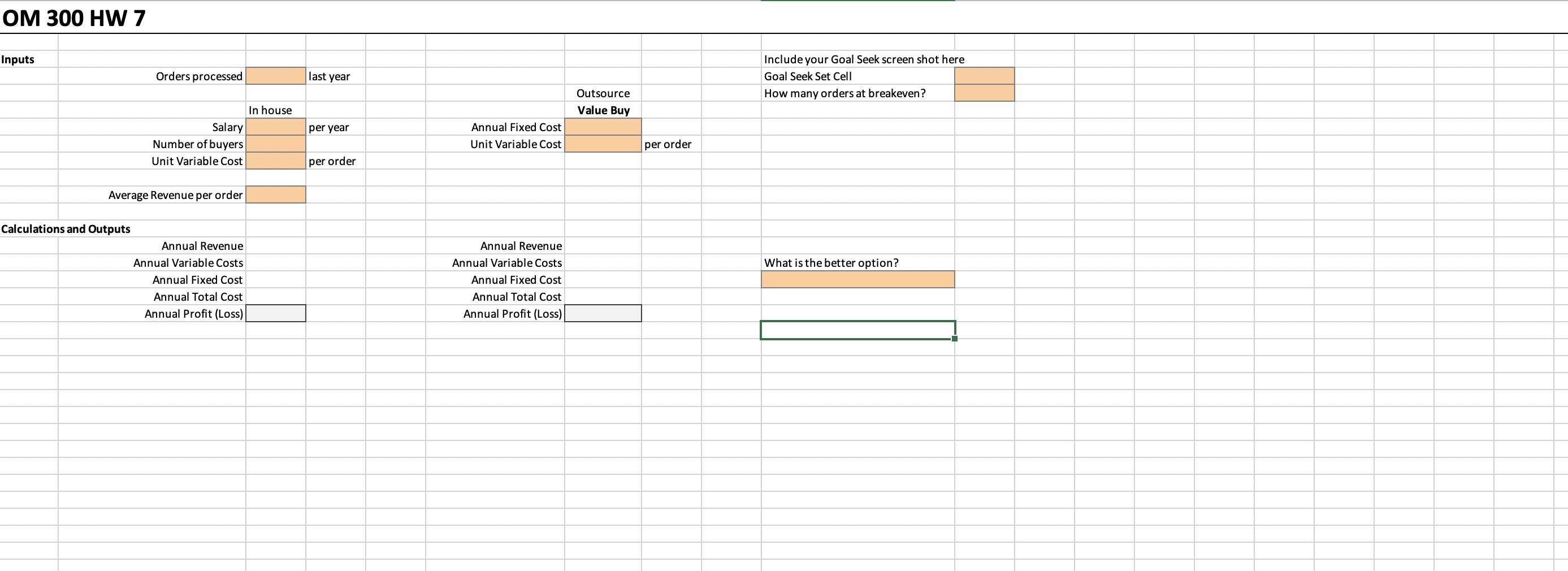
Problem 1. (100 pts. Each part is worth 25 pts) Henri of Henris French Cuisine (HFC), a chain of twelve restaurants, is trying to decide if it makes sense to outsource the purchasing function. Currently, Henri employs two buyers at an annual fixed cost of $45,000 per employee. Henris estimates that the variable cost of each placed purchase order is $15.
Value-Buy (VB), a group of purchasing specialists, will perform the purchasing function for a fixed annual fee of $100,000 plus $5 for each purchase order placed.
Last year, HFC placed 1450 purchase orders and averages $182 income per order.
(a) Construct a base-case spreadsheet model that shows both of these alternatives side-by-side. Keep in mind the ABCs of good spreadsheet modeling. Use the same number of orders (stored in a single cell) to drive the calculations.
(b) Using last years quantity of purchase orders, which alternative would have been the better? Type your answer in the space provided in Excel (Cell J16)
(c) Use Goal Seek to find the indifference point or crossover point (where total costs are equal) between these two alternatives. (Hint: Goal Seek can work only with a single Set cell. Create a cell in your model that computes the difference between the total costs of the two alternatives before running Goal Seek. Make this cell K4)
(d) Henri is considering adding another location. He is considering the following factors: Curb Appeal, Population, Median Income, Local Suppliers and Square footage available. Each factor has been assigned a weight. These three locations have been considered and have been given scores for each factor.
The table is below:
| Factor | Weight | Atlanta | Birmingham | Chicago |
| Curb Appeal | 0.20 | 75 | 60 | 55 |
| Population | 0.15 | 35 | 75 | 75 |
| Median Income | 0.30 | 85 | 80 | 60 |
| Local Suppliers | 0.10 | 40 | 60 | 90 |
| Square footage | 0.25 | 50 | 40 | 55 |
Use the Function (SUMPRODUCT) to figure the score of each location.
Use Conditional Formatting to identify the highest score.
Additional instructions: Your submission must be an EXCEL file; put your solution to each part on a separate tab of the EXCEL workbook.
For part (a), make sure that you include a textbox containing at least a one-sentence response to the question asked. For part (c), provide a screenshot (or Snipping Tool capture) of the Goal Seek Dialog Box. Run Goal Seek before taking the screenshot.
Step by Step Solution
There are 3 Steps involved in it

Get step-by-step solutions from verified subject matter experts
 Study Help