







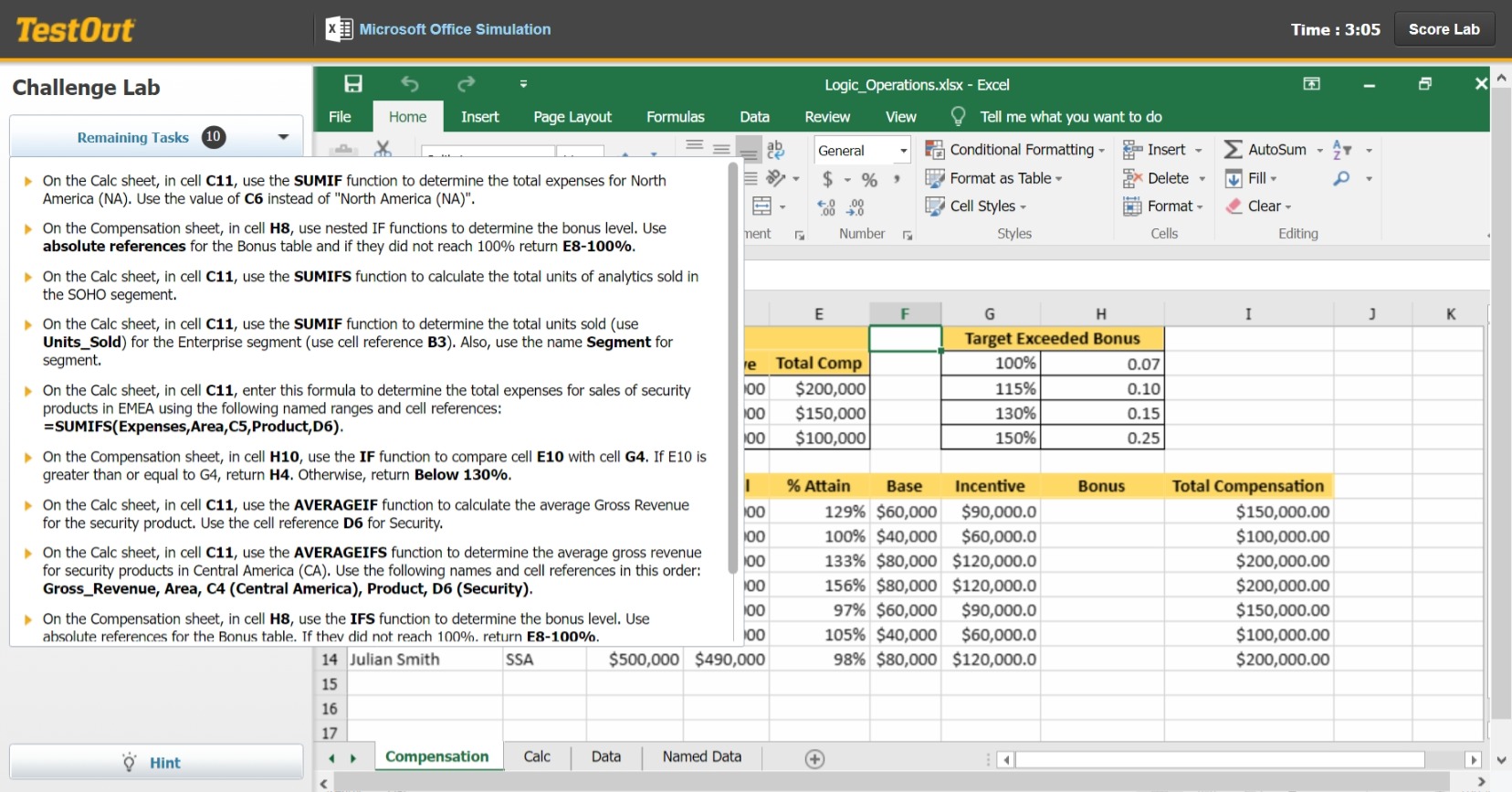
Question: On the Calc sheet, in cell C 1 1 , use the SUMIF function to deterOn the Calc sheet, in cell C 1 1 ,
On the Calc sheet, in cell C use the SUMIF function to deterOn the Calc sheet, in cell C use the SUMIF function to determine the total expenses for North
America NA Use the value of C instead of "North America NA
On the Compensation sheet, in cell use nested IF functions to determine the bonus level. Use
absolute references for the Bonus table and if they did not reach return E
On the Calc sheet, in cell C use the SUMIFS function to calculate the total units of analytics sold in
the SOHO segement.
On the Calc sheet, in cell C use the SUMIF function to determine the total units sold use
UnitsSold for the Enterprise segment use cell reference B Also, use the name Segment for
segment.
On the Calc sheet, in cell C enter this formula to determine the total expenses for sales of security
products in EMEA using the following named ranges and cell references:
SUMIFSExpensesArea,CProduct,D
On the Compensation sheet, in cell H use the IF function to compare cell E with cell G If E is
greater than or equal to return Otherwise, return Below
On the Calc sheet, in cell C use the AVERAGEIF function to calculate the average Gross Revenue
for the security product. Use the cell reference D for Security.
On the Calc sheet, in cell C use the AVERAGEIFS function to determine the average gross revenue
for security products in Central America CA Use the following names and cell references in this order:
GrossRevenue, Area, CCentral America Product, DSecurity
On the Compensation sheet, in cell H use the IFS function to determine the bonus level. Use
absolute references for the Bonus table. If thev did not reach return Emine the total expenses for North America NA Use the value of C instead of "North America NA
Step by Step Solution
There are 3 Steps involved in it
1 Expert Approved Answer
Step: 1 Unlock

Question Has Been Solved by an Expert!
Get step-by-step solutions from verified subject matter experts
Step: 2 Unlock
Step: 3 Unlock
 Study Help