







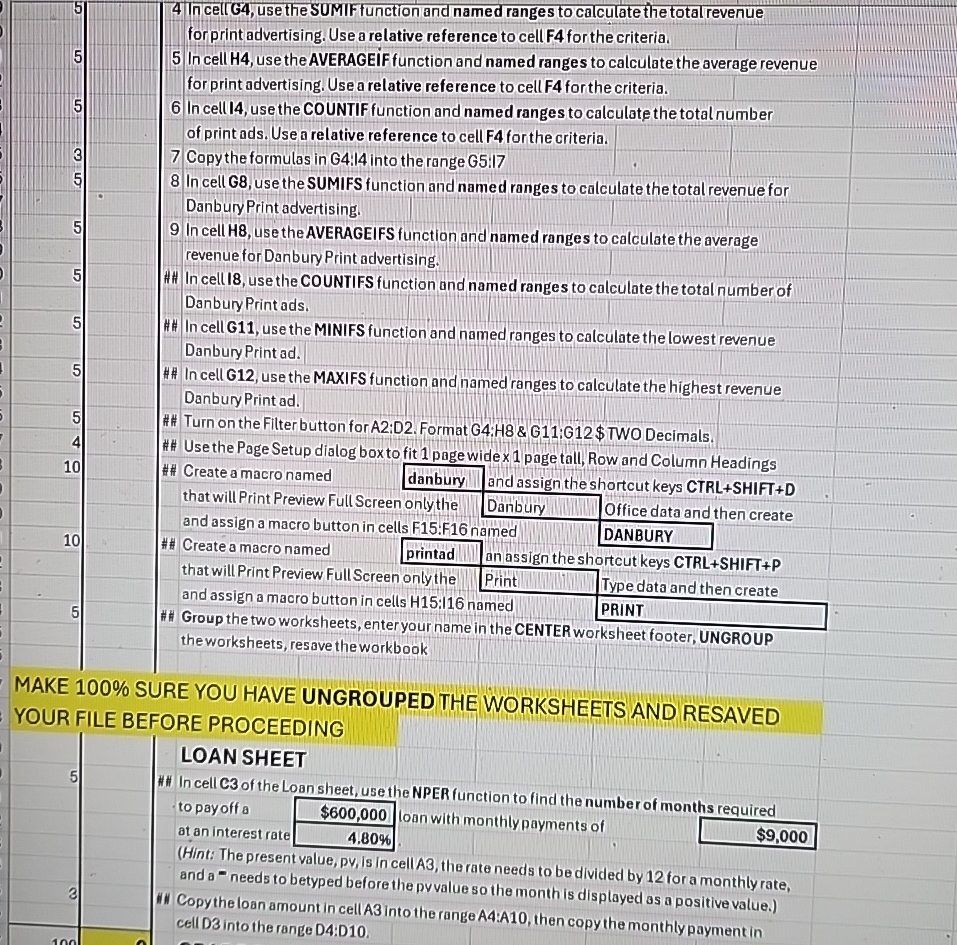
Question: 4 In cellG 4 , use the SUMIF function and named ranges to calculate the total revenue forprint advertising. Use a relative reference to cell
In cellG use the SUMIF function and named ranges to calculate the total revenue forprint advertising. Use a relative reference to cell F for the criteria.
In cell use the AVERAGEIF function and named range s to calculate the average revenue for print advertising. Use a relative refere nce to cell F for the criteria.
In cell I use the COUNTIF function and named ranges to calculate the total number of print ads. Use a relative reference to cell F for the criteria.
Copy the formulas in G: into the range G:I
In cell G use the SUMIFS function and named ranges to calculate the total revenue for Danbury Print advertising.
In cell H use the AVERAGEIFS function and named ranges to calculate the average revenue for Danbury Print advertising.
In cellI use the COUNTIFS function and named ranges to calculate the total number of Danbury Print ads.
## In cell G use the MINIFS function and named ranges to calculate the lowest revenue Danbury Print ad
## In cell G use the MAXIFS function and named ranges to calculate the highest revenue Danbury Print ad
## Turn on the Filter button for A:D Format G:H & G:G $ TWO Decimals.
# Use the Page Setup dialog box to fit page wide x page tall, Row and Column Headings
Create a macro named danbury and assign the shortcut keys CTRLSHIFTD
that will Print Preview Full Screen only the Danbury
and assign a macro button in cells F:F named DANBURY
tablethat will Print Preview Full Screen only the,Print,Type data and then creatand assign a macro button in cells H:I named,PRINT,Group the two worksheets, enter your name in the CENTER worksheet footer, UNGROUP,, the worksheets, resave the workbook
MAKE SURE YOU HAVE UNGROUPED THE WORKSHEETS AND RESAVED YOUR FILE BEFORE PROCEEDING
LOAN SHEET
## In cell of the Loan sheet, use the NPER function to find the number of months required to payoff a loan with monthly payments of at an interest rate $
Hint: The present value, pV Is in cellAB, the rate needs to be divided by for a monthly rate, and a needs to betyped before the pvvalue so the month is displayed as a positive value.
Copythe loan amount in cell A into the range A:A then copy the monthly payment in cell D into the rance D:D
Step by Step Solution
There are 3 Steps involved in it
1 Expert Approved Answer
Step: 1 Unlock

Question Has Been Solved by an Expert!
Get step-by-step solutions from verified subject matter experts
Step: 2 Unlock
Step: 3 Unlock
 Study Help