







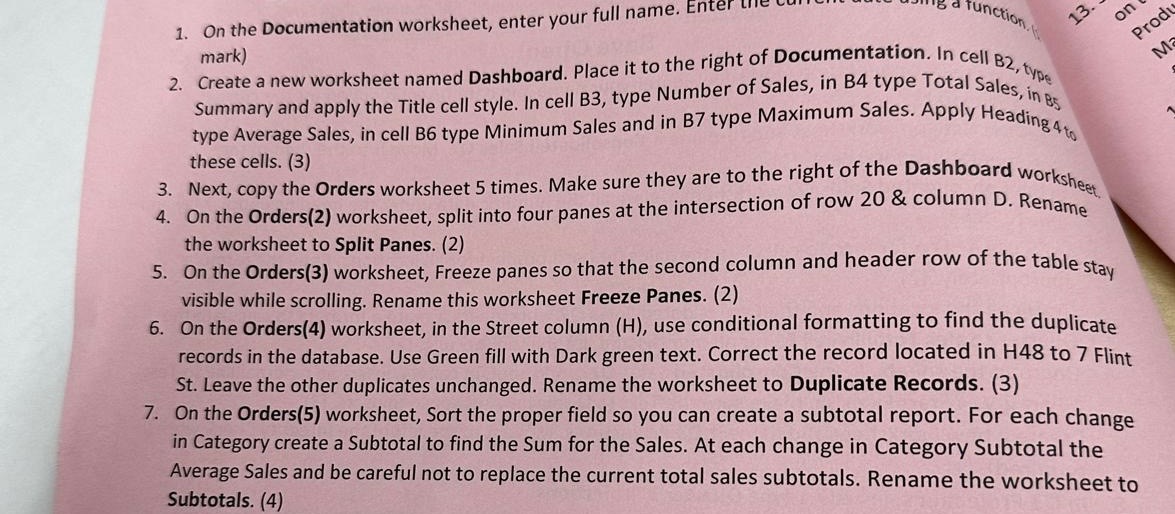
Question: On the Documentation worksheet, enter your full name. Enter mark ) Create a new worksheet named Dashboard. Place it to the right of Documentation. In
On the Documentation worksheet, enter your full name. Enter
mark
Create a new worksheet named Dashboard. Place it to the right of Documentation. In cell type
Summary and apply the Title cell style. In cell B type Number of Sales, in B type Total Sales, in B
type Average Sales, in cell B type Minimum Sales and in B type Maximum Sales. Apply Heading to
these cells.
Next, copy the Orders worksheet times. Make sure they are to the right of the Dashboard worksheet,
On the Orders worksheet, split into four panes at the intersection of row & column D Rename
the worksheet to Split Panes.
On the Orders worksheet, Freeze panes so that the second column and header row of the table stay
visible while scrolling. Rename this worksheet Freeze Panes.
On the Orders worksheet, in the Street column use conditional formatting to find the duplicate
records in the database. Use Green fill with Dark green text. Correct the record located in to Flint
St Leave the other duplicates unchanged. Rename the worksheet to Duplicate Records.
On the Orders worksheet, Sort the proper field so you can create a subtotal report. For each change
in Category create a Subtotal to find the Sum for the Sales. At each change in Category Subtotal the
Average Sales and be careful not to replace the current total sales subtotals. Rename the worksheet to
Subtotals.
Step by Step Solution
There are 3 Steps involved in it
1 Expert Approved Answer
Step: 1 Unlock

Question Has Been Solved by an Expert!
Get step-by-step solutions from verified subject matter experts
Step: 2 Unlock
Step: 3 Unlock
 Study Help