





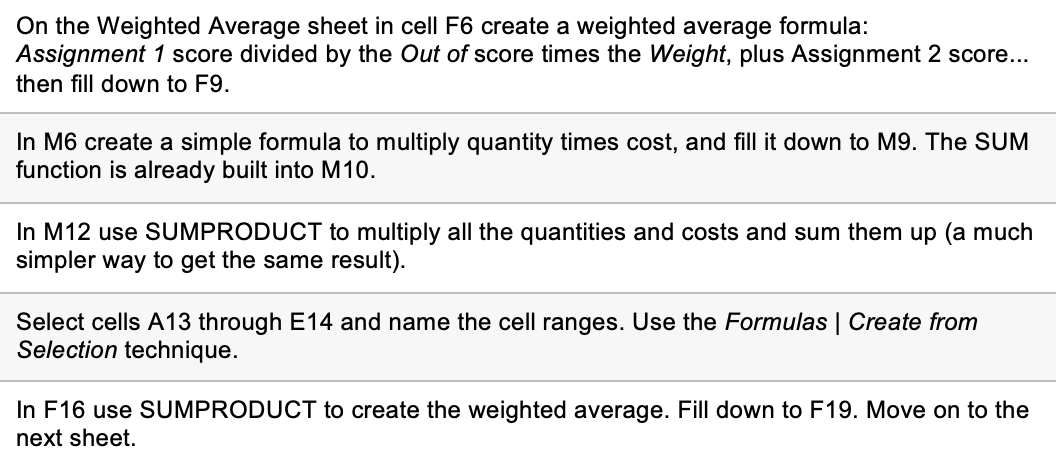
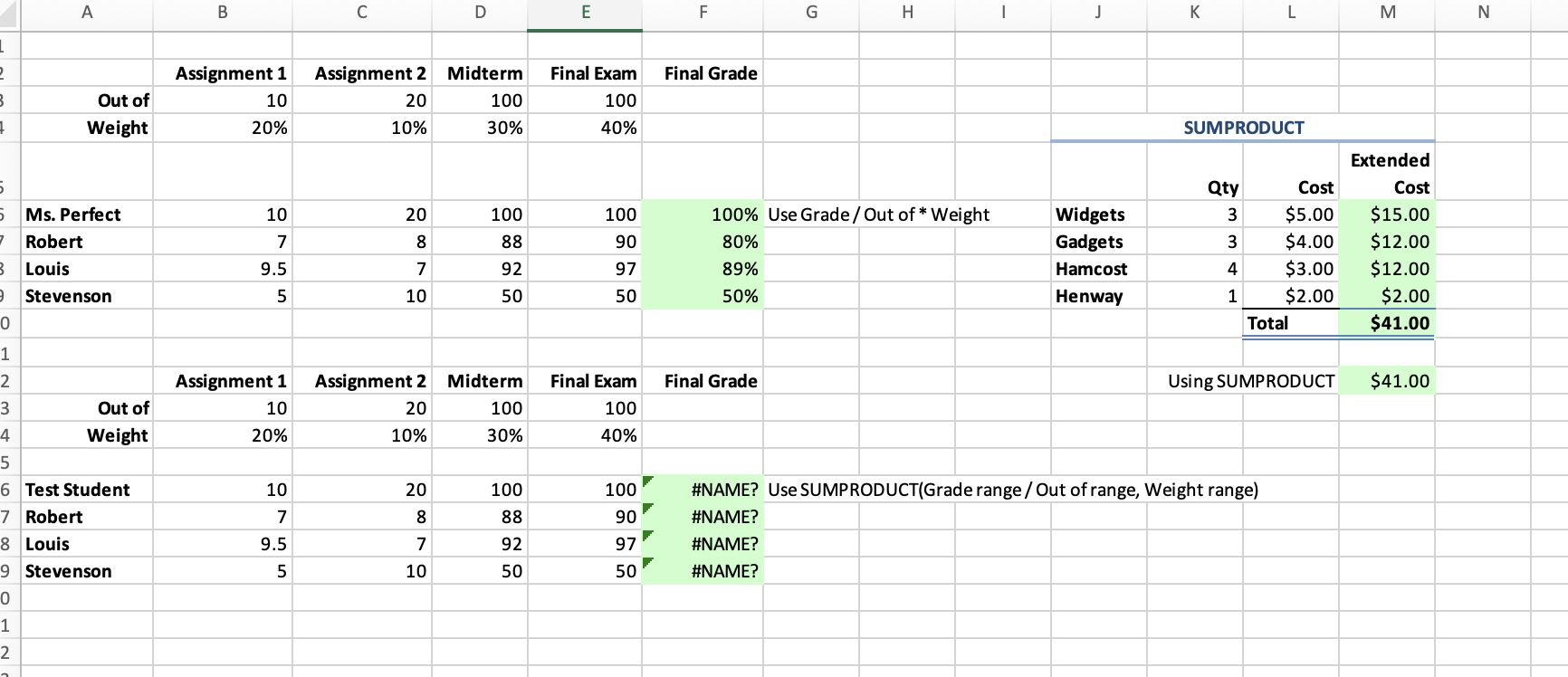
Question: On the Weighted Average sheet in cell F6 create a weighted average formula: Assignment 1 score divided by the Out of score times the Weight,
On the Weighted Average sheet in cell F6 create a

On the Weighted Average sheet in cell F6 create a

On the Weighted Average sheet in cell F6 create a weighted average formula: Assignment 1 score divided by the Out of score times the Weight, plus Assignment 2 score... then fill down to F. In M6 create a simple formula to multiply quantity times cost, and fill it down to M9. The SUM function is already built into M10. In M12 use SUMPRODUCT to multiply all the quantities and costs and sum them up (a much simpler way to get the same result). Select cells A13 through E14 and name the cell ranges. Use the Formulas | Create from Selection technique. In F16 use SUMPRODUCT to create the weighted average. Fill down to F19. Move on to the next sheet

Step by Step Solution

There are 3 Steps involved in it

1 Expert Approved Answer
Step: 1 Unlock blur-text-image

Question Has Been Solved by an Expert!

Get step-by-step solutions from verified subject matter experts

Step: 2 Unlock
Step: 3 Unlock

Students Have Also Explored These Related General Management Questions!