







Question: ONLY PLEASE ANSWER THE BOILING POINT AND TORR AS WELL AS THE LITERATURE REFERENCE FOR BOTH COMPOUNDS PLEASE ONLY PLEASE ANSWER THE BOILING POINT AND
ONLY PLEASE ANSWER THE BOILING POINT AND TORR AS WELL AS THE LITERATURE REFERENCE FOR BOTH COMPOUNDS PLEASE
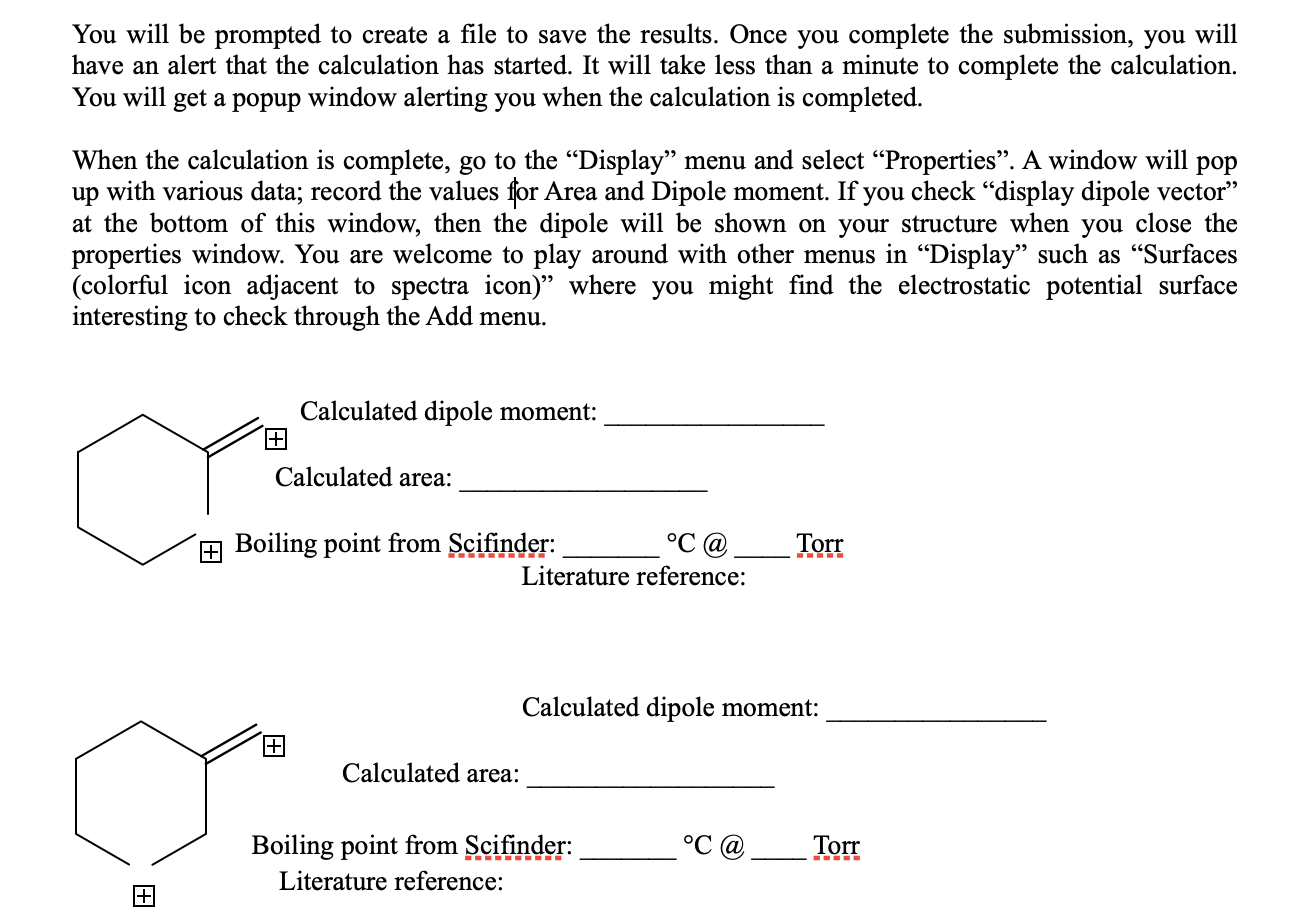
ONLY PLEASE ANSWER THE BOILING POINT AND TORR AS WELL AS THE LITERATURE REFERENCE FOR BOTH COMPOUNDS PLEASE
You will be prompted to create a file to save the results. Once you complete the submission, you will have an alert that the calculation has started. It will take less than a minute to complete the calculation. You will get a popup window alerting you when the calculation is completed. When the calculation is complete, go to the "Display" menu and select "Properties". A window will pop up with various data; record the values for Area and Dipole moment. If you check "display dipole vector" at the bottom of this window, then the dipole will be shown on your structure when you close the properties window. You are welcome to play around with other menus in "Display" such as "Surfaces (colorful icon adjacent to spectra icon)" where you might find the electrostatic potential surface interesting to check through the Add menu. Calculated dipole moment: I Jalculated area: ing point from Scifinder: C@ Torr Literature reference: Calculated dipole moment: Calculated area: ing point from Scifinder: C@ Torr iterature reference: You will be prompted to create a file to save the results. Once you complete the submission, you will have an alert that the calculation has started. It will take less than a minute to complete the calculation. You will get a popup window alerting you when the calculation is completed. When the calculation is complete, go to the "Display" menu and select "Properties". A window will pop up with various data; record the values for Area and Dipole moment. If you check "display dipole vector" at the bottom of this window, then the dipole will be shown on your structure when you close the properties window. You are welcome to play around with other menus in "Display" such as "Surfaces (colorful icon adjacent to spectra icon)" where you might find the electrostatic potential surface interesting to check through the Add menu. Calculated dipole moment: I Jalculated area: ing point from Scifinder: C@ Torr Literature reference: Calculated dipole moment: Calculated area: ing point from Scifinder: C@ Torr iterature reference
Step by Step Solution
There are 3 Steps involved in it

Get step-by-step solutions from verified subject matter experts
 Study Help