







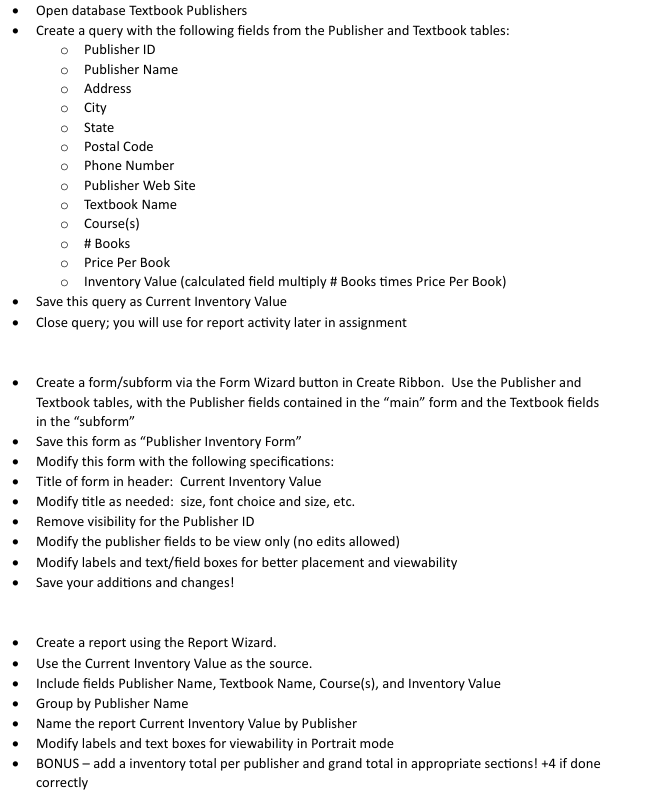
Question: - Open database Textbook Publishers - Create a query with the following fields from the Publisher and Textbook tables: - Publisher ID - Publisher Name
Open database Textbook Publishers
Create a query with the following fields from the Publisher and Textbook tables:
Publisher ID
Publisher Name
Address
City
State
Postal Code
Phone Number
Publisher Web Site
Textbook Name
Courses
# Books
Price Per Book
Inventory Value calculated field multiply # Books times Price Per Book
Save this query as Current Inventory Value
Close query; you will use for report activity later in assignment
Create a formsubform via the Form Wizard button in Create Ribbon. Use the Publisher and Textbook tables, with the Publisher fields contained in the "main" form and the Textbook fields in the "subform"
Save this form as "Publisher Inventory Form"
Modify this form with the following specifications:
Title of form in header: Current Inventory Value
Modify title as needed: size, font choice and size, etc.
Remove visibility for the Publisher ID
Modify the publisher fields to be view only no edits allowed
Modify labels and textfield boxes for better placement and viewability
Save your additions and changes!
Create a report using the Report Wizard.
Use the Current Inventory Value as the source.
Include fields Publisher Name, Textbook Name, Courses and Inventory Value
Group by Publisher Name
Name the report Current Inventory Value by Publisher
Modify labels and text boxes for viewability in Portrait mode
BONUS add a inventory total per publisher and grand total in appropriate sections! if done correctly
Step by Step Solution
There are 3 Steps involved in it
1 Expert Approved Answer
Step: 1 Unlock

Question Has Been Solved by an Expert!
Get step-by-step solutions from verified subject matter experts
Step: 2 Unlock
Step: 3 Unlock
 Study Help