







Question: Open the index.html and form.js within your IDE 1. The concept is if the score is above or equal to the average score, you
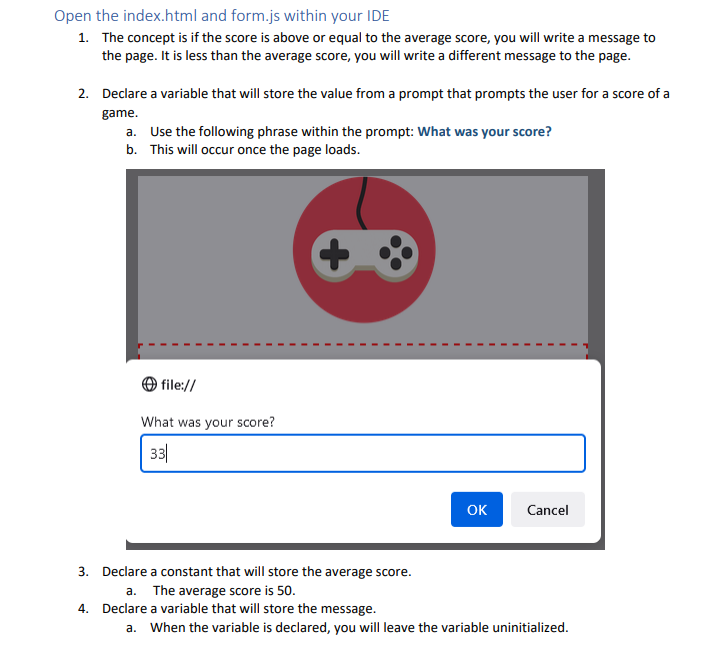
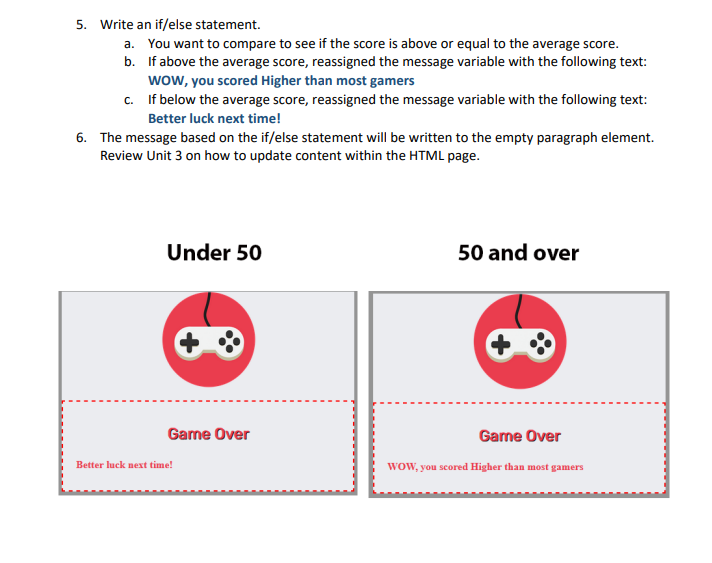
Open the index.html and form.js within your IDE 1. The concept is if the score is above or equal to the average score, you will write a message to the page. It is less than the average score, you will write a different message to the page. 2. Declare a variable that will store the value from a prompt that prompts the user for a score of a game. a. Use the following phrase within the prompt: What was your score? b. This will occur once the page loads. file:// What was your score? 33 OK Cancel 3. Declare a constant that will store the average score. a. The average score is 50. 4. Declare a variable that will store the message. a. When the variable is declared, you will leave the variable uninitialized. 5. Write an if/else statement. a. You want to compare to see if the score is above or equal to the average score. b. If above the average score, reassigned the message variable with the following text: WOW, you scored Higher than most gamers c. If below the average score, reassigned the message variable with the following text: Better luck next time! 6. The message based on the if/else statement will be written to the empty paragraph element. Review Unit 3 on how to update content within the HTML page. Under 50 50 and over Game Over Better luck next time! Game Over WOW, you scored Higher than most gamers
Step by Step Solution
There are 3 Steps involved in it
To complete this task you need to modify both the HTML and JavaScript files Below is an example of h... View full answer

Get step-by-step solutions from verified subject matter experts
 Study Help