







Question: Open the solution file contained in the VbReloaded2015Chap05Bonus Solution folder. (4. 6. 8, 10) a. The user will enter the sales amount as an integer
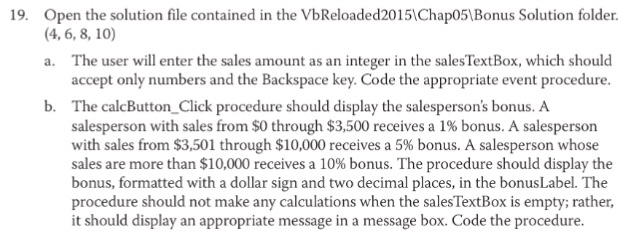
Open the solution file contained in the VbReloaded2015\Chap05\Bonus Solution folder. (4. 6. 8, 10) a. The user will enter the sales amount as an integer in the sales Text Box, which should accept only numbers and the Backspace key. Code the appropriate event procedure. b. The calcButton_Click procedure should display the salespersons bonus. A salesperson with sales from $0 through $3, 500 receives a 1% bonus. A salesperson with sales from $3, 501 through $10,000 receives a 5% bonus. A salesperson whose sales are more than $10,000 receives a 10% bonus. The procedure should display the bonus, formatted with a dollar sign and two decimal places, in the bonus Label. The procedure should not make any calculations when the sales Text Box is empty; rather, it should display an appropriate message in a message box. Code the procedure
Step by Step Solution
There are 3 Steps involved in it

Get step-by-step solutions from verified subject matter experts
 Study Help