







Question: Hello, I am a beginner using Microsoft Visual Basic as my coding program. This exercise is from the Microsoft Visual Basic 2015 RELOADED 6th edition
Hello, I am a beginner using Microsoft Visual Basic as my coding program. This exercise is from the "Microsoft Visual Basic 2015 RELOADED 6th edition" book, chapter 11, exercise #15, page 595. This exercise is using an existing code from a different exercise that needs modifications (adding code) according to the exercise's problem.
Here is Exercise #15:
If necessary, complete the eBooks Collection application from this chapters Programming Tut 2, and then close the solution. Use Windows to make a copy of the Ebook Solution folder. Rename the folder Ebook Solution-ModifyThis. Open the solution file contained in the Ebook Solution-ModifyThis folder. The MainForm_ FormClosing procedure should verify that the user wants to save the changes made to the list box. It should then take the appropriate action based on the users response. The removeButton_Click procedure should verify that the user wants to remove the selected eBook from the list box. Use the message Do you want to remove the x eBook?, in which x is the name of the eBook. The procedure should take the appropriate action based on the users response. Modify the code accordingly. Save the solution and then start and test the application. Close the solution. (9, 10)
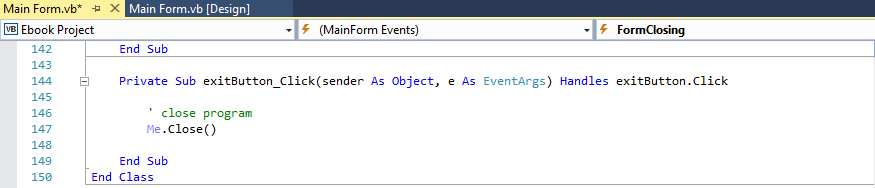
Here is the code for the "eBooks Collection application", I will do the copying of the folder and rename it Ebook Solution - ModifyThis, sorry I know its a lot of picture uploads, but I wanted to make sure you saw the whole code:
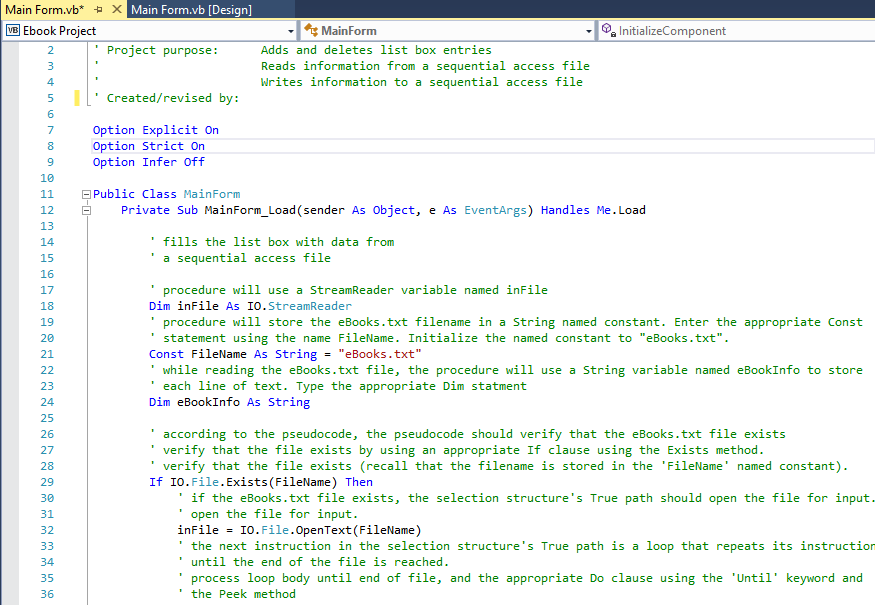
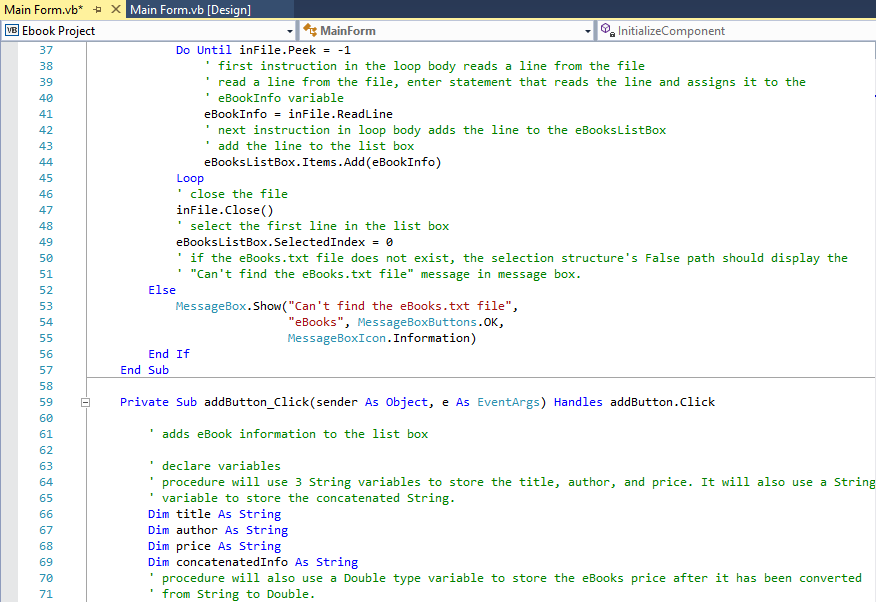
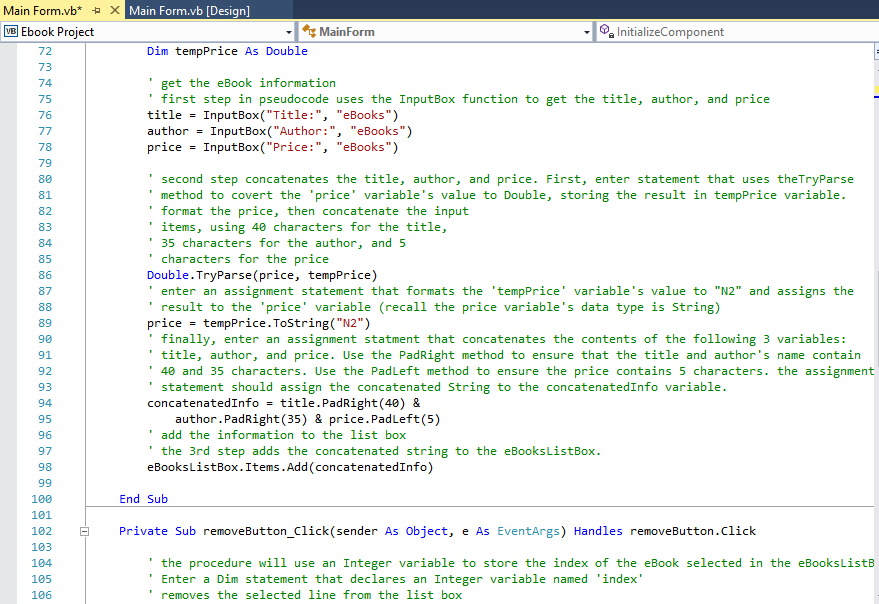
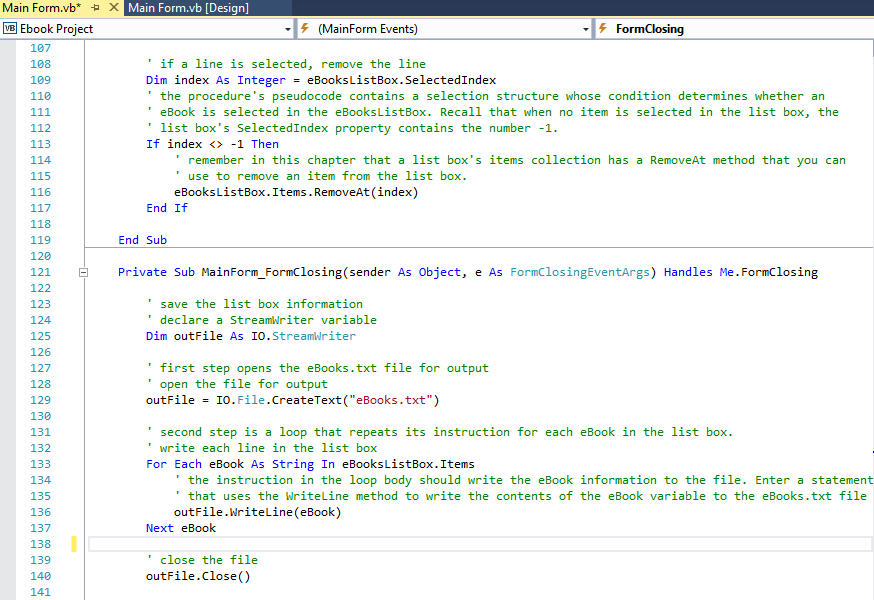
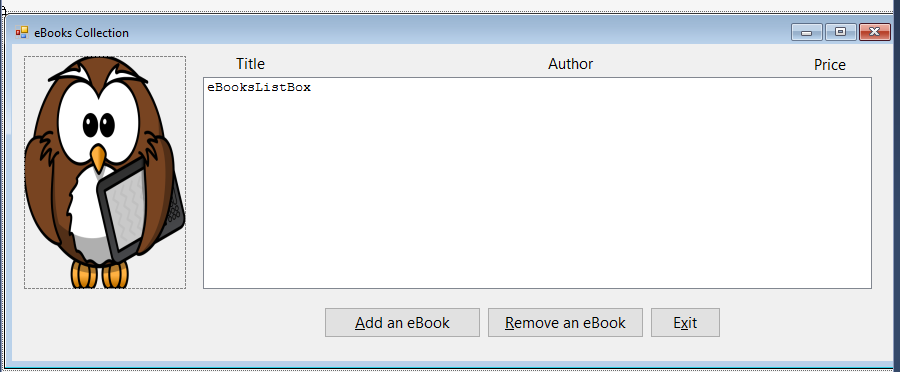
Here is the Interface for Exercise #15:
I am using Visual Basic as my coding program and I am a beginner, I thank you for your work/help in this problem!
Main Form vb* x Main Form vb [Design] Main Form Sa InitializeComponent Ebook Project MB Project purpose: Adds and deletes list box entries Reads information from a sequential access file Writes information to a sequential access file Created/revised by Option Explicit On Option Strict O Option Infer Off 10 E Public Class MainForm 11 Private sub MainForm Load sende r As object, e As EventArgs) Handles Load 12 13 fills the list box with data from 14 a sequential access file 15 16 procedure will u StreamReader variable named inFile a 17 Dim inFile As I StreamReader 18 procedure will store the eBooks.txt filename in a string named constant. Enter the appropriate Const 19 statement using the name FileName Initialize the named constant to eBooks .txt 20 Const FileName As String "eBooks .txt 21 while reading the eBooks.txt file, the procedure will use a string variable named eBookInfo to store 22 each line of text Type the appropriate Dim statment 23 Dim eBook Info As String 24 25 according to the pseudocode the pseudocode should verify that the eBooks.txt file exists 26 verify that the file exists by using an appropriate If clause using the Exists method. 27 verify that the file exists (recall that the filename is stored in the FileName named constant) 28 If IO. File Exists (FileName) Then 29 the eBooks .txt file exists, the structure selection True path should open the file for input. if 30 open the file for input. 31 in File IO. File OpenText (FileName) 32 the next instruction in selection structure the True path is a loop that repeats its instruction 33 until the end of the file is reached. process loop body until end of file, and the appropriate Do clause using the Until' keyword and 35 the Peek method 36
Step by Step Solution
There are 3 Steps involved in it

Get step-by-step solutions from verified subject matter experts
 Study Help