







Question: Open V 4 . xlsx . The workbook has 3 worksheets: States: for each state the worksheet has the following information: State ID: a unique
Open Vxlsx
The workbook has worksheets:
States: for each state the worksheet has the following
information:
State ID: a unique fivecharacter string to identify each
state
State Name
Industries: it stores four industries with their industry
classification codes unique and names.
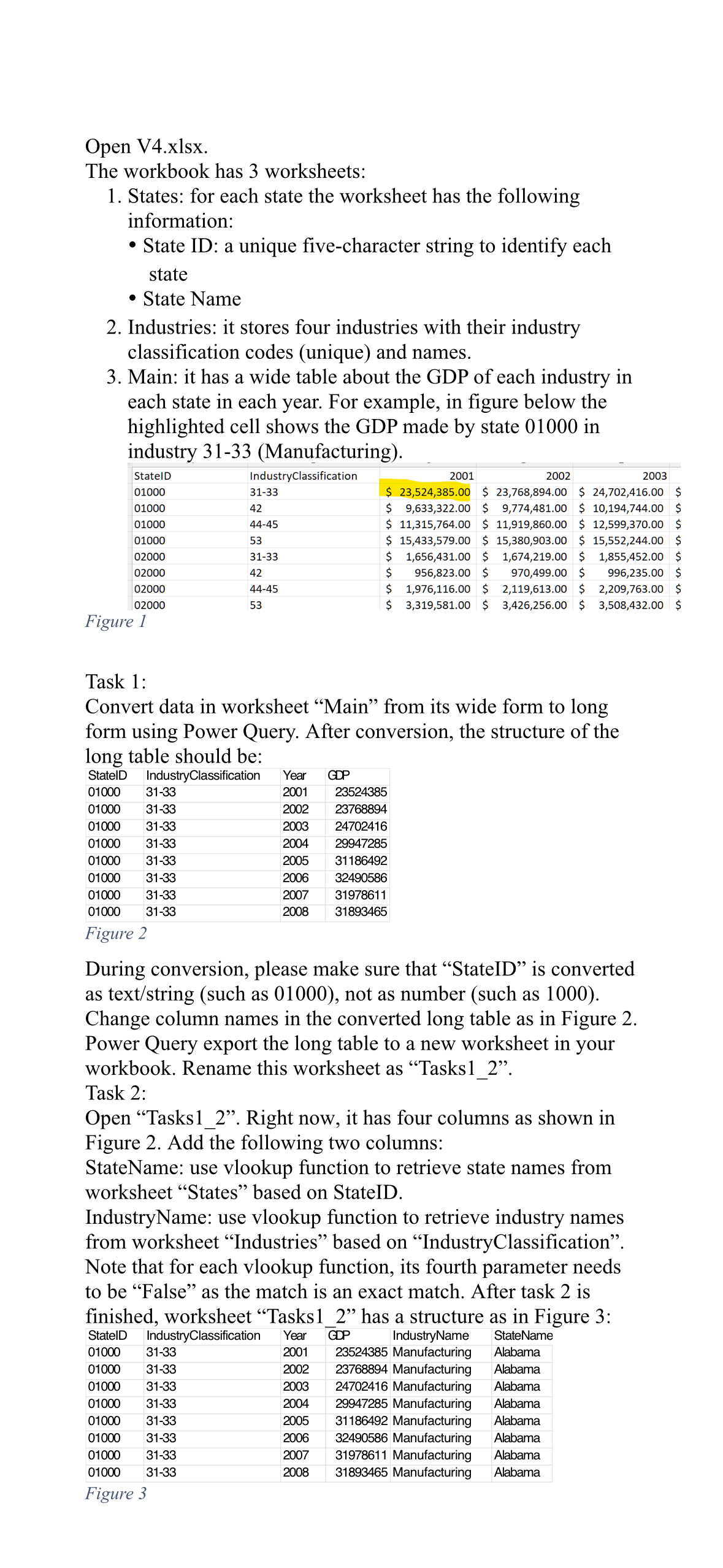
Main: it has a wide table about the GDP of each industry in
each state in each year. For example, in figure below the
highlighted cell shows the GDP made by state in
industry Manufacturing
Figure
Task :
Convert data in worksheet "Main" from its wide form to long
form using Power Query. After conversion, the structure of the
long table should be:
Figure
During conversion, please make sure that "StateID" is converted
as textstring such as not as number such as
Change column names in the converted long table as in Figure
Power Query export the long table to a new worksheet in your
workbook. Rename this worksheet as "Tasks
Task :
Open "Tasks Right now, it has four columns as shown in
Figure Add the following two columns:
StateName: use vlookup function to retrieve state names from
worksheet "States" based on StateID.
IndustryName: use vlookup function to retrieve industry names
from worksheet "Industries" based on "IndustryClassification".
Note that for each vlookup function, its fourth parameter needs
to be "False" as the match is an exact match. After task is
finished, worksheet "Tasks has a structure as in Figure :
Figure
Step by Step Solution
There are 3 Steps involved in it
1 Expert Approved Answer
Step: 1 Unlock

Question Has Been Solved by an Expert!
Get step-by-step solutions from verified subject matter experts
Step: 2 Unlock
Step: 3 Unlock
 Study Help