







Question: Open your website form last week or create a new one Add the following in the script within your head: Writing into the HTML output
- Open your website form last week or create a new one
- Add the following in the script within your head:
- Writing into the HTML output using
- document.write("enter any message").
- Writing into the HTML output using
- document.write(10+10).
- Writing into an alert box,
- using window.alert(enter any message).
- Writing into an alert box,
- using window.alert(100-5).
- Writing into the browser console,
- using console.log(enter any message).
- Writing into the browser console,
- using console.log(1+1)
-
var userEntry = prompt("This is a test of the prompt method", "enter a description here")
- 3. Add a comment to describe each line
- I am also attaching the screenshot so it can be easy for you to understand.
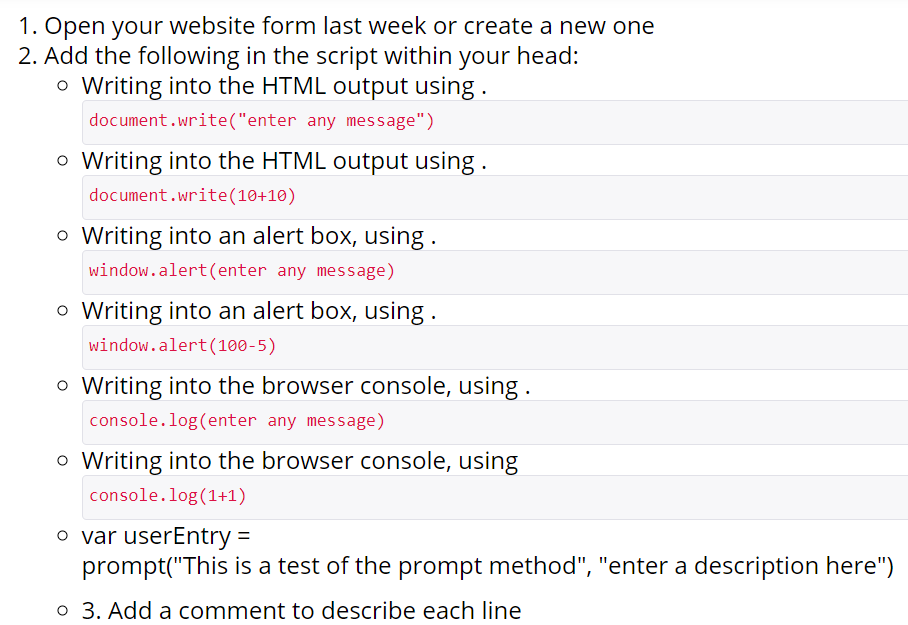
1. Open your website form last week or create a new one 2. Add the following in the script within your head: o Writing into the HTML output using. document.write("enter any message") o Writing into the HTML output using . document.write(10+10) o Writing into an alert box, using . window.alert(enter any message) o Writing into an alert box, using . window.alert(100-5) o Writing into the browser console, using. console.log(enter any message) o Writing into the browser console, using console.log(1+1) o var userEntry = prompt("This is a test of the prompt method", "enter a description here") o 3. Add a comment to describe each line
Step by Step Solution
There are 3 Steps involved in it

Get step-by-step solutions from verified subject matter experts
 Study Help