







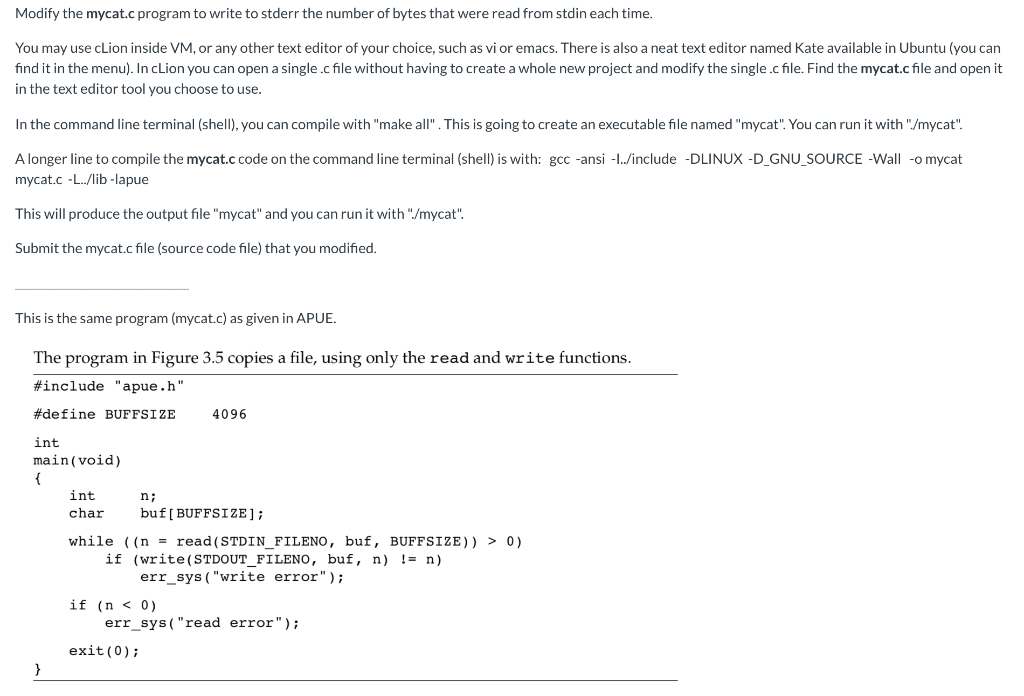
Question: OPERATING SYSTEM... C , LINUX Modify the mycat.c program to write to stderr the number of bytes that were read from stdin each time. You
OPERATING SYSTEM... C , LINUX
Modify the mycat.c program to write to stderr the number of bytes that were read from stdin each time. You may use cLion inside VM, or any other text editor of your choice, such as vi or emacs. There is also a neat text editor named Kate available in Ubuntu (you can find it in the menu). In cLion you can open a single.cfile without having to create a whole new project and modify the single.c file. Find the mycat.c file and open it in the text editor tool you choose to use. In the command line terminal (shell), you can compile with "make all". This is going to create an executable file named "mycat". You can run it with "/mycat". A longer line to compile the mycat.c code on the command line terminal (shell) is with: gcc -ansi -1../include -DLINUX-D_GNU_SOURCE -Wall -o mycat mycat.c -.../lib-lapue This will produce the output file "mycat" and you can run it with "/mycat". Submit the mycat.c file (source code file) that you modified. This is the same program (mycat.c) as given in APUE. The program in Figure 3.5 copies a file, using only the read and write functions. #include "apue.h" #define BUFFSIZE 4096 int main(void) int n; char buf[BUFFSIZE]; while ((n = read (STDIN FILENO, buf, BUFFSIZE)) > 0) if (write(STDOUT_FILENO, buf, n) != n) err_sys("write error"); if (n
Step by Step Solution
There are 3 Steps involved in it

Get step-by-step solutions from verified subject matter experts
 Study Help