


Question: Option Two: Find a speech on YouTube and evaluate that one. Remember though, the first speech to evaluate is an Informative speech presented by a

Option Two: Find a speech on YouTube and evaluate
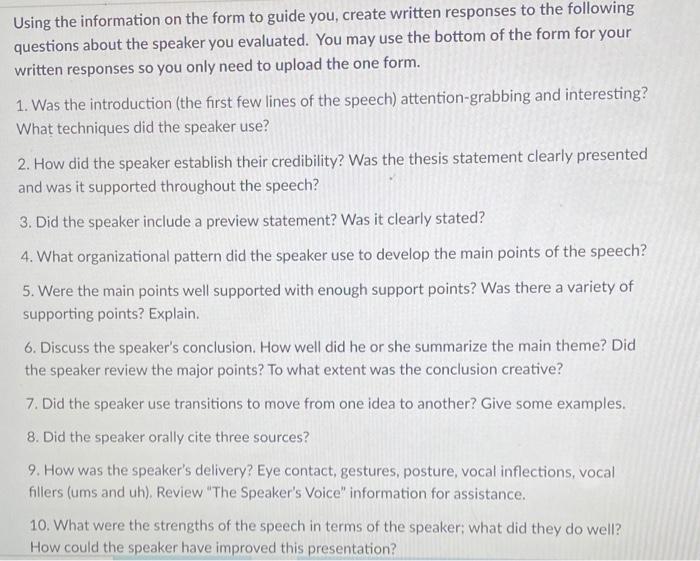
Option Two: Find a speech on YouTube and evaluate that one. Remember though, the first speech to evaluate is an Informative speech presented by a student. The second speech you will evaluate is a commemorative speech or Tribute speech also presented by a student. Yep, you can find student speeches on YouTube! 11 Voitochornontoor Using the information on the form to guide you, create written responses to the following questions about the speaker you evaluated. You may use the bottom of the form for your written responses so you only need to upload the one form. 1. Was the introduction (the first few lines of the speech) attention-grabbing and interesting? What techniques did the speaker use? 2. How did the speaker establish their credibility? Was the thesis statement clearly presented and was it supported throughout the speech? 3. Did the speaker include a preview statement? Was it clearly stated? 4. What organizational pattern did the speaker use to develop the main points of the speech? 5. Were the main points well supported with enough support points? Was there a variety of supporting points? Explain. 6. Discuss the speaker's conclusion. How well did he or she summarize the main theme? Did the speaker review the major points? To what extent was the conclusion creative? 7. Did the speaker use transitions to move from one idea to another? Give some examples. 8. Did the speaker orally cite three sources 9. How was the speaker's delivery? Eye contact, gestures, posture, vocal inflections, vocal fillers (ums and uh). Review "The Speaker's Voice" information for assistance. 10. What were the strengths of the speech in terms of the speaker what did they do well? How could the speaker have improved this presentation

Step by Step Solution

There are 3 Steps involved in it

1 Expert Approved Answer
Step: 1 Unlock blur-text-image

Question Has Been Solved by an Expert!

Get step-by-step solutions from verified subject matter experts

Step: 2 Unlock
Step: 3 Unlock

Students Have Also Explored These Related General Management Questions!