







Question: our Objective this section will be to add a Switch statement Menu to prompt the user to make a selection. The selection choice that they
our Objective this section will be to add a Switch statement Menu to prompt the user to make a selection. The selection choice that they make will determine the functionality the program will execute.
Instructions
Instructions
Prompt the user to make a selection from 1 to 3. Additionally, inform the user to enter 0 to end the program.
If the user enters 1, the program will ask them to provide a number. You will then output the square root of the number
If the user enters 2, the program will ask them to provide two numbers. It will raise the first number to the second number's power. You will then output the resulting calculation (Be sure to use the built-in pow function)
If the user enters 3, the program will ask them to provide their GPA. It will output their letter grade based on their GPA (A, B, C, D, F)
If the user enters 0, the program will terminate.
Example Output:
User Request = 1
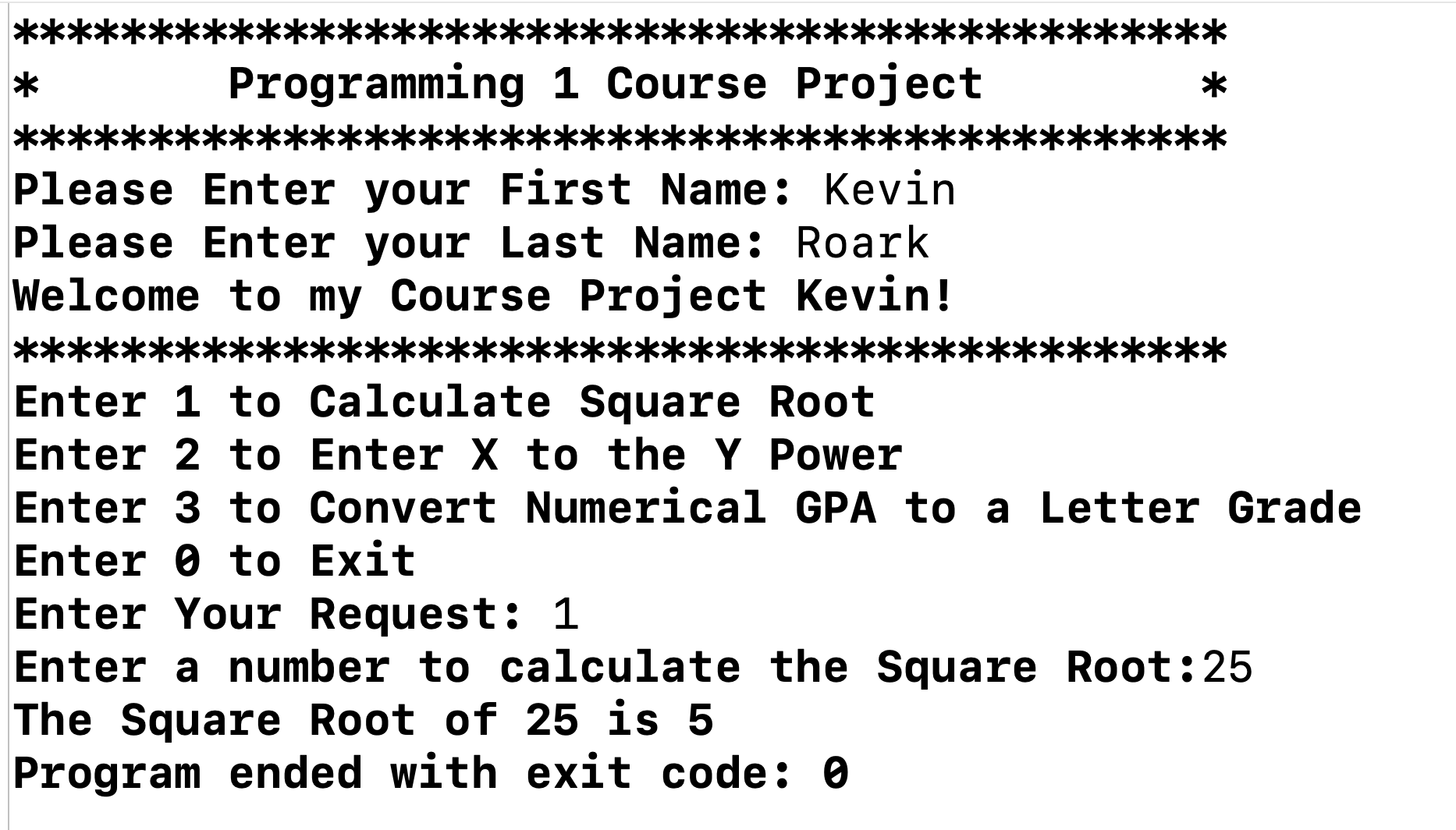
* *** Programming 1 Course Project **: Please Enter your First Name: Kevin Please Enter your Last Name: Roark Welcome to my Course Project Kevin! ********** ****** Enter 1 to Calculate Square Root Enter 2 to Enter X to the Y Power * Enter 3 to Convert Numerical GPA to a Letter Grade Enter to Exit Enter Your Request: 1 Enter a number to calculate the Square Root:25 The Square Root of 25 is 5 Program ended with exit code: 0
Step by Step Solution
There are 3 Steps involved in it

Get step-by-step solutions from verified subject matter experts
 Study Help