







Question: Overview In this assignment, create the following Files. 1. mainlogin.php 2. checklogin.php 3. loginsuccess.php Steps 1. Create table members in database test. 2. Create file
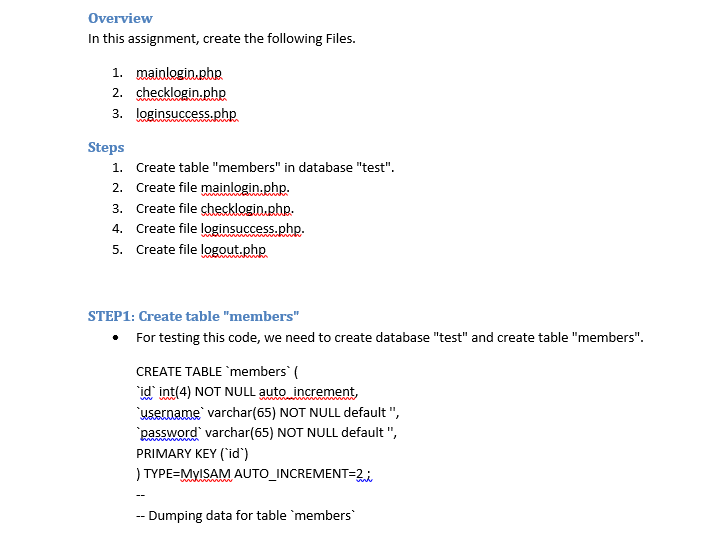
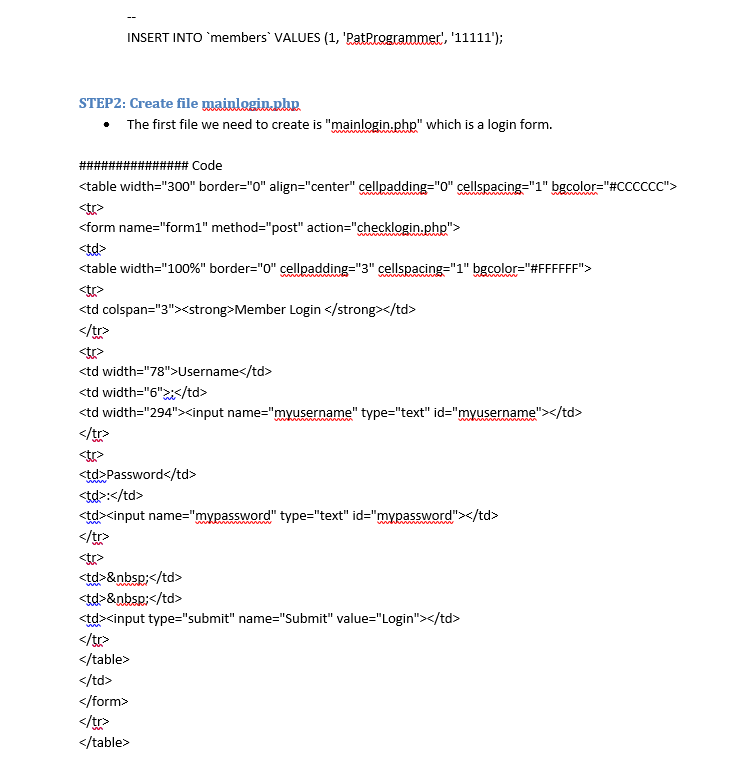
Overview In this assignment, create the following Files. 1. mainlogin.php 2. checklogin.php 3. loginsuccess.php Steps 1. Create table "members" in database "test". 2. Create file mainlogin.php. 3. Create file checklogin.php. 4. Create file loginsuccess.php. 5. Create file logout.php STEP1: Create table "members" For testing this code, we need to create database "test" and create table "members". CREATE TABLE `members id int(4) NOT NULL auto increment, username varchar(65) NOT NULL default", password varchar(65) NOT NULL default", PRIMARY KEY (id) ) TYPE=MYISAM AUTO_INCREMENT=2; --Dumping data for table 'members INSERT INTO 'members' VALUES (1, 'PatProgrammec', '11111"); STEP2: Create file mainlogin.php The first file we need to create is "mainlogin.php" which is a login form. ############### Code
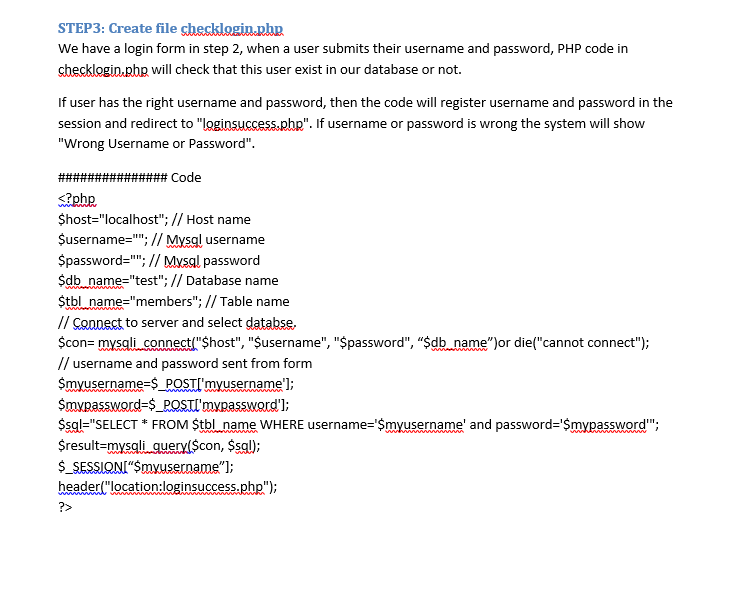
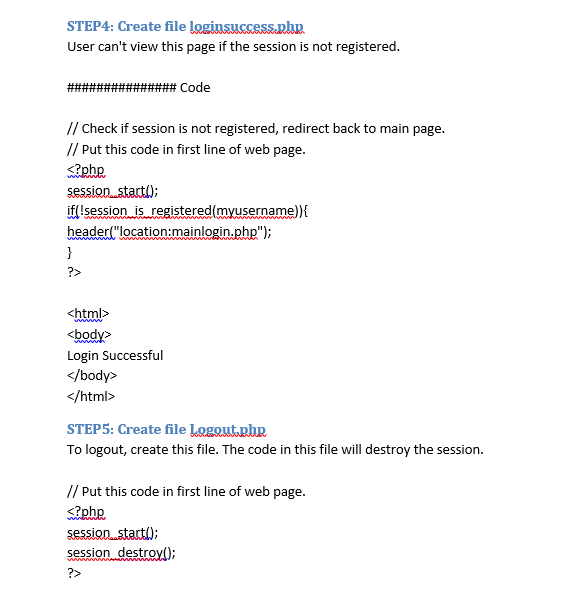
STEP 3: Create file checklagin.php We have a login form in step 2, when a user submits their username and password, PHP code in checklogin.pbp will check that this user exist in our database or not. If user has the right username and password, then the code will register username and password in the session and redirect to "loginsuccess.php". If username or password is wrong the system will show "Wrong Username or Password". ############### Code Login Successful
Step by Step Solution
There are 3 Steps involved in it

Get step-by-step solutions from verified subject matter experts
 Study Help