







Question: Overview In this assignment you will be implementing a task list (or to-do list). It involves writing 3 different classes, including the driver. It is
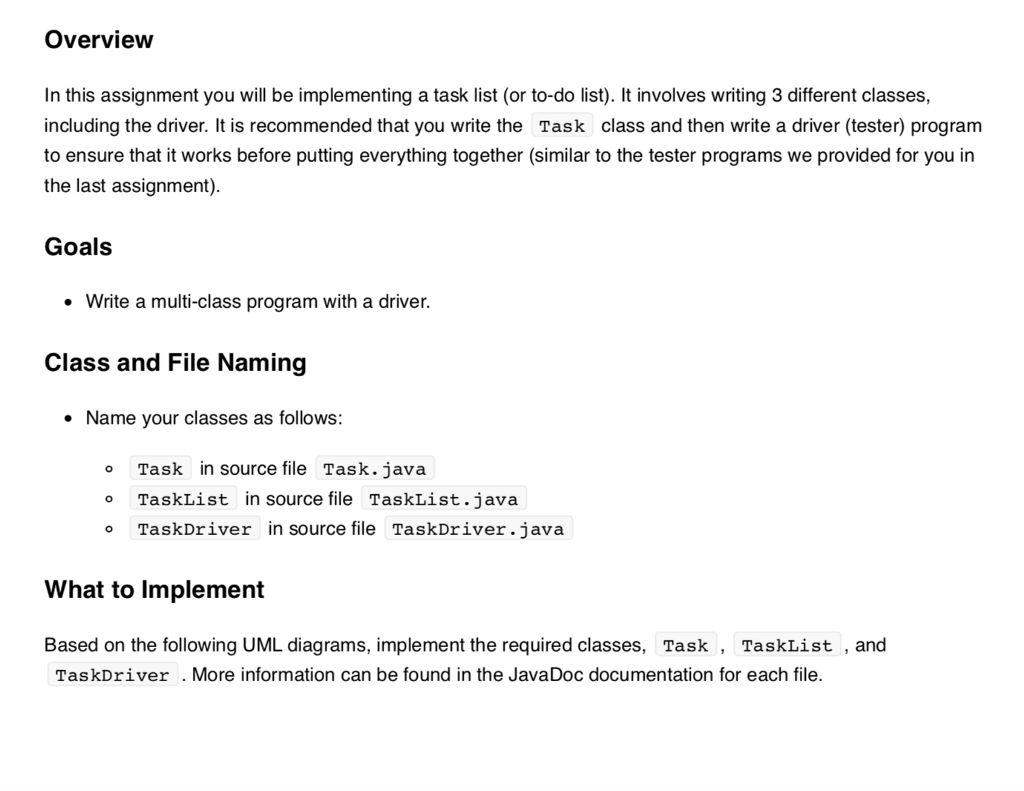
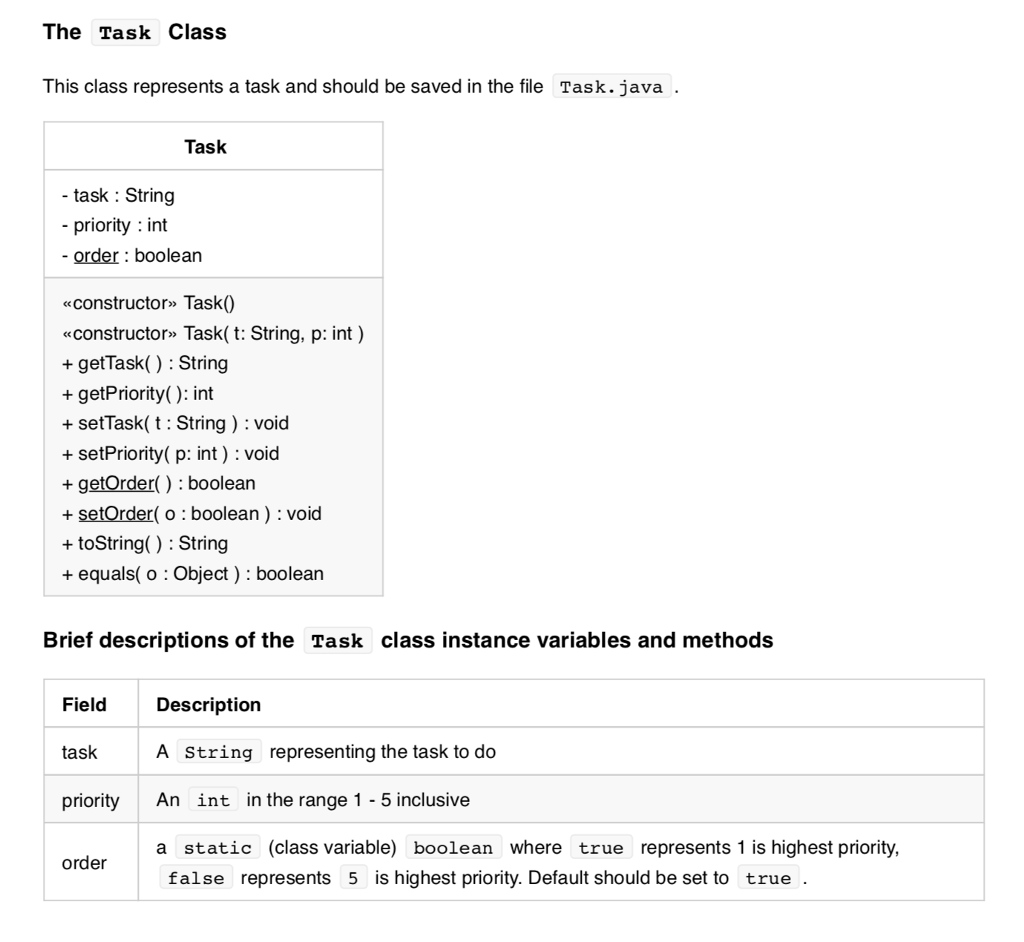
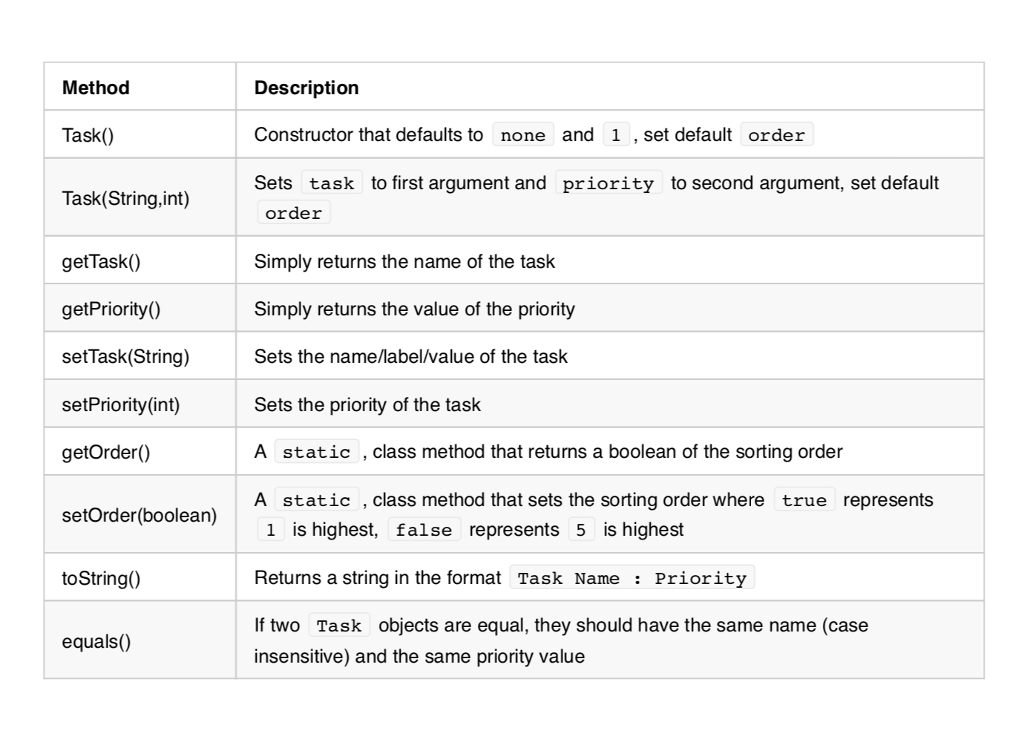
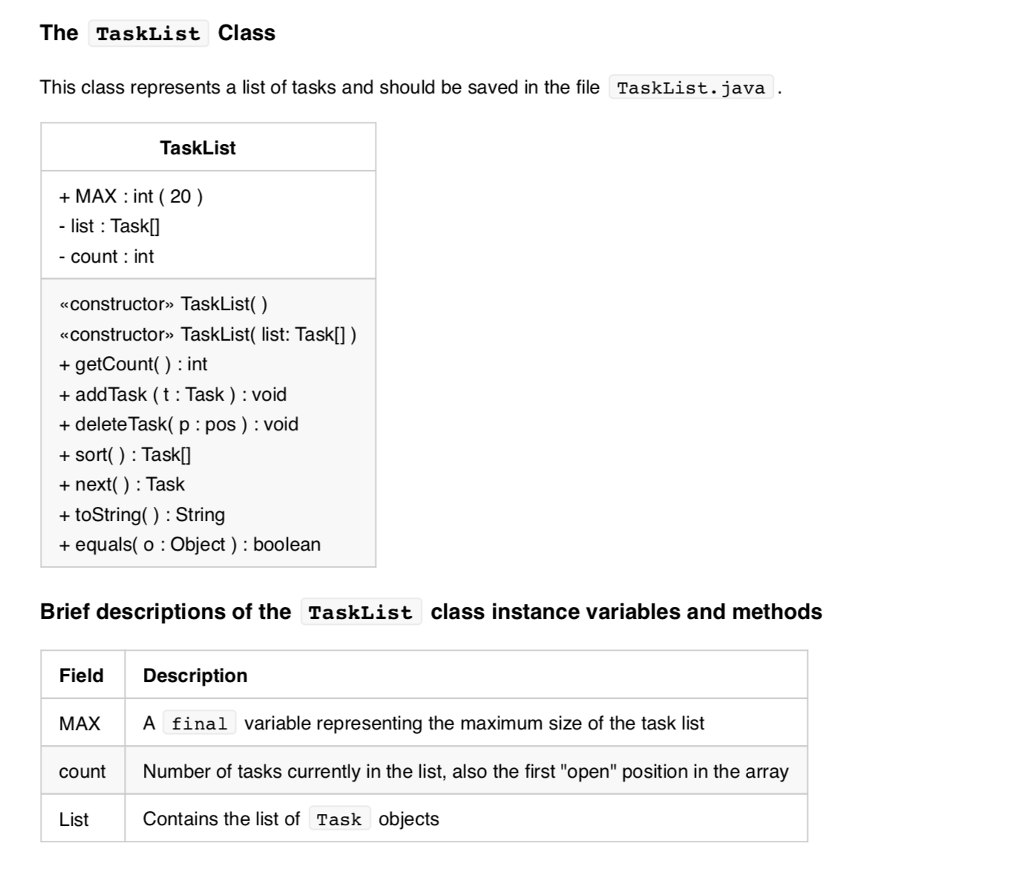
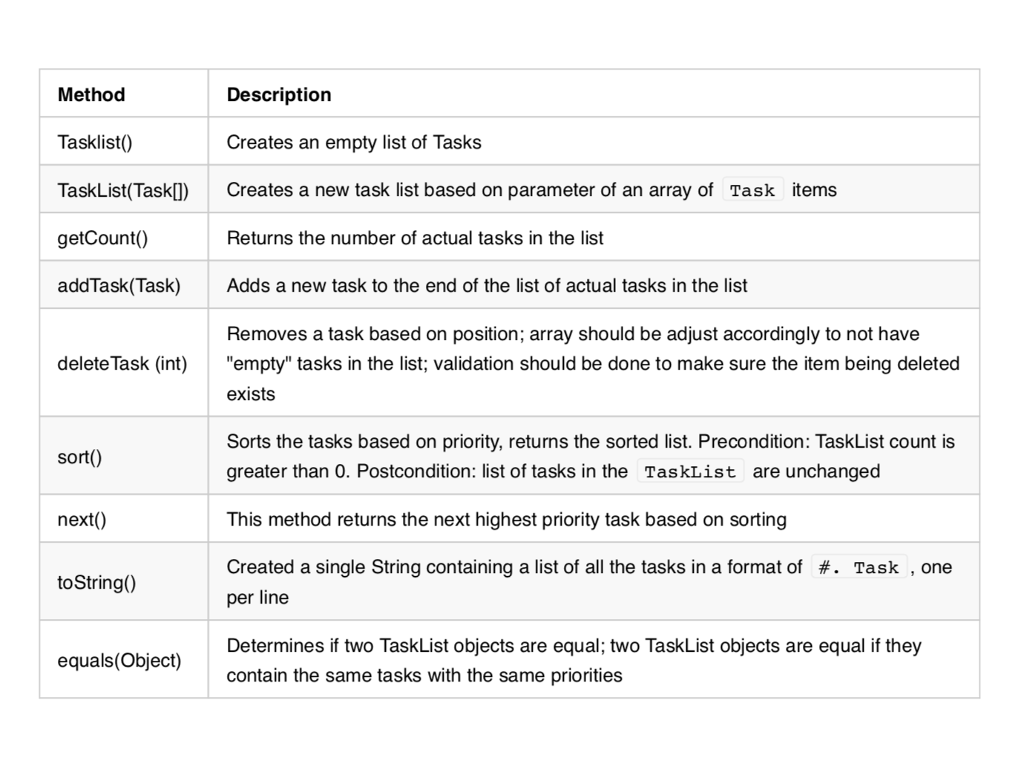
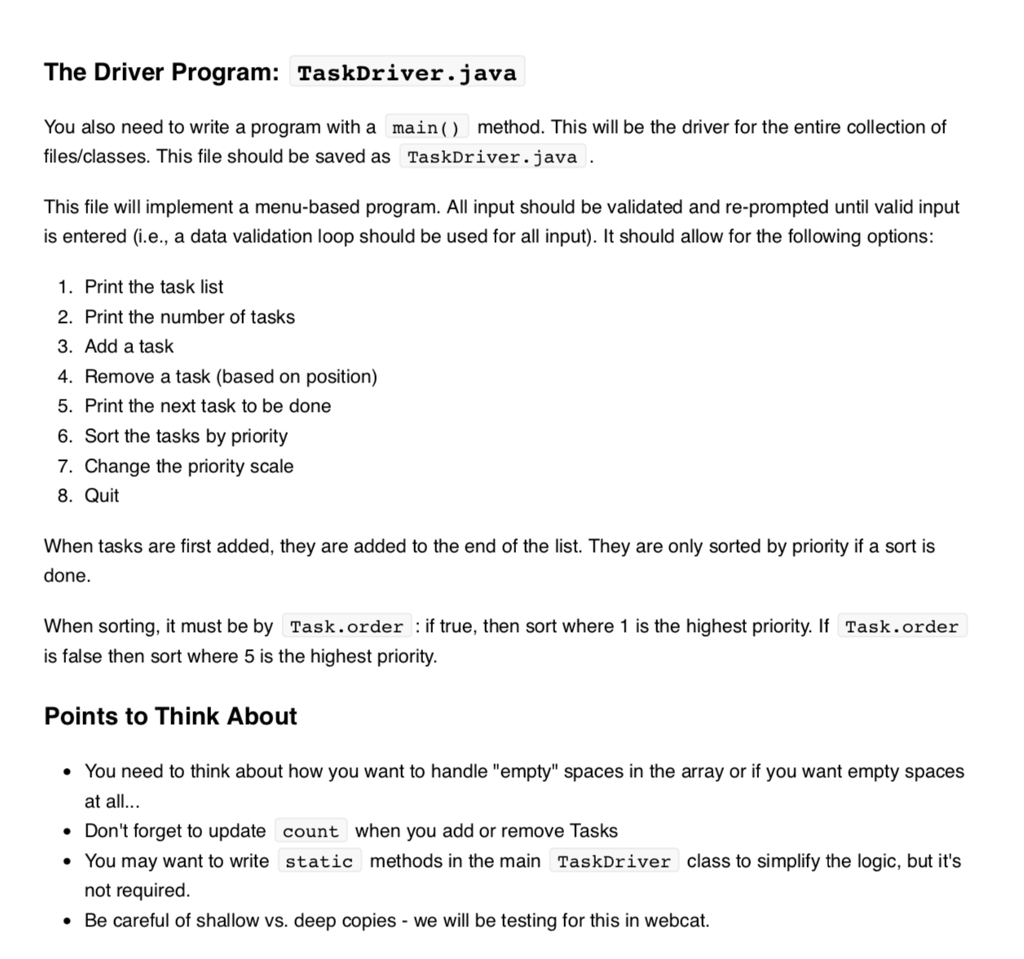

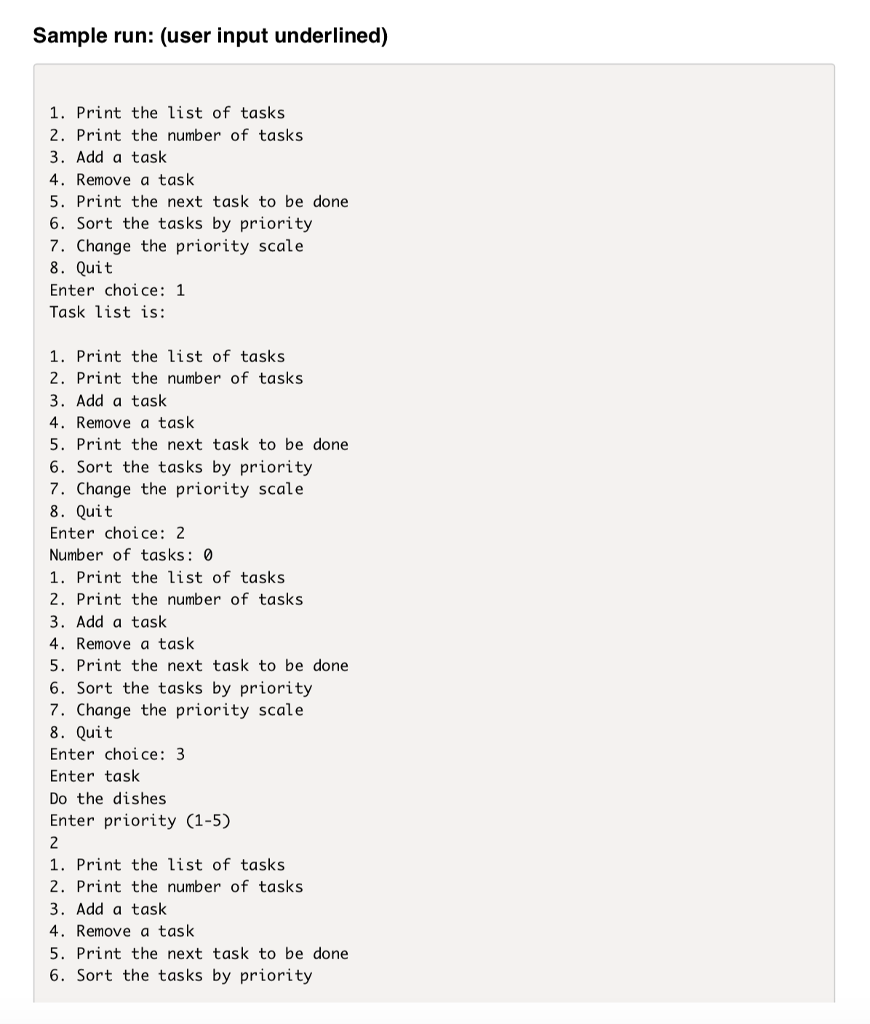
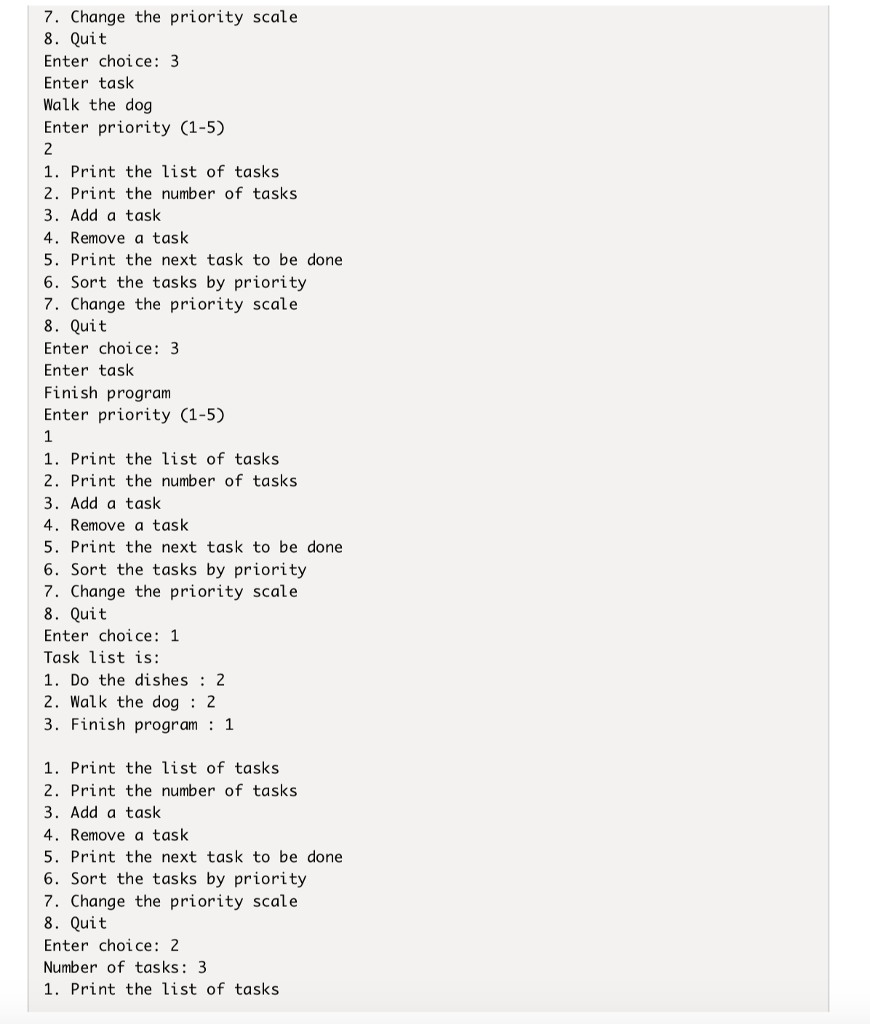
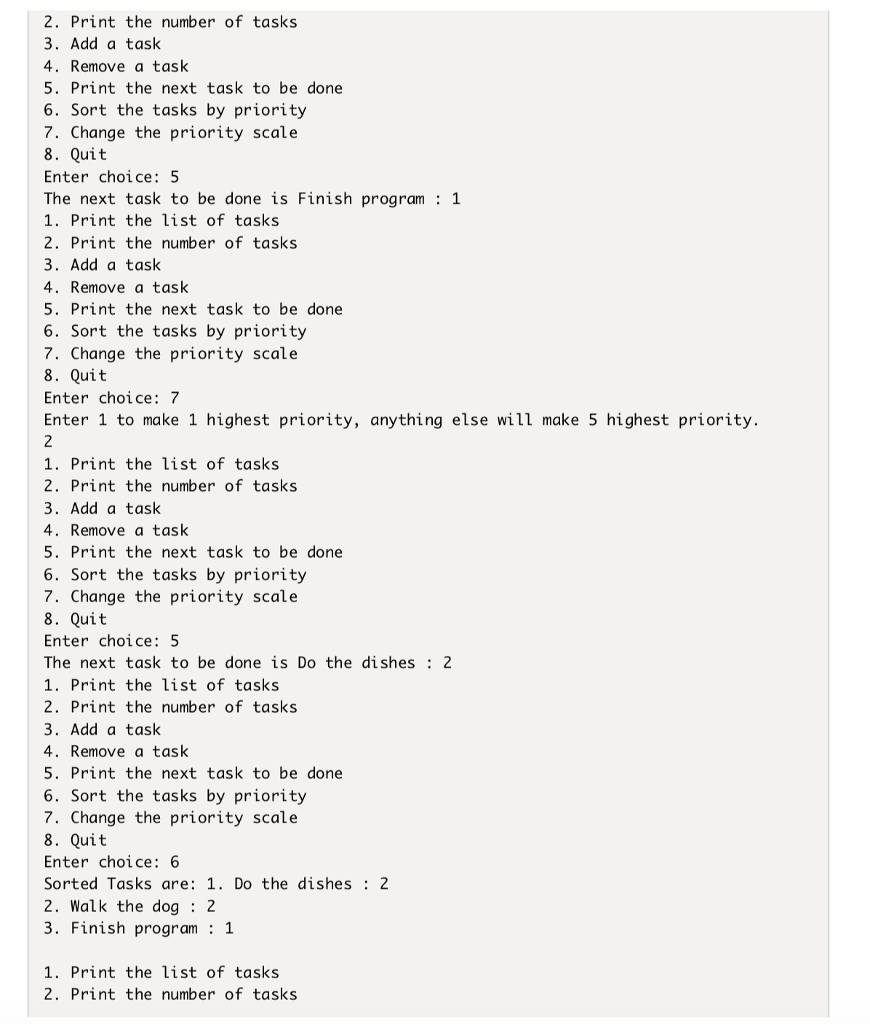
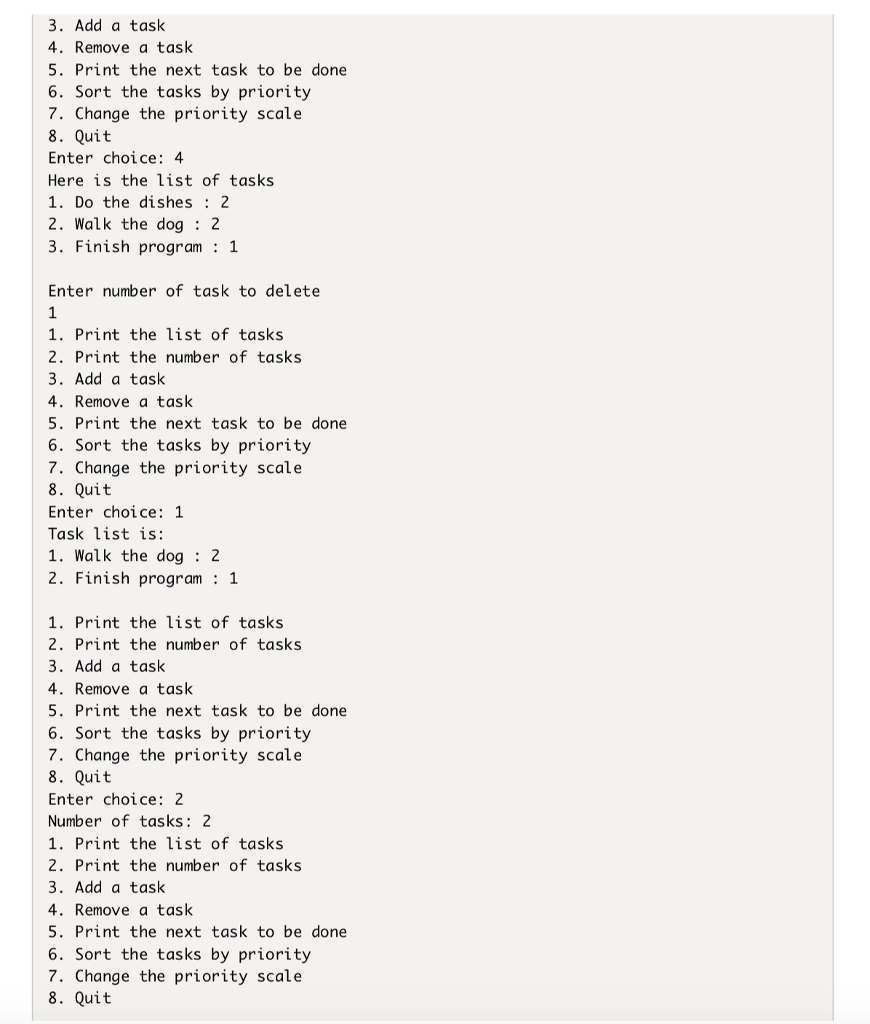

Overview In this assignment you will be implementing a task list (or to-do list). It involves writing 3 different classes, including the driver. It is recommended that you write the Task class and then write a driver (tester) program to ensure that it works before putting everything together (similar to the tester programs we provided for you in the last assignment). Goals . Write a multi-class program with a driver. Class and File Naming Name your classes as follows: Task in source file Task.java o TaskList in source file TaskList.java o TaskDriver in source file TaskDriver.java What to Implement Based on the following UML diagrams, implement the required classes, Task, TaskList ,and TaskDriver . More information can be found in the JavaDoc documentation for each file. The Task Class This class represents a task and should be saved in the file Task.java . - task : String priority int order : boolean constructor Task constructor Task(t: String, p: int) +getTask() : String + getPriority(: int + setTask( t : String) void + setPriority( p: int) : void +getOrder() : boolean + setOrder(o: boolean): void + toString() : String +equals( o : Object) : boolean Brief descriptions of the Task class instance variables and methods Field task priority An int in the range 1 5 inclusive Description A String representing the task to do a static (class variable) boolean where true represents 1 is highest priority, order false represents 5 is highest priority. Default should be set to true Method Task) Task(String,int) getTask() getPriority) setTask(String) setPriority(int) getOrder) Description Constructor that defaults to none and 1 , set default order Sets task to first argument and priority to second argument, set default order Simply returns the name of the task Simply returns the value of the priority Sets the name/label/value of the task Sets the priority of the task A static , class method that returns a boolean of the sorting order A static , class method that sets the sorting order where true represents etOrder(boolean) toString0) equals() 1 is highest, false represents 5 is highest Returns a string in the format Task Name: Priority If two Task objects are equal, they should have the same name (case insensitive) and the same priority value The TaskList Class This class represents a list of tasks and should be saved in the file TaskList.java TaskList +MAX : int ( 20 ) list : TaskI -count int constructor TaskList() constructor TaskList( list: Taskl]) +getCount() : int + addTask (t Task) : void + delete Task( p : pos) void +sort() : Task +next) Task + toString() : String equals(o:Object): boolean Brief descriptions of the TaskList class instance variables and methods FieldDescription MAX A final variable representing the maximum size of the task list count Number of tasks currently in the list, also the first "open" position in the array List Contains the list of Task objects Method Tasklist0 TaskList(Task(]) Creates a new task list based on parameter of an array of Task items getCount() addTask(Task)Adds a new task to the end of the list of actual tasks in the list Description Creates an empty list of Tasks Returns the number of actual tasks in the list Removes a task based on position; array should be adjust accordingly to not have "empty" tasks in the list; validation should be done to make sure the item being deleted exists deleteTask (int) Sorts the tasks based on priority, returns the sorted list. Precondition: TaskList count is greater than 0. Postcondition: list of tasks in the TaskList are unchanged sort(0) next) to String This method returns the next highest priority task based on sorting Created a single String containing a list of all the tasks in a format of per line #. Task , one Determines if two TaskList objects are equal; two TaskList objects are equal if they contain the same tasks with the same priorities equals(Object) The Driver Program: TaskDriver.java You also need to write a program with a main) method. This will be the driver for the entire collection of files/classes. This file should be saved as TaskDriver.java This file will implement a menu-based program. All input should be validated and re-prompted until valid input is entered (i.e., a data validation loop should be used for all input). It should allow for the following options: 1. Print the task list 2. Print the number of tasks 3. Add a task 4. Remove a task (based on position) 5. Print the next task to be done 6. Sort the tasks by priority 7. Change the priority scale 8. Quit When tasks are first added, they are added to the end of the list. They are only sorted by priority if a sort is done. When sorting, it must be by Task.order : if true, then sort where 1 is the highest priority. If Task.order is false then sort where 5 is the highest priority Points to Think About . You need to think about how you want to handle "empty" spaces in the array or if you want empty spaces at all . Don't forget to update count when you add or remove Tasks . You may want to write static methods in the main TaskDriver class to simplify the logic, but it's not required . Be careful of shallow vs. deep copies - we will be testing for this in webcat . You may NOT use an ArrayList or List for this assignment it defeats the purpose Extra Credit For 5 additional points you can also implement a Remove a Task by name - where the user will enter a task name and if found in the list, removes it. Sample run: (user input underlined) 1. Print the list of tasks 2. Print the number of tasks 3. Add a task 4. Remove a task 5. Print the next task to be done 6. Sort the tasks by priority 7. Change the priority scale 8. Quit Enter choice: 1 Task list is: 1. Print the list of tasks 2. Print the number of tasks 3. Add a task 4. Remove a task 5. Print the next task to be done 6. Sort the tasks by priority 7. Change the priority scale 8. Quit Enter choice: 2 Number of tasks: 0 1. Print the list of tasks 2. Print the number of tasks 3. Add a task 4. Remove a task 5. Print the next task to be done 6. Sort the tasks by priority 7. Change the priority scale 8. Quit Enter choice: 3 Enter task Do the dishes Enter priority (1-5) 1. Print the list of tasks 2. Print the number of tasks 3. Add a task 4. Remove a task 5. Print the next task to be done 6. Sort the tasks by priority 2. Print the number of tasks 3. Add a task 4. Remove a task 5. Print the next task to be done 6. Sort the tasks by priority 7. Change the priority scale 8. Quit Enter choice: 5 The next task to be done is Finish program: 1 1. Print the list of tasks 2. Print the number of tasks 3. Add a task 4. Remove a task 5. Print the next task to be done 6. Sort the tasks by priority 7. Change the priority scale 8. Quit Enter choice:7 Enter 1 to make 1 highest priority, anything else will make 5 highest priority. 1. Print the list of tasks 2. Print the number of tasks 3. Add a task 4. Remove a task 5. Print the next task to be done 6. Sort the tasks by priority 7. Change the priority scale 8. Quit Enter choice: 5 The next task to be done is Do the dishes 2 1. Print the list of tasks 2. Print the number of tasks 3. Add a task 4. Remove a task 5. Print the next task to be done 6. Sort the tasks by priority 7. Change the priority scale 8. Quit Enter choice:6 Sorted Tasks are: 1. Do the dishes 2 2. Walk the dog : 2 3. Finish program 1 1. Print the list of tasks 2. Print the number of tasks 3. Add a task 4. Remove a task 5. Print the next task to be done 6. Sort the tasks by priority 7. Change the priority scale 8. Quit Enter choice: -4 Here is the list of tasks 1. Do the dishes: 2 2. Walk the dog : 2 3. Finish program1 Enter number of task to delete 1 1. Print the list of tasks 2. Print the number of tasks 3. Add a task 4. Remove a task 5. Print the next task to be done 6. Sort the tasks by priority 7. Change the priority scale 8. Quit Enter choice: 1 Task list is: 1. Walk the dog : 2 2. Finish program: 1. Print the list of tasks 2. Print the number of tasks 3. Add a task 4. Remove a task 5. Print the next task to be done 6. Sort the tasks by priority 7. Change the priority scale 8. Quit Enter choice: 2 Number of tasks: 2 1. Print the list of tasks 2. Print the number of tasks 3. Add a task 4. Remove a task 5. Print the next task to be done 6. Sort the tasks by priority 7. Change the priority scale 8. Quit Enter choice: 8 Thanks for playing
Step by Step Solution
There are 3 Steps involved in it

Get step-by-step solutions from verified subject matter experts
 Study Help