







Question: oves Step 10. Move a File to Another Directory If you wish to MOVE a file to a different directory, use the format shown below.
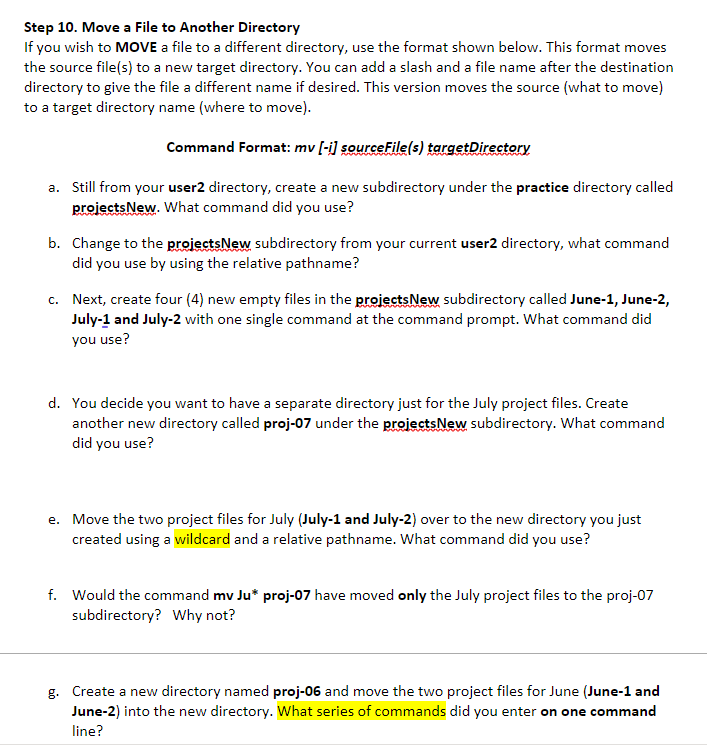
oves Step 10. Move a File to Another Directory If you wish to MOVE a file to a different directory, use the format shown below. This format move the source file(s) to a new target directory. You can add a slash and a file name after the destination directory to give the file a different name if desired. This version moves the source (what to move) to a target directory name (where to move). Command Format: mv (-i) sourceFile(s) targetDirectory a. Still from your user2 directory, create a new subdirectory under the practice directory called projectsNew. What command did you use? b. Change to the projectsNew subdirectory from your current user2 directory, what command did you use by using the relative pathname? C. Next, create four (4) new empty files in the projectsNew subdirectory called June-1, June-2, July-1 and July-2 with one single command at the command prompt. What command did you use? d. You decide you want to have a separate directory just for the July project files. Create another new directory called proj-07 under the projectsNew subdirectory. What command did you use? e. Move the two project files for July (July-1 and July-2) over to the new directory you just created using a wildcard and a relative pathname. What command did you use? f. Would the command mv Ju* proj-07 have moved only the July project files to the proj-07 subdirectory? Why not? g. Create a new directory named proj-06 and move the two project files for June (June-1 and June-2) into the new directory. What series of commands did you enter on one command line
Step by Step Solution
There are 3 Steps involved in it

Get step-by-step solutions from verified subject matter experts
 Study Help