







Question: p3.h p3.cpp Please code in C++ Thank you! You are building a program to determine the order of a group of people by both height

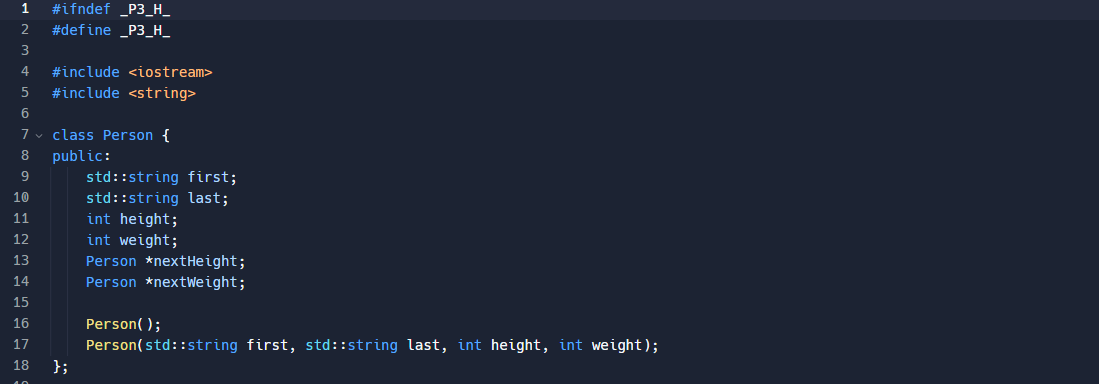
p3.h
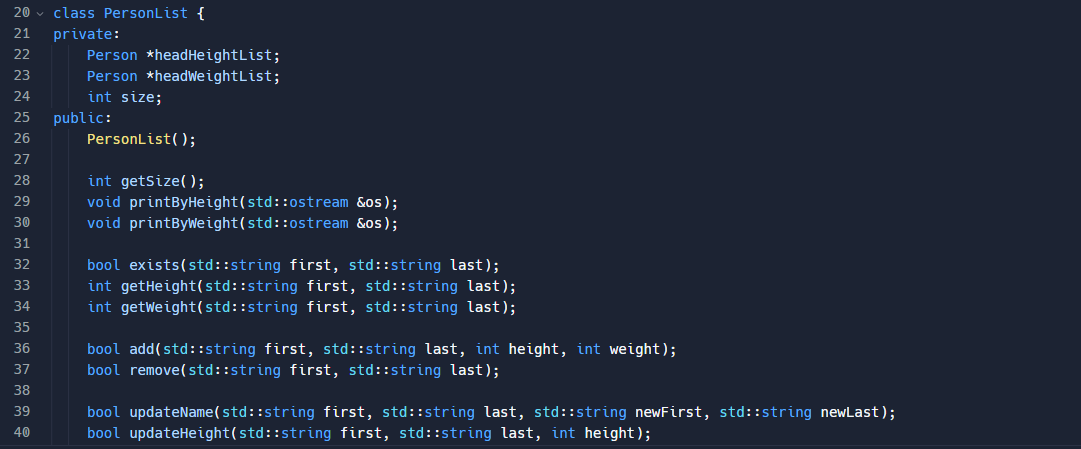

p3.cpp
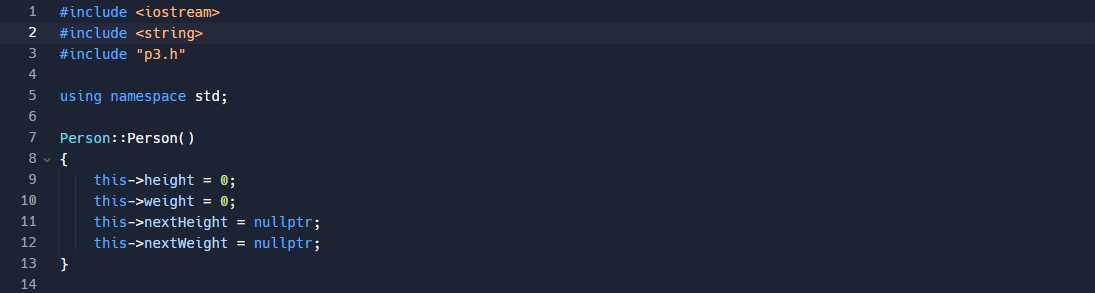
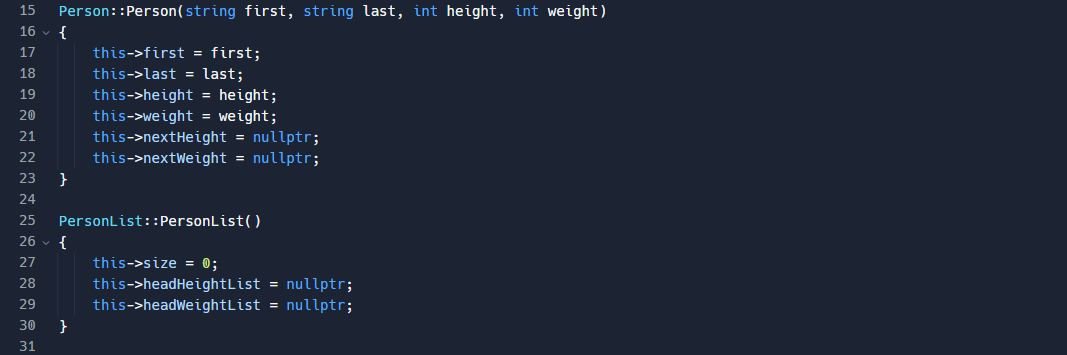
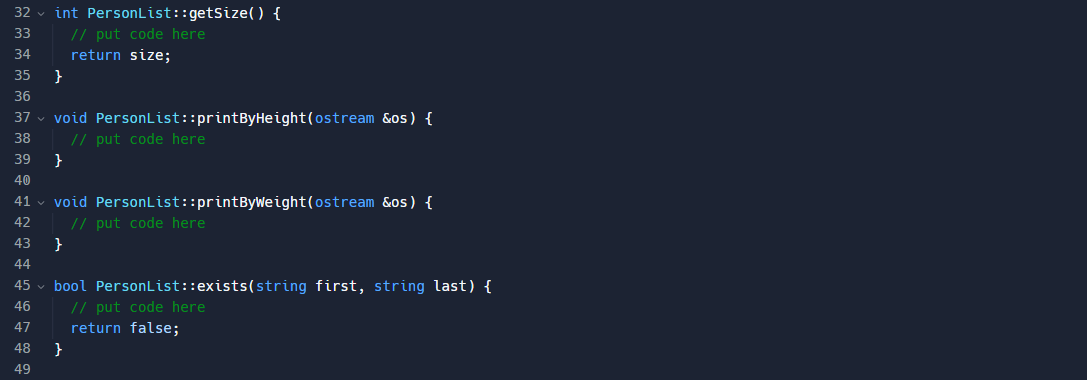
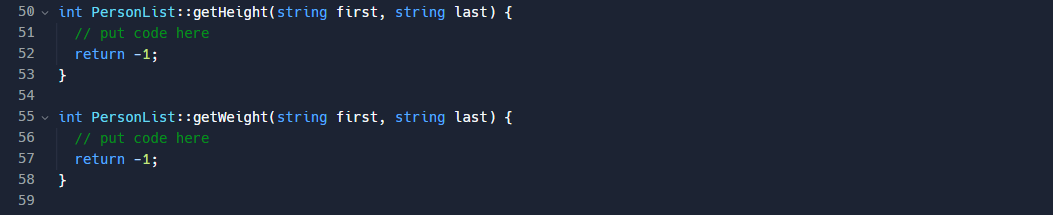
 Please code in C++
Thank you!
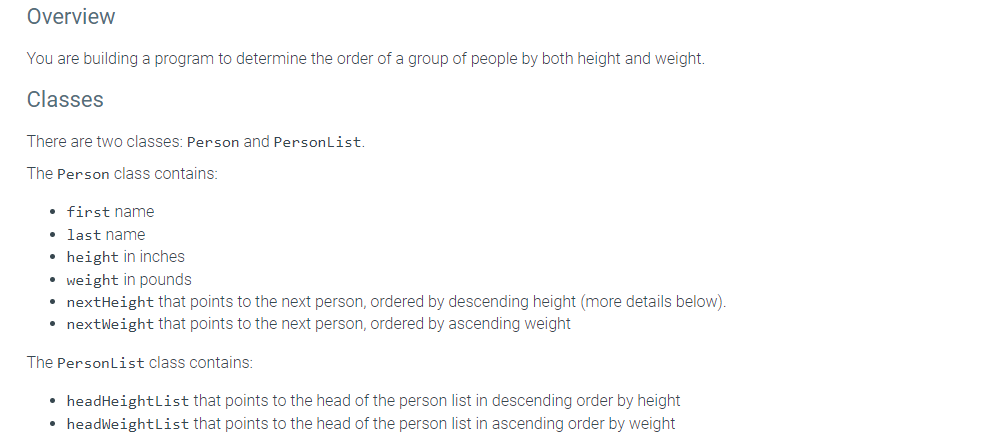
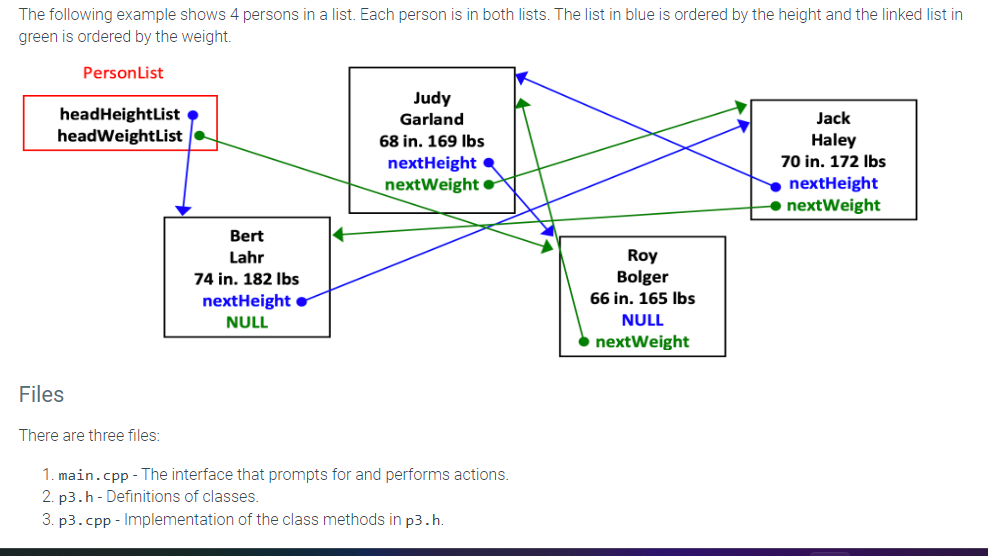
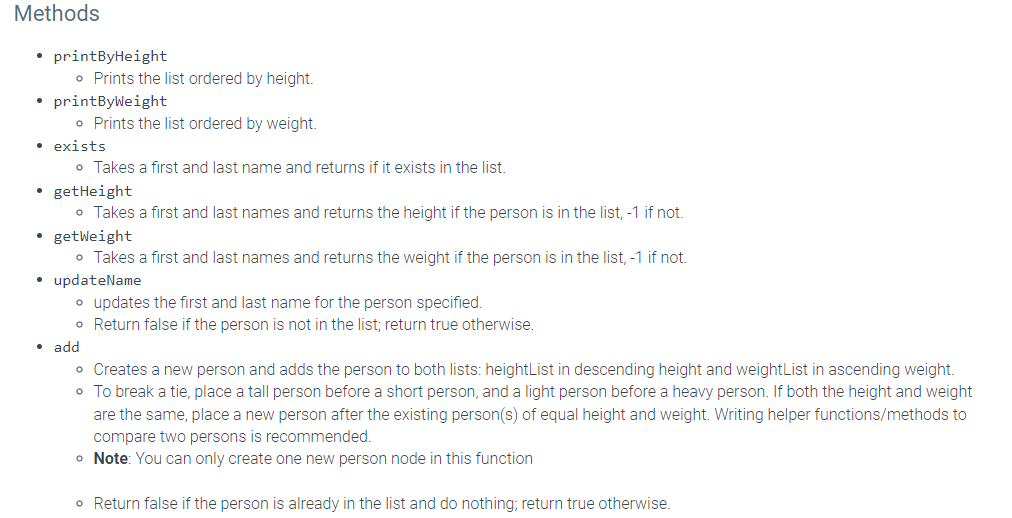
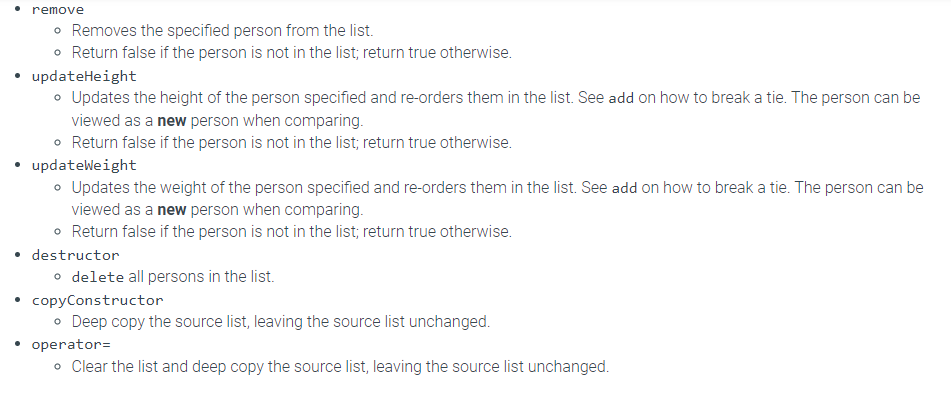
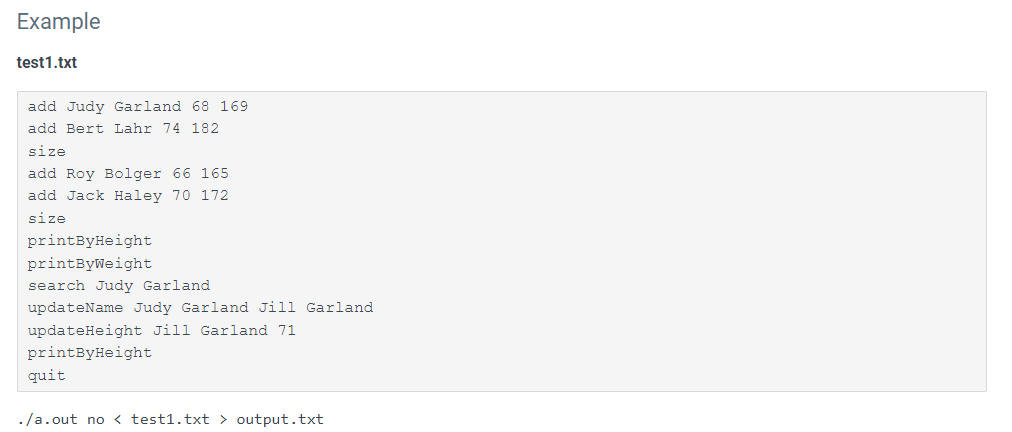
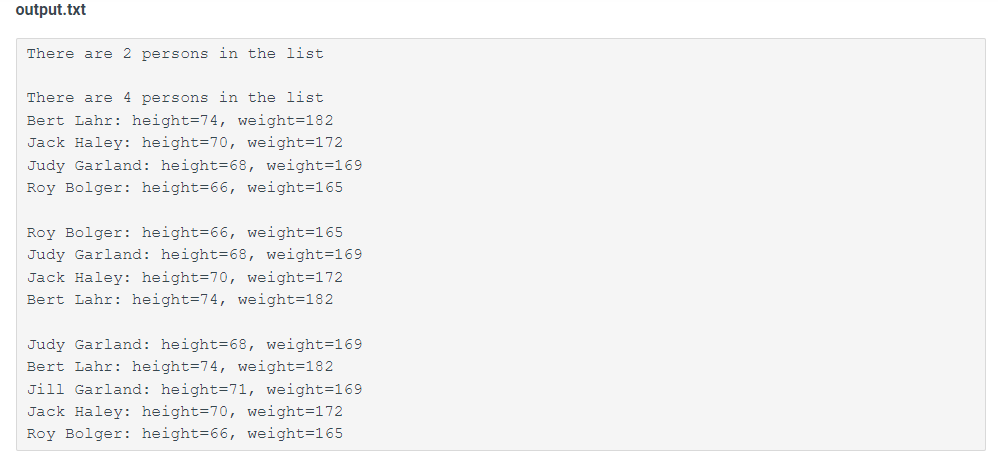
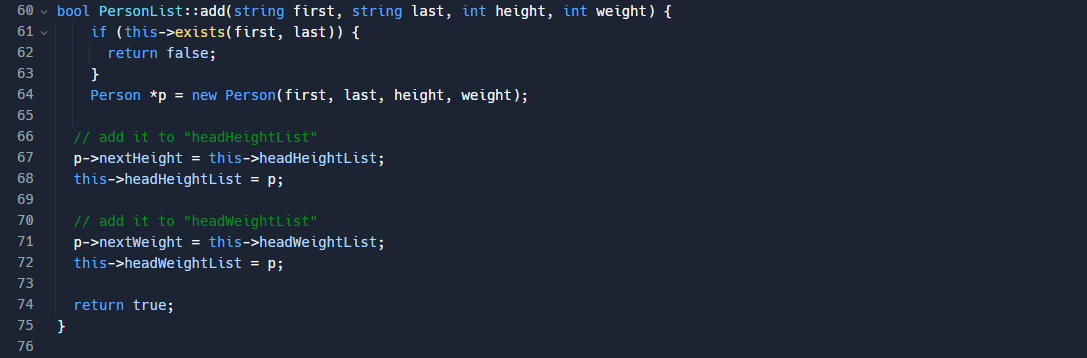
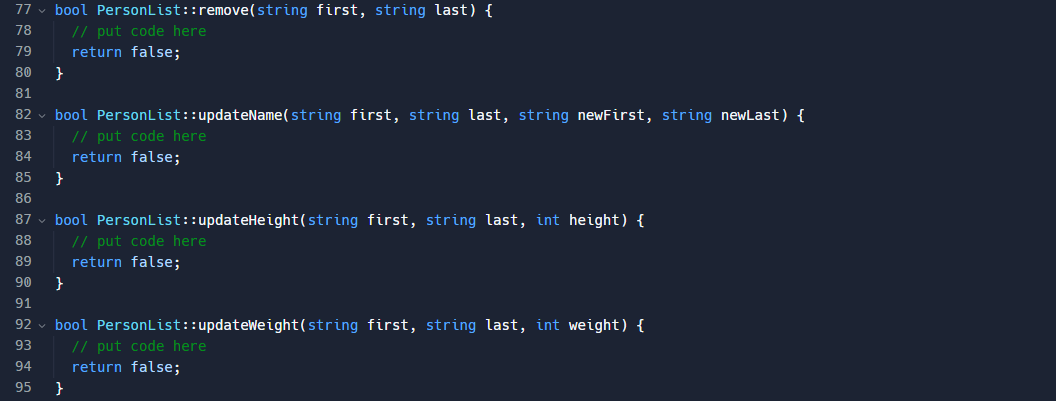
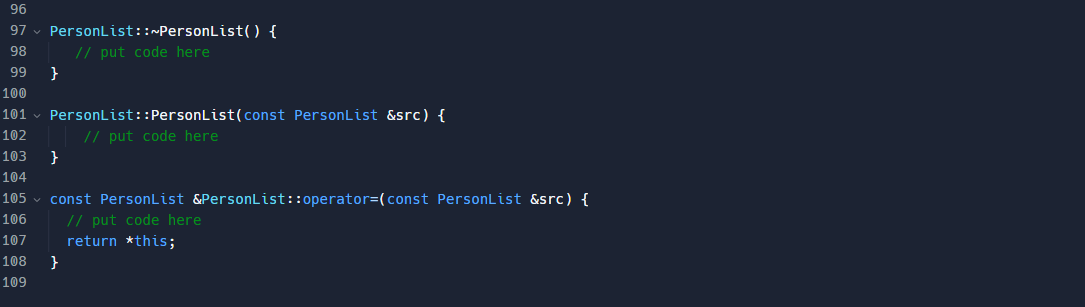
You are building a program to determine the order of a group of people by both height and weight. Classes There are two classes: Person and PersonList. The Person class contains: - first name - last name - height in inches - weight in pounds - nextHeight that points to the next person, ordered by descending height (more details below). - nextWeight that points to the next person, ordered by ascending weight The PersonList class contains: - headHeightList that points to the head of the person list in descending order by height - headWeightlist that points to the head of the person list in ascending order by weight The following example shows 4 persons in a list. Each person is in both lists. The list in blue is ordered by the height and the linked list in green is ordered by the weight. Files There are three files: 1. main.cpp - The interface that prompts for and performs actions. 2. p3.h- Definitions of classes. 3. p3.cpp - Implementation of the class methods in p3.h. - printByHeight - Prints the list ordered by height. - printByWeight - Prints the list ordered by weight. - exists - Takes a first and last name and returns if it exists in the list. - getHeight - Takes a first and last names and returns the height if the person is in the list, 1 if not. - getWeight - Takes a first and last names and returns the weight if the person is in the list, 1 if not. - updateName - updates the first and last name for the person specified. - Return false if the person is not in the list; return true otherwise. - add - Creates a new person and adds the person to both lists: heightList in descending height and weightList in ascending weight. - To break a tie, place a tall person before a short person, and a light person before a heavy person. If both the height and weight are the same, place a new person after the existing person(s) of equal height and weight. Writing helper functions/methods to compare two persons is recommended. - Note: You can only create one new person node in this function - Return false if the person is already in the list and do nothing; return true otherwise. - remove - Removes the specified person from the list. - Return false if the person is not in the list; return true otherwise. - updateHeight - Updates the height of the person specified and re-orders them in the list. See add on how to break a tie. The person can be viewed as a new person when comparing. - Return false if the person is not in the list; return true otherwise. - updateWeight - Updates the weight of the person specified and re-orders them in the list. See add on how to break a tie. The person can be viewed as a new person when comparing. - Return false if the person is not in the list; return true otherwise. - destructor - delete all persons in the list. - copyConstructor - Deep copy the source list, leaving the source list unchanged. - operator = - Clear the list and deep copy the source list, leaving the source list unchanged. Example test1.txt add Judy Garland 68169 add Bert Lahr 74182 size add Roy Bolger 66165 add Jack Haley 70172 size printByHeight printByWeight search Judy Garland updateName Judy Garland Jill Garland updateHeight Jill Garland 71 printByHeight quit ./a.out no output.txt There are 2 persons in the list There are 4 persons in the list Bert Lahr: height=74, weight=182 Jack Haley: height=70, weight=172 Judy Garland: height=68, weight=169 Roy Bolger: height=66, weight=165 Roy Bolger: height=66, weight=165 Judy Garland: height=68, weight=169 Jack Haley: height=70, weight=172 Bert Lahr: height=74, weight=182 Judy Garland: height=68, weight =169 Bert Lahr: height=74, weight=182 Jill Garland: height=71, weight=169 Jack Haley: height=70, weight =172 Roy Bolger: height= 66, weight =165 You can download the templates below under Submission Instructions. Complete the class methods in p3.cpp. You are allowed to modify p3.h and add additional methods to the classes. You are encouraged to write more methods and functions than those listed, but you must not change the class names or the method signatures already defined. Note: the current implementation of 'add' only adds at the front. You will need to implement the order aspect, but you can work on other more simple methods (printByHeight, printByWeight, etc.) before attempting the more complicated methods. \begin{tabular}{l|l} \hline 41 & bool updateWeight(std::string first, std: :string last, int weight); \\ 42 & \\ 43 & PersonList(); \\ 44 & PersonList(const PersonList \&src); \\ 45 & Const PersonList \&operator=(const PersonList \&src); \\ 46 & 3; \\ 47 & \\ 48 & \#endif \\ 49 & \end{tabular}
Step by Step Solution
There are 3 Steps involved in it

Get step-by-step solutions from verified subject matter experts
 Study Help