







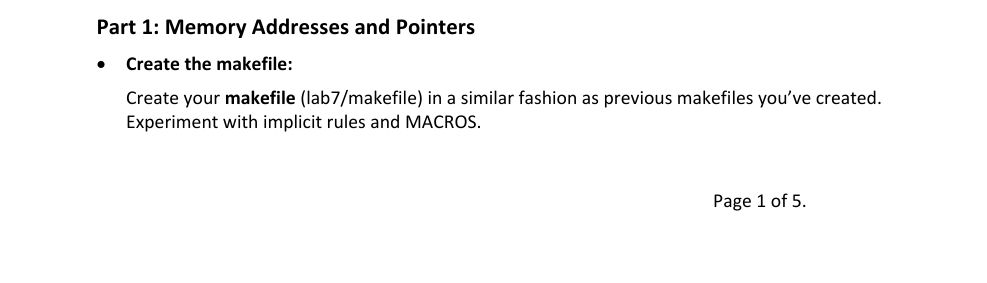
Question: Part 1 : Memory Addresses and Pointers - Create the makefile: Create your makefile ( lab 7 / makefile ) in a similar fashion as
Part : Memory Addresses and Pointers
Create the makefile:
Create your makefile labmakefile in a similar fashion as previous makefiles you've created. Experiment with implicit rules and MACROS. Note: if you set a makefile macro "CFLAGS" to have the I compiler flag for finding labh in the include directory, then the implicit rules for making a o from a c will work.
CFLMGE I include
laba: labc includelabh leftarrow just include this
don't neod to explicitly specify the action
In all your source code, including makefiles:
Include your name, class section # and current semester as lines as a comment at the top of your files.
Include a clean target in your makefile which removes the appropriate files.
In all c files, display allerror message to stderr standard error rather then stdout. Hint: use fprintfstderr or perrortext mII which will print the message provided and the current value of errno.
Create includelabh
An "include file" which has declarations for external functions used in labc Add the external declarations and any preprocessor macros as needed.
Create labc Contains the main calls various functions
Include a main function in labc which accepts a single integer on the command line.
In this function
Accept the command line parameter a string in argv and convert it to an int see man of atoi and store the converted value in an integer named num. Hint: int num atoilargv;
Include a check that at least one command line argument was provided and successfully converts to an int via atoi
Create an array of ints, initialize the array elements to:
Before performing each of the parts of this Lab, print the following with leading new lines to separate the output from each section, where mathbfn is the Part number
Part mezee
Create partc fille:
Includes function:
void callByRef int intPtr int n int intArray
Parameters:
intPtr a pointer to an int,
mathbfn the number of elements in the array of integers
intArray the array of integers This function should do the following:
Update the first parameter's value intPtr to
Update the text nd element in the array intArray to
Run through the intArray backwards ie from the last element to the first using an int pointer to address each element. Print the following for each element in the array:
Array element is is the array position for the element, and is the value of the element in the array at that position. Indent each line with tab
Back in your main function: call the function callByRef with the three parameters: &num, array size" and intArray
Before calling callByRef print the following line to the screen:
Before callByRef num is and Array is: list of intArray elements
After returning from the call to callByRef print the following line:
After callByRef num is and Array is: list of intArray elements
"Hint, you can hardcode the array size since we are hardcoding the elements of intArray
Example Output for Part :
Part l
Before callByRef number is and Array is:
Array element is
Array element $ is &
Mrray element is
Array element is
Array element is
Mfter callByRefll, number is and Mrray is:
Part : Dynamic Memory Allocation add the use of dynamic memory allocation
Create a new function called "allocit which takes integer values and does not return a value.
Within allocit allocate an amount of memory equal to the smaller of the provided numbers to store data of type char.
Use a loop to fill the allocated data with the letter Hint think of the allocated memory as an array of chars.
After filling the array, print the char stored in the beginning of the allocated memory using the printf format string: "The first char is mathbfcbackslash mathbfnprime prime
Then, use the realloc function to reallocate the amount of memory equal to the larger of the provided numbers.
Part : Function Pointers Add the use of function pointers.
Create partc file which contains two functions, each function accepts an int and a char as parameters and returns an int. Name them fun and fun
Have fun print the following message to stderr:
In fun got and 'echar param
Have fun print the following message to stderr:
In fun got and
In your main call funnum Eprime prime if the value passed in on the command line is even, and call funnumO if it is odd. Le you will call either fun or fun You will have to determine if the number provided is even or odd.
Use function pointers and a Ternary operator to determine which to call. Have fun return and fun return
Have main print the following line after calling the appropriate function:
Function returned
where cretVal is the return value from funfun whichever was called
Do not add a newline to that line, let
Step by Step Solution
There are 3 Steps involved in it
1 Expert Approved Answer
Step: 1 Unlock

Question Has Been Solved by an Expert!
Get step-by-step solutions from verified subject matter experts
Step: 2 Unlock
Step: 3 Unlock
 Study Help