







Question: Part 1: Searching and sorting an int array Instructions: Write a program called RandomGrades.java that generates integers representing student grades, sorts the list in
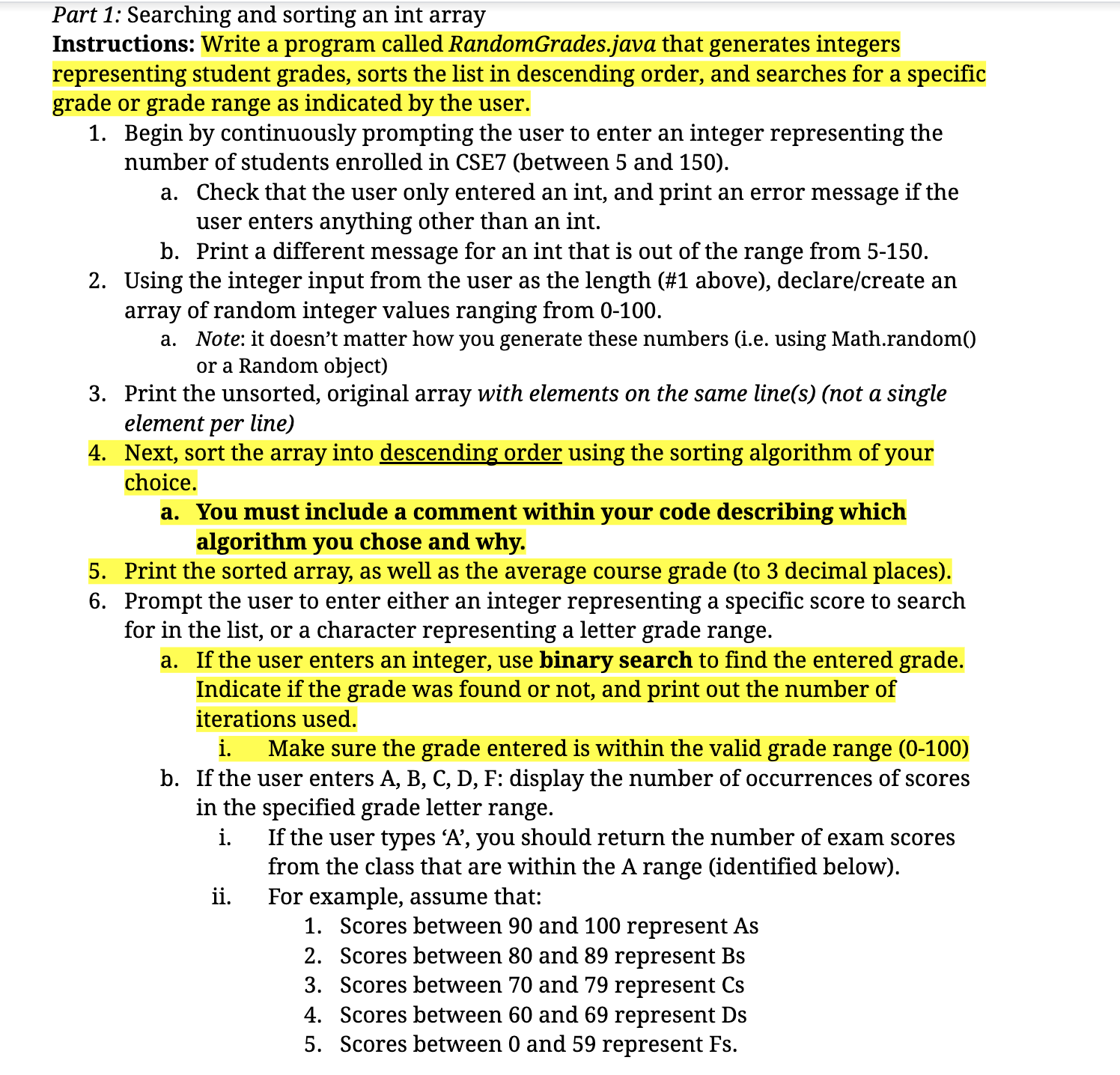
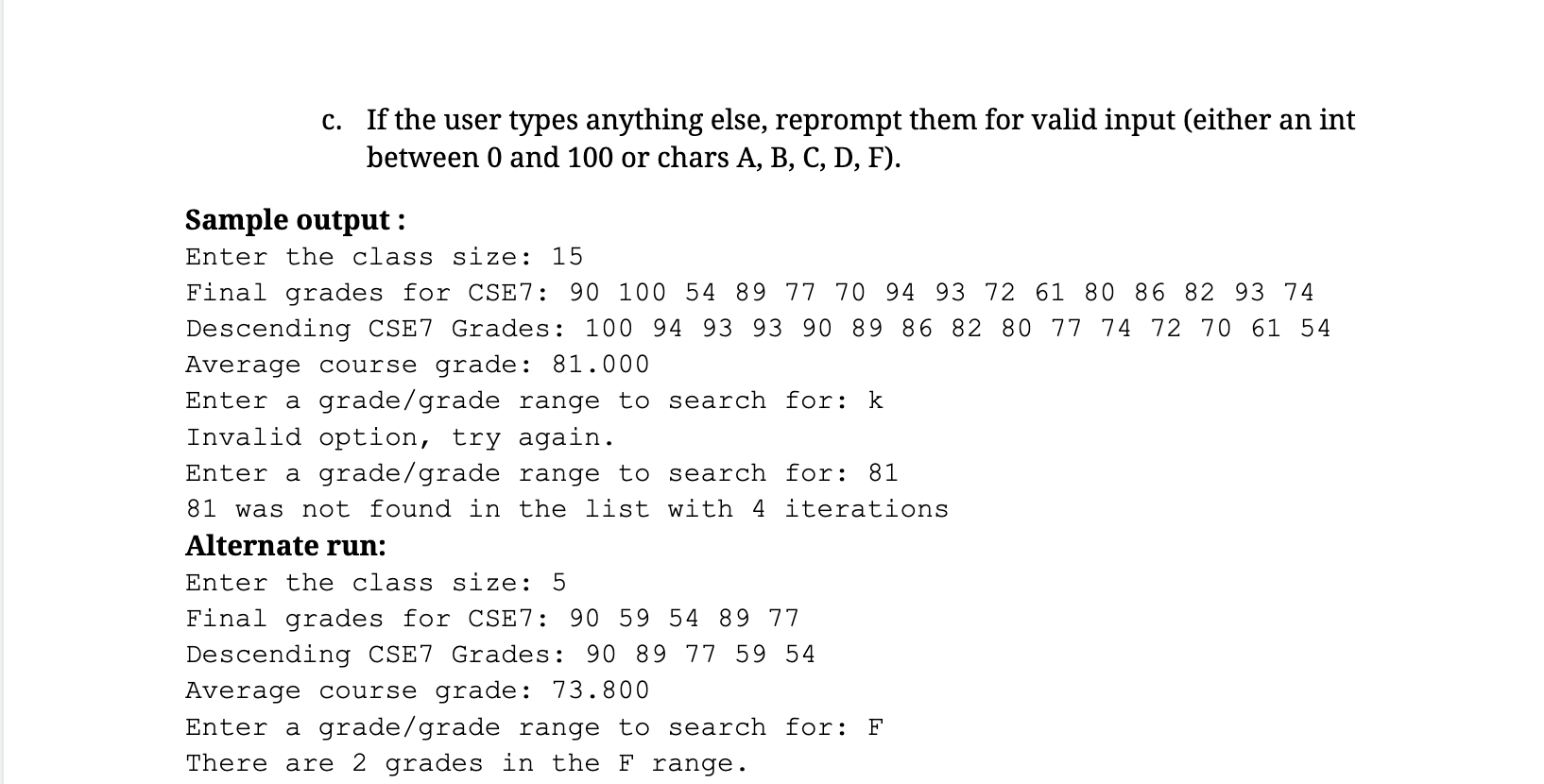
Part 1: Searching and sorting an int array Instructions: Write a program called RandomGrades.java that generates integers representing student grades, sorts the list in descending order, and searches for a specific grade or grade range as indicated by the user. 1. Begin by continuously prompting the user to enter an integer representing the number of students enrolled in CSE7 (between 5 and 150). a. Check that the user only entered an int, and print an error message if the user enters anything other than an int. b. Print a different message for an int that is out of the range from 5-150. 2. Using the integer input from the user as the length (#1 above), declare/create an array of random integer values ranging from 0-100. a. Note: it doesn't matter how you generate these numbers (i.e. using Math.random() or a Random object) 3. Print the unsorted, original array with elements on the same line(s) (not a single element per line) 4. Next, sort the array into descending order using the sorting algorithm of your choice. a. You must include a comment within your code describing which algorithm you chose and why. 5. Print the sorted array, as well as the average course grade (to 3 decimal places). 6. Prompt the user to enter either an integer representing a specific score to search for in the list, or a character representing a letter grade range. a. If the user enters an integer, use binary search to find the entered grade. Indicate if the grade was found or not, and print out the number of iterations used. i. Make sure the grade entered is within the valid grade range (0-100) b. If the user enters A, B, C, D, F: display the number of occurrences of scores in the specified grade letter range. i. ii. If the user types 'A', you should return the number of exam scores from the class that are within the A range (identified below). For example, assume that: 1. Scores between 90 and 100 represent As 2. Scores between 80 and 89 represent Bs 3. Scores between 70 and 79 represent Cs 4. Scores between 60 and 69 represent Ds 5. Scores between 0 and 59 represent Fs. c. If the user types anything else, reprompt them for valid input (either an int between 0 and 100 or chars A, B, C, D, F). Sample output: Enter the class size: 15 Final grades for CSE7: 90 100 54 89 77 70 94 93 72 61 80 86 82 93 74 Descending CSE7 Grades: 100 94 93 93 90 89 86 82 80 77 74 72 70 61 54 Average course grade: 81.000 Enter a grade/grade range to search for: k Invalid option, try again. Enter a grade/grade range to search for: 81 81 was not found in the list with 4 Alternate run: Enter the class size: 5 iterations Final grades for CSE7: 90 59 54 89 77 Descending CSE7 Grades: 90 89 77 59 54 Average course grade: 73.800 Enter a grade/grade range to search for: F There are 2 grades in the F range.
Step by Step Solution
There are 3 Steps involved in it

Get step-by-step solutions from verified subject matter experts
 Study Help