





Question: Part 1: VI Editing - Small file Open your terminal and connect to snowball server. Change your directory to your home directory (cd - ),
 Part 1: VI Editing - Small file Open your terminal and
connect to snowball server. Change your directory to your home directory (cd

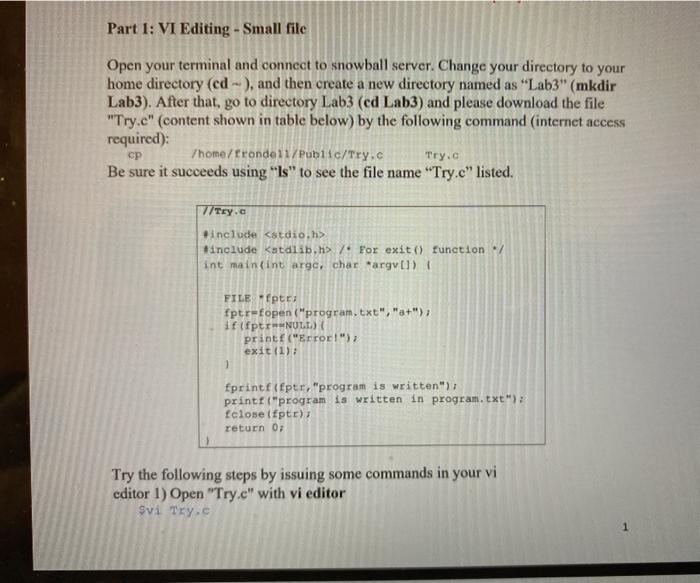
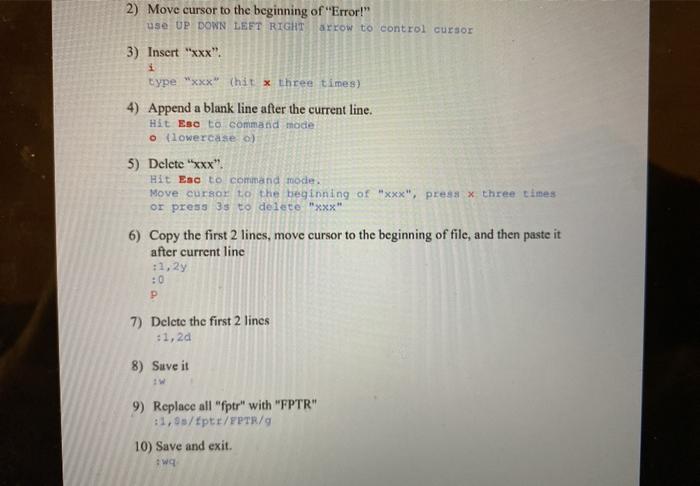
Part 1: VI Editing - Small file Open your terminal and connect to snowball server. Change your directory to your home directory (cd - ), and then create a new directory named as "Lab3" (mkdir Lab3). After that, go to directory Lab3 (ed Lab3) and please download the file "Try.c" (content shown in table below) by the following command (internet access required): /home/fronde 11/Public/Try.c Try.c Be sure it succeeds using "Is" to see the file name "Try.c" listed. 7/Tey.c #include #include /. For exit() function / int main(int arge, char *argv[]) FILE *pter fptr=fopen("program.txt","+"); if(fptr -NULI.) printf("Error") exit (1) 1 fprintf(fptr,"program is written") printf("program is written in program. txt"): fclose(fpte); return 0; Try the following steps by issuing some commands in your vi editor 1) Open "Try.c" with vi editor Svi Try.c 1 2) Move cursor to the beginning of "Error!" use UP DOWN LEET RIGHT arrow to control cursor 3) Insert "xxx", 1 type "xXx" hit x three times) 4) Append a blank line after the current line. Hit Ese to command mode (lowercase ) 5) Delete "xxx" Hit Eso to command mode. Move cursor to the beginning of "xxx", presa x three times or press 3s to delete "xXx" 6) Copy the first 2 lines, move cursor to the beginning of file, and then paste it after current line :1,24 :0 P 7) Delete the first 2 lines :1,20 8) Suve it 9) Replace all "fptr" with "FPTR" 11,95/tptr/YPTR/ 10) Save and exit. wa

Step by Step Solution

There are 3 Steps involved in it

1 Expert Approved Answer
Step: 1 Unlock blur-text-image
Question Has Been Solved by an Expert!

Get step-by-step solutions from verified subject matter experts

Step: 2 Unlock
Step: 3 Unlock

Students Have Also Explored These Related Databases Questions!