







Question: Part 1. Website Design (10%) You are asked to create a personal website to show off your skills as a web developer to possible
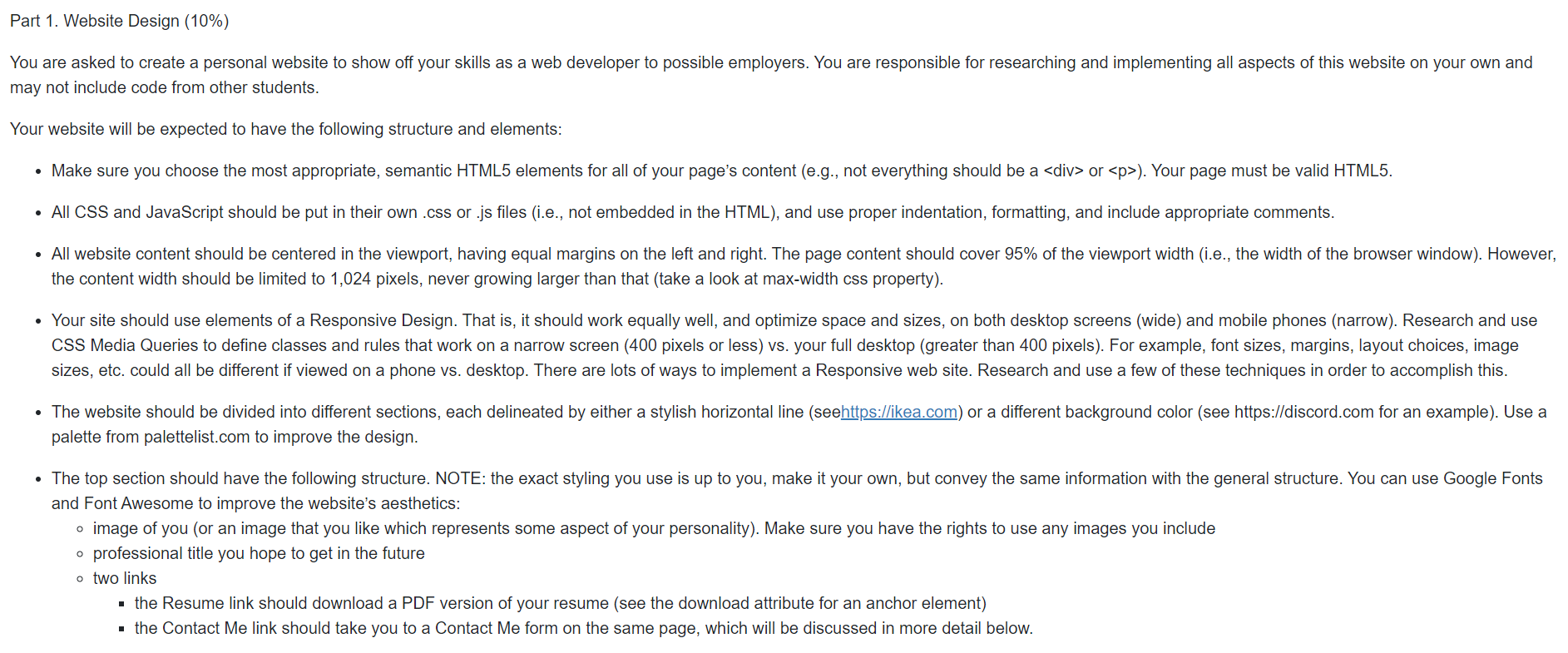
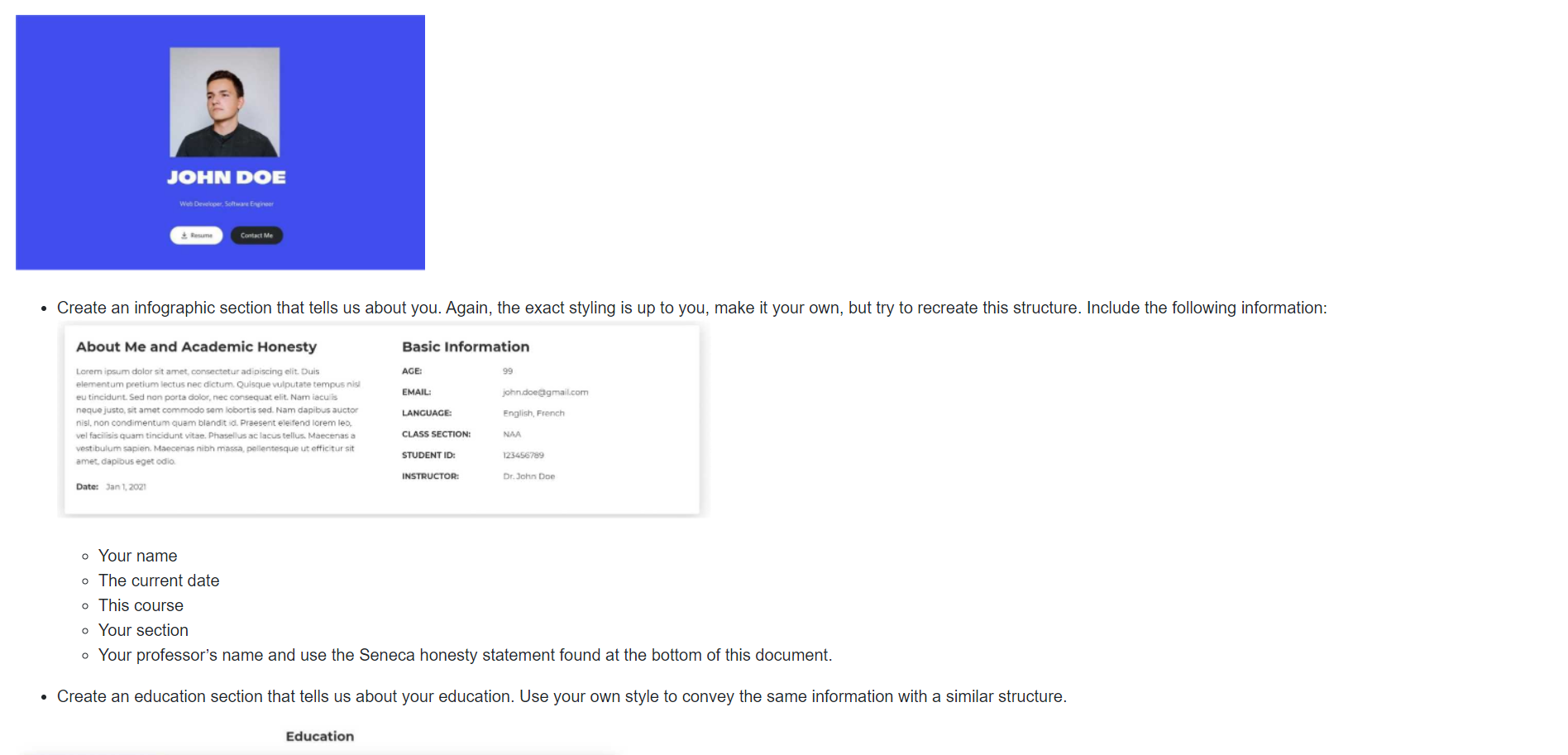
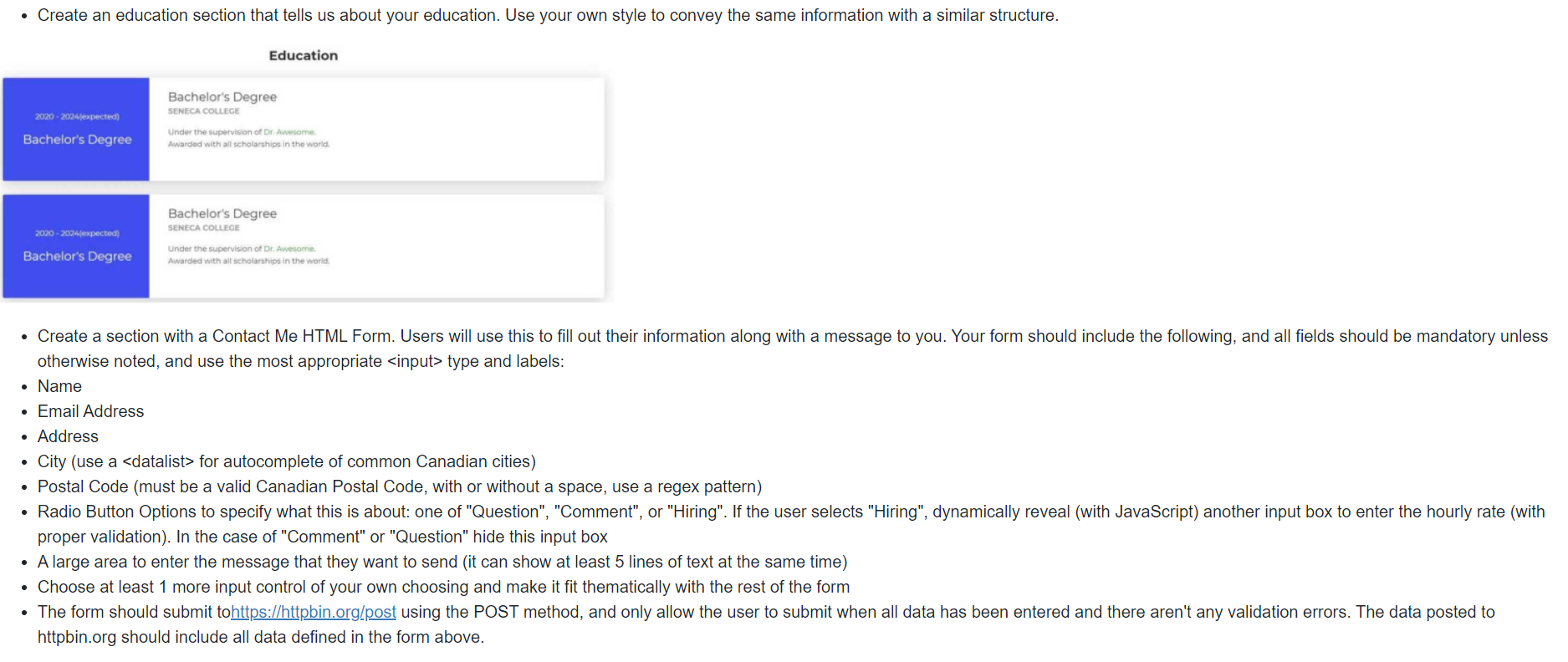
Part 1. Website Design (10%) You are asked to create a personal website to show off your skills as a web developer to possible employers. You are responsible for researching and implementing all aspects of this website on your own and may not include code from other students. Your website will be expected to have the following structure and elements: Make sure you choose the most appropriate, semantic HTML5 elements for all of your page's content (e.g., not everything should be a or ). Your page must be valid HTML5. All CSS and JavaScript should be put in their own .css or .js files (i.e., not embedded in the HTML), and use proper indentation, formatting, and include appropriate comments. All website content should be centered in the viewport, having equal margins on the left and right. The page content should cover 95% of the viewport width (i.e., the width of the browser window). However, the content width should be limited to 1,024 pixels, never growing larger than that (take a look at max-width css property). Your site should use elements of a Responsive Design. That is, it should work equally well, and optimize space and sizes, on both desktop screens (wide) and mobile phones (narrow). Research and use CSS Media Queries to define classes and rules that work on a narrow screen (400 pixels or less) vs. your full desktop (greater than 400 pixels). For example, font sizes, margins, layout choices, image sizes, etc. could all be different if viewed on a phone vs. desktop. There are lots of ways to implement a Responsive web site. Research and use a few of these techniques in order to accomplish this. . The website should be divided into different sections, each delineated by either a stylish horizontal line (seehttps://ikea.com) or a different background color (see https://discord.com for an example). Use a palette from palettelist.com to improve the design. The top section should have the following structure. NOTE: the exact styling you use is up to you, make it your own, but convey the same information with the general structure. You can use Google Fonts and Font Awesome to improve the website's aesthetics: image of you (or an image that you like which represents some aspect of your personality). Make sure you have the rights to use any images you include professional title you hope to get in the future two links the Resume link should download a PDF version of your resume (see the download attribute for an anchor element) the Contact Me link should take you to a Contact Me form on the same page, which will be discussed in more detail below. JOHN DOE Web Developer, Software Engineer Resume Contact Me Create an infographic section that tells us about you. Again, the exact styling is up to you, make it your own, but try to recreate this structure. Include the following information: About Me and Academic Honesty Lorem ipsum dolor sit amet, consectetur adipiscing elit. Duis elementum pretium lectus nec dictum. Quisque vulputate tempus nisl eu tincidunt. Sed non porta dolor, nec consequat elit. Nam iaculis neque justo, sit amet commodo sem lobortis sed. Nam dapibus auctor nisl, non condimentum quam blandit id. Praesent eleifend lorem leo, vel facilisis quam tincidunt vitae. Phasellus ac lacus tellus. Maecenas a vestibulum sapien. Maecenas nibh massa, pellentesque ut efficitur sit amet, dapibus eget odio. Date: Jan 1, 2021 Basic Information AGE: EMAIL: LANGUAGE: CLASS SECTION: STUDENT ID: INSTRUCTOR: 99 john.doe@gmail.com English, French NAA 123456789 Dr. John Doe Your name The current date This course Your section Your professor's name and use the Seneca honesty statement found at the bottom of this document. Create an education section that tells us about your education. Use your own style to convey the same information with a similar structure. Education Create an education section that tells us about your education. Use your own style to convey the same information with a similar structure. Education 2020-2024(expected) Bachelor's Degree Bachelor's Degree SENECA COLLEGE Under the supervision of Dr. Awesome. Awarded with all scholarships in the world. 2020-2024(expected) Bachelor's Degree Bachelor's Degree SENECA COLLEGE Under the supervision of Dr. Awesome. Awarded with all scholarships in the world. Create a section with a Contact Me HTML Form. Users will use this to fill out their information along with a message to you. Your form should include the following, and all fields should be mandatory unless otherwise noted, and use the most appropriate type and labels: Name Email Address Address City (use a for autocomplete of common Canadian cities) Postal Code (must be a valid Canadian Postal Code, with or without a space, use a regex pattern) Radio Button Options to specify what this is about: one of "Question", "Comment", or "Hiring". If the user selects "Hiring", dynamically reveal (with JavaScript) another input box to enter the hourly rate (with proper validation). In the case of "Comment" or "Question" hide this input box A large area to enter the message that they want to send (it can show at least 5 lines of text at the same time) Choose at least 1 more input control of your own choosing and make it fit thematically with the rest of the form The form should submit tohttps://httpbin.org/post using the POST method, and only allow the user to submit when all data has been entered and there aren't any validation errors. The data posted to httpbin.org should include all data defined in the form above.
Step by Step Solution
There are 3 Steps involved in it

Get step-by-step solutions from verified subject matter experts
 Study Help